Mocha TN5250
Connect to an IBM AS/400/iSeries host through a configurable TN5250 terminal emulator.
An authorized IBM i user who tests compatibility with the separate Lite edition first.
Connect to an IBM AS/400/iSeries host through a configurable TN5250 terminal emulator.
Keep in mind: The paid edition removes the Lite version’s stated forty-five-second break after ten minutes. Host/code-page compatibility, TLS settings and barcode input were not audited or tested.
Inside the app
Official product images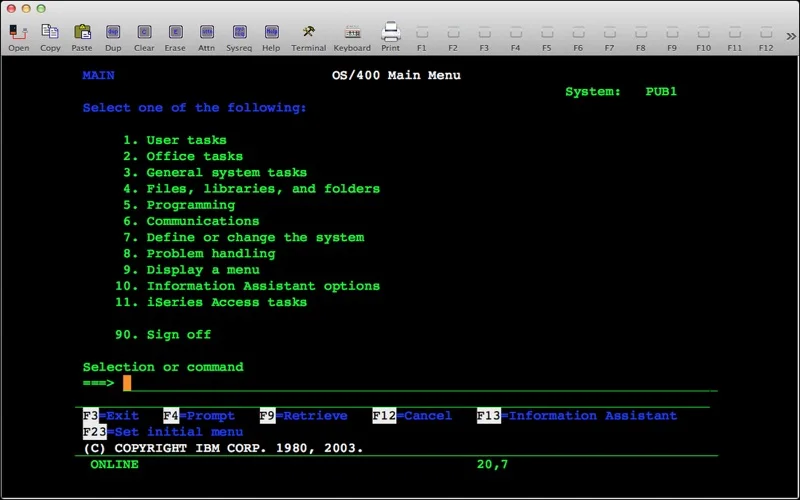
What you can do
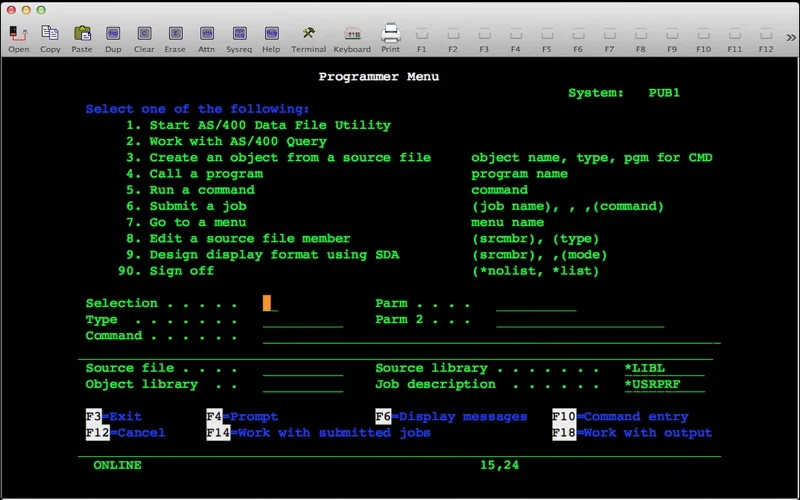
- Choose the described screen sizes and EBCDIC code pages.
- Use listed SSL/TLS, device names, hotspots and auto-login.
- Try the built-in Mac camera barcode-scanning workflow.
Good for
- An authorized IBM i user who tests compatibility with the separate Lite edition first.
Consider alternatives for
- An included IBM server account or guaranteed security of every host connection.
Limitations & considerations
- The paid edition removes the Lite version’s stated forty-five-second break after ten minutes. Host/code-page compatibility, TLS settings and barcode input were not audited or tested.
Privacy & permissions
Terminal sessions can contain credentials and business data. Use a trusted host, verify TLS and protect auto-login details/camera input.
Sources & review notes Updated Nov 19, 2026
Reviewed by iApp4Me Editorial Team. Recommendations use the linked documentation and attributed accounts; device observations are identified separately.
- US App Store listing
Full publisher description, version and US download price captured 2026-11-02; source-based coverage, not a device test.
No comments yet. Be the first to share your experience.