
MP3 Tag Editor: Batch Rename
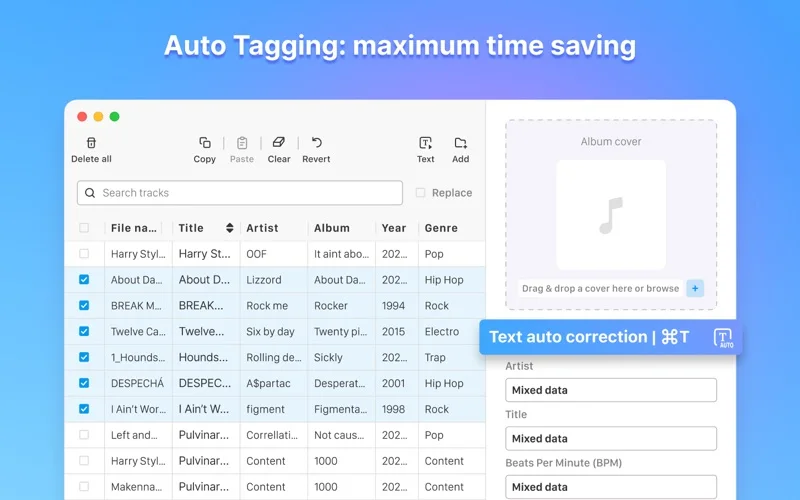
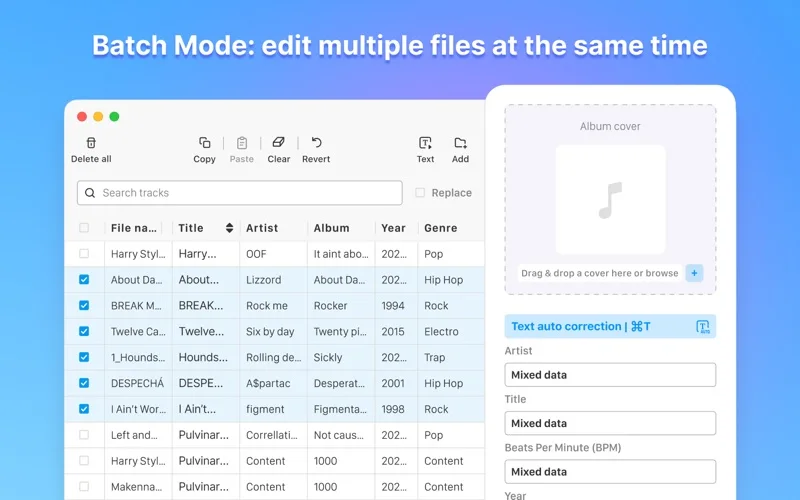
Edit music metadata in batches with cover-art changes, text cleanup and supported automatic tagging.
Someone organizing an existing local music collection.
Edit music metadata in batches with cover-art changes, text cleanup and supported automatic tagging.
Keep in mind: Tagging changes can overwrite metadata. Keep originals and inspect matches; format-specific support, automatic source accuracy and rename behavior were not independently tested.
Inside the app
Official product images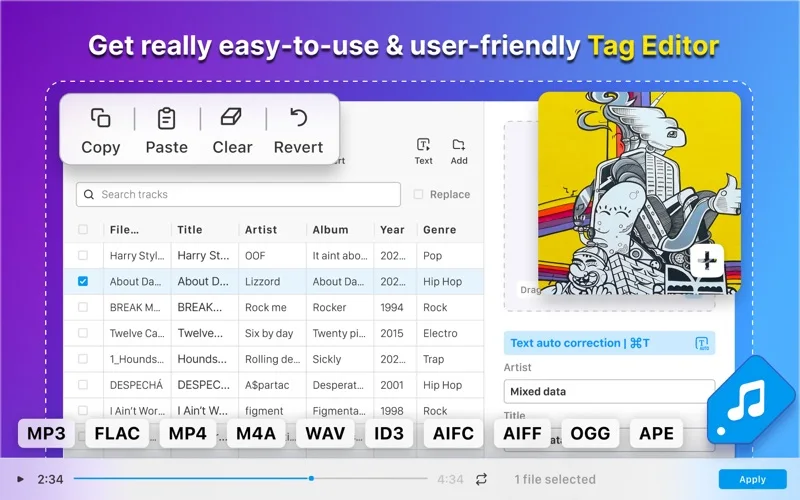
What you can do
- Change supported title, artist, album and other tags.
- Apply search/replace and cleanup across multiple files.
- Edit cover art and use the advertised auto-tagging workflow.
Good for
- Someone organizing an existing local music collection.
Consider alternatives for
- A guarantee of correct automatic tags or support for every tag field in every container.
Limitations & considerations
- Tagging changes can overwrite metadata. Keep originals and inspect matches; format-specific support, automatic source accuracy and rename behavior were not independently tested.
Privacy & permissions
Filenames and music tags can reveal collection contents. Review any lookup/network behavior and the store disclosure before using private recordings.
Sources & review notes Updated Nov 18, 2026
Reviewed by iApp4Me Editorial Team. Recommendations use the linked documentation and attributed accounts; device observations are identified separately.
- US App Store listing
Publisher description, version and US download price captured 2026-11-02; source-based coverage, not a device test.
No comments yet. Be the first to share your experience.