Netsight - WiFi Tools
See which devices your iPhone or iPad can find on your home Wi-Fi, inspect their details and get a map of the local network.
Taking stock of your own Wi-Fi and identifying familiar phones, computers and other devices
Netsight is a practical starting point when you want to match devices to your home Wi-Fi or gather a few basic diagnostics. Its map reflects what the app can see. Check the router’s device list too when completeness matters.
Keep in mind: Client isolation, guest networks and sleeping devices can affect what appears. Treat manufacturer and device labels as clues.
Inside the app
Official product images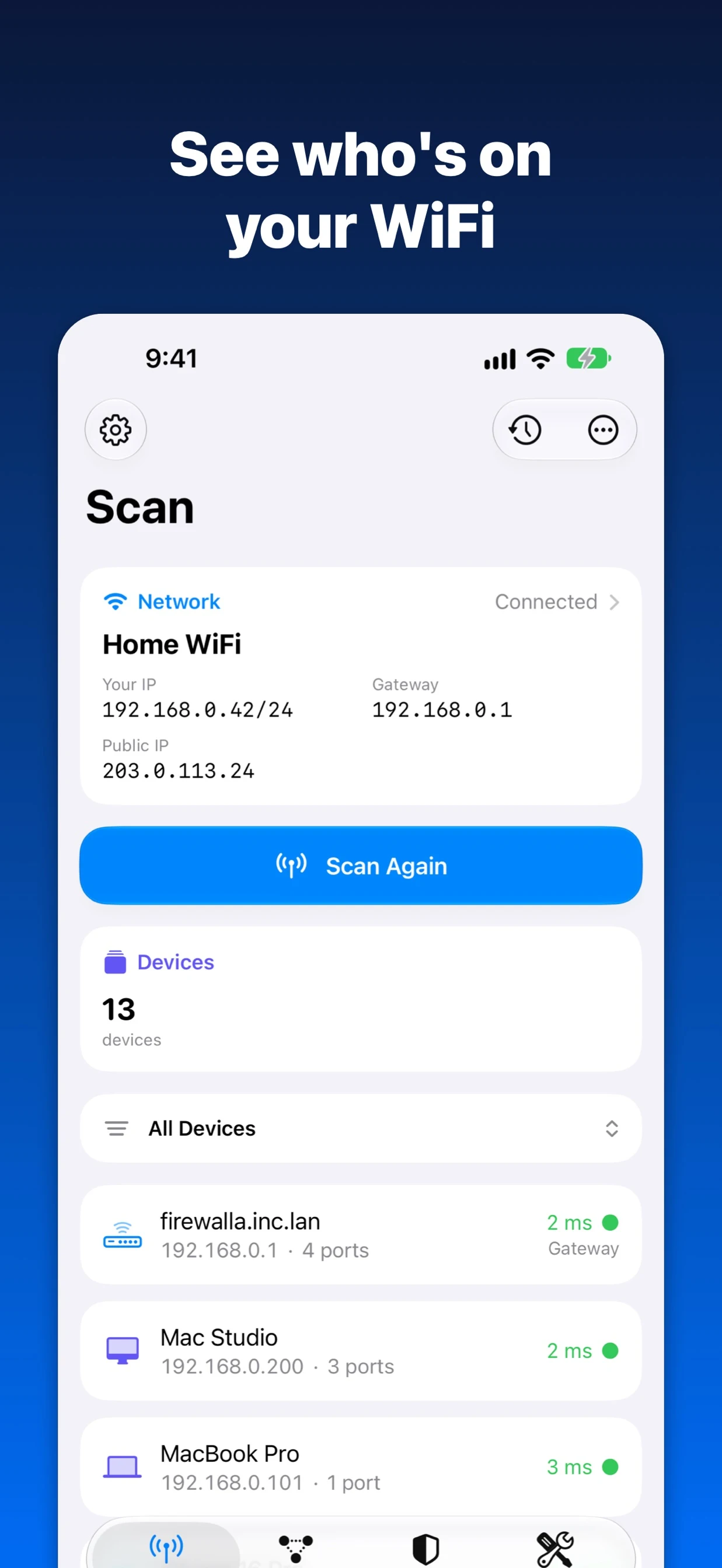



What you can do
- Make a local device inventory and compare changes between scans
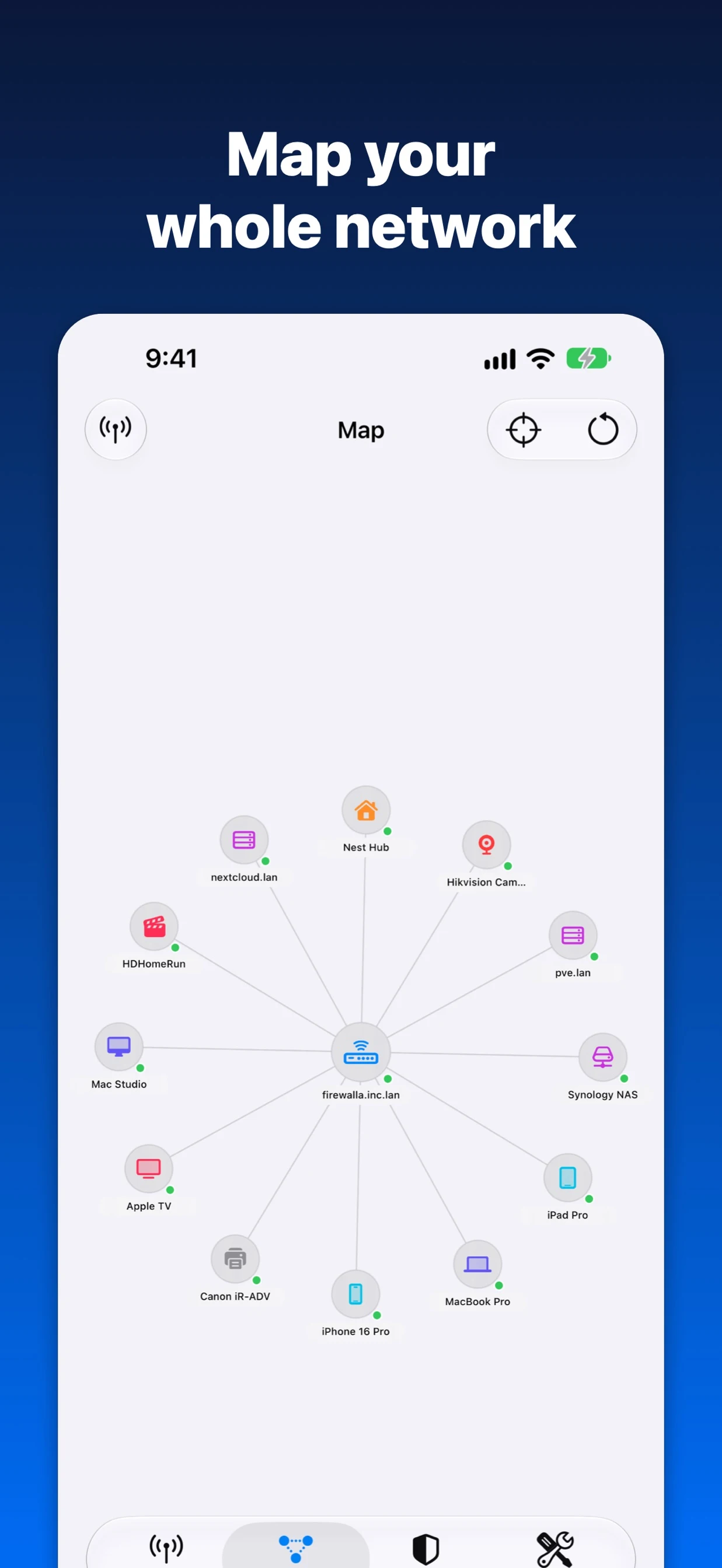
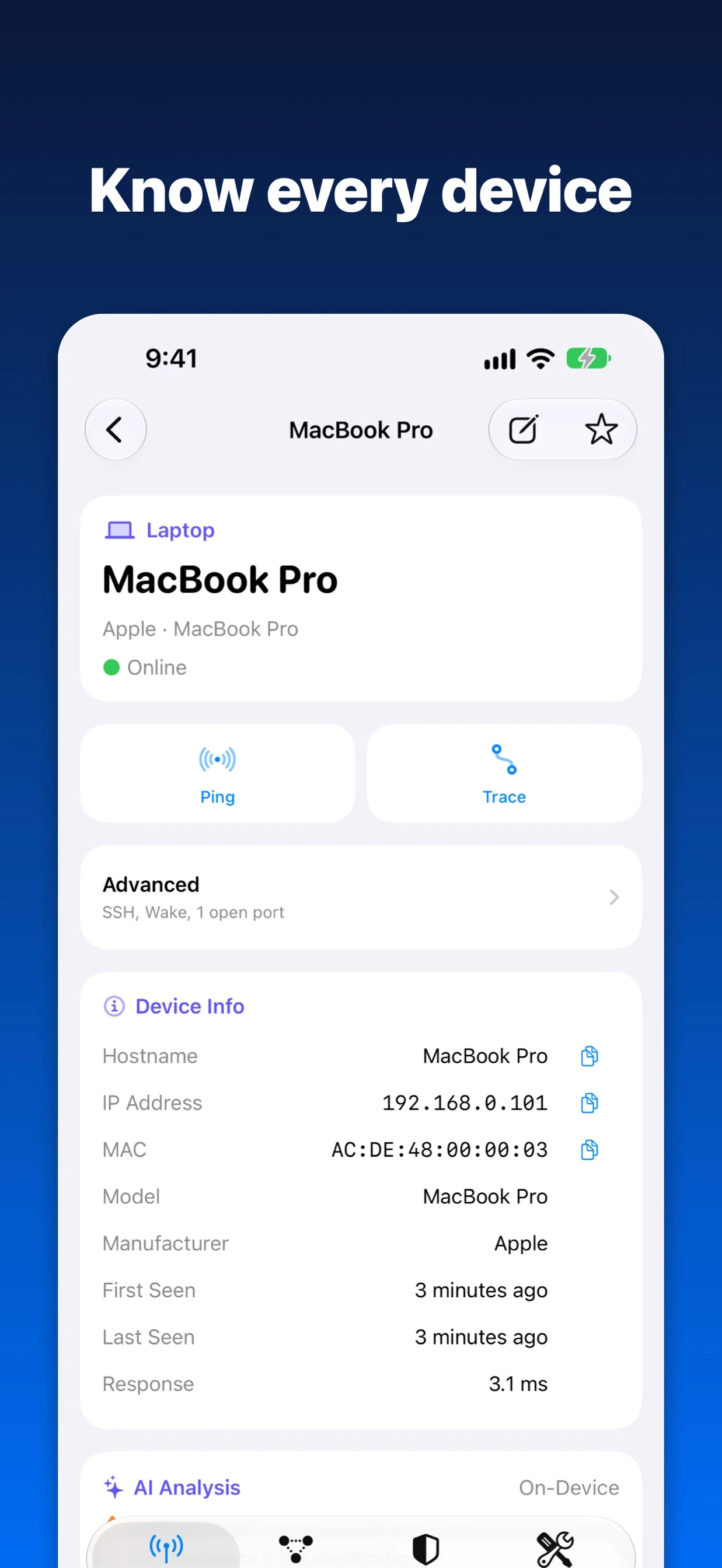
- See device details and visualize the network in a map
- Check connection speed and latency as part of household troubleshooting
Good for
- Taking stock of your own Wi-Fi and identifying familiar phones, computers and other devices
Consider alternatives for
- A complete inventory of isolated or sleeping clients, or a replacement for your router’s management console
Make a household device inventory
Start on your own trusted Wi-Fi. Compare the device list with the phones, computers and home equipment you recognize. The device details and topology map can help you match an unfamiliar label to a known device.
If something you expect is missing, check the router’s client list and whether the device is on the main or guest network. A snapshot reflects devices visible to the app at that moment.
Use one check to narrow a fault
When the connection feels slow, compare a speed or latency reading under similar conditions. Keep the device and location consistent if you want to know whether a change helped.
Limitations & considerations
- Client isolation, guest networks and sleeping devices can affect what appears. Treat manufacturer and device labels as clues.
- The publisher describes the app as local for network discovery. Internet-based performance checks have a different purpose. App behavior was not independently tested.
Privacy & permissions
The publisher says device discovery runs locally, and that no account or advertising is required. The App Store publishes the developer’s privacy disclosure. Use device discovery on a network you manage or have permission to inspect.
Sources & review notes Updated Nov 24, 2026
Reviewed by iApp4Me Editorial Team. Recommendations use the linked documentation and attributed accounts; device observations are identified separately.
- US App Store listing
Official product description, requirements, store screenshots and optional tip prices.
- Netsight official website
Developer’s description of network discovery, mapping and privacy.
No comments yet. Be the first to share your experience.