Orca IDE
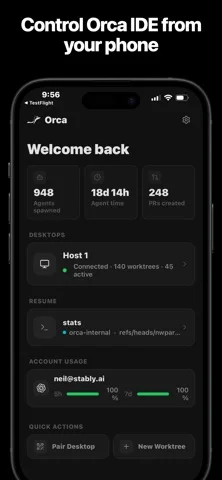
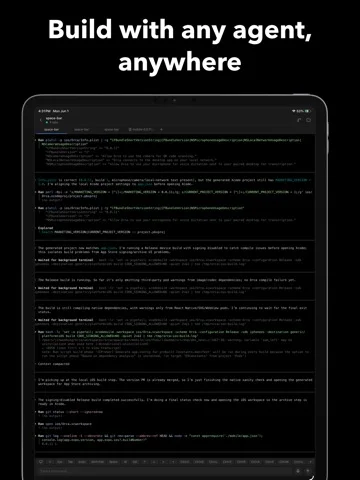
Orca IDE's mobile app mirrors a paired desktop coding workspace and forwards terminal input from an iPhone.
Choose for checking an existing desktop session on the same local network.
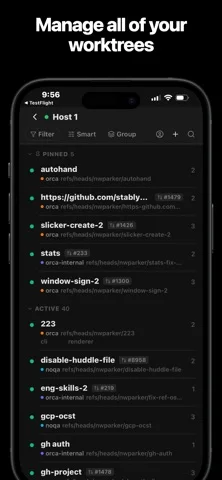
Project switching, terminal controls and idle notifications let a user follow long-running work away from the desk.
Keep in mind: It is a thin client: shells and agents run on the desktop, and the product description requires iOS 16 or later despite lower captured minimum metadata.
Inside the app
Official product images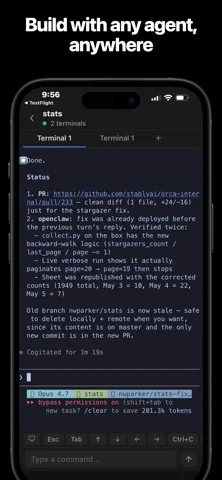
What you can do
- Mirror desktop terminals
- Send keyboard and control-key input
- Switch projects and terminals
- Receive supported idle notifications
- Pair by a desktop QR code
Good for
- Developers using the Orca desktop workspace
Consider alternatives for
- Users expecting code execution or an independent AI model on the phone
Limitations & considerations
- Captured minimum: iOS 15.1.
- It is a thin client: shells and agents run on the desktop, and the product description requires iOS 16 or later despite lower captured minimum metadata.
Privacy & permissions
The listing describes encrypted local pairing and no mobile analytics, while desktop usage metrics follow a separate policy; terminal access can expose code and secrets.
Sources & review notes Updated Nov 11, 2026
Reviewed by iApp4Me Editorial Team. Recommendations use the linked documentation and attributed accounts; device observations are identified separately.
- US App Store developer description
Complete description, download price and compatibility metadata captured 2026-11-02.
No comments yet. Be the first to share your experience.