
Productivity
Parall
为部分 Mac应用创建独立启动快捷方式并可重定向数据目录的工具。
适合在兼容应用中区分工作与个人实例的人
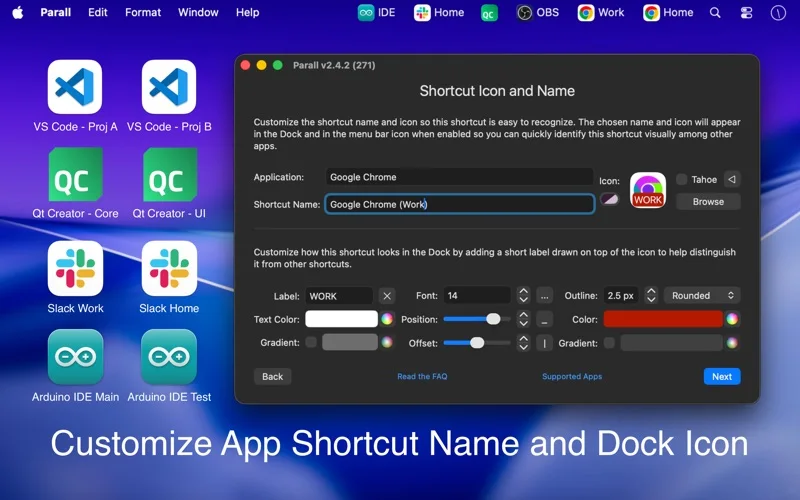
独立名称图标、参数和可选数据路径让多个配置更容易识别。
Keep in mind: 不是所有应用支持多实例;iOS应用不能分离数据或提供独立Dock图标,快捷方式非安全沙箱隔离。
Inside the app
Official product images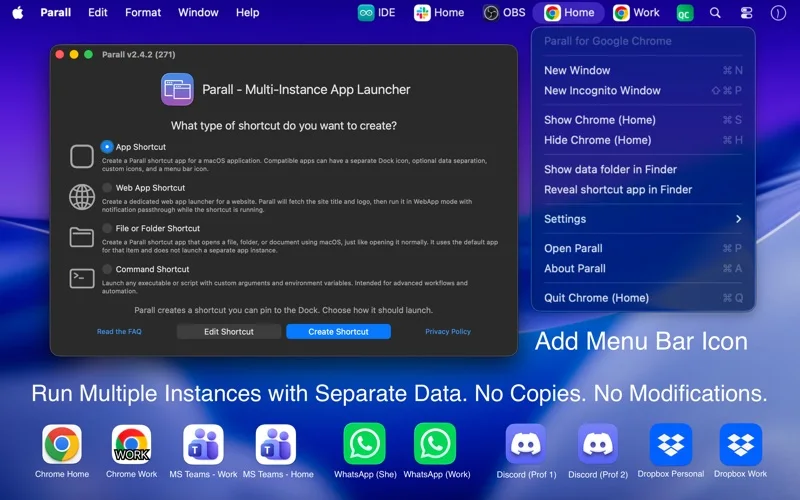
What you can do
- 多个应用实例与独立快捷图标
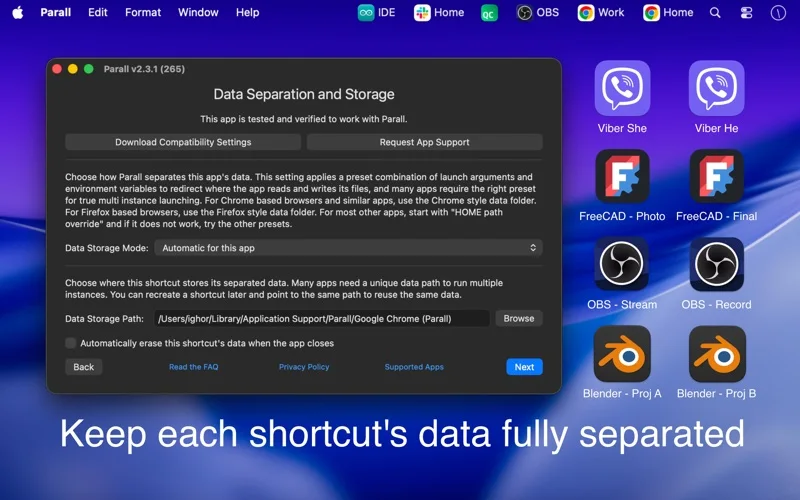
- 可选数据目录、参数和环境设置
- 菜单栏控制及退出后可选重启
Good for
- 愿意先验证兼容性的Mac高级用户
Consider alternatives for
- 需要强安全隔离、虚拟机或保证任意应用多开的用户
Limitations & considerations
- Captured minimum: macOS 10.11.
- 不是所有应用支持多实例;iOS应用不能分离数据或提供独立Dock图标,快捷方式非安全沙箱隔离。
Privacy & permissions
开发者称默认离线无遥测,兼容预设下载可选;重定向到云盘或自动清空会带来同步与数据丢失风险。
Sources & review notes Updated Nov 15, 2026
Reviewed by iApp4Me Editorial Team. Recommendations use the linked documentation and attributed accounts; device observations are identified separately.
- US App Store developer description
Complete description, release notes, download price and compatibility metadata captured 2026-11-02.
No comments yet. Be the first to share your experience.