Peek — A Quick Look Extension
Search and navigate supported source-code and Markdown files inside macOS Quick Look.
Developers inspecting supported files in Finder without opening a full editor.
Search and navigate supported source-code and Markdown files inside macOS Quick Look.
Keep in mind: System-owned formats are excluded; the .ePDF workaround renames a PDF rather than converting its contents. Keyboard features require helper permissions.
Inside the app
Official product images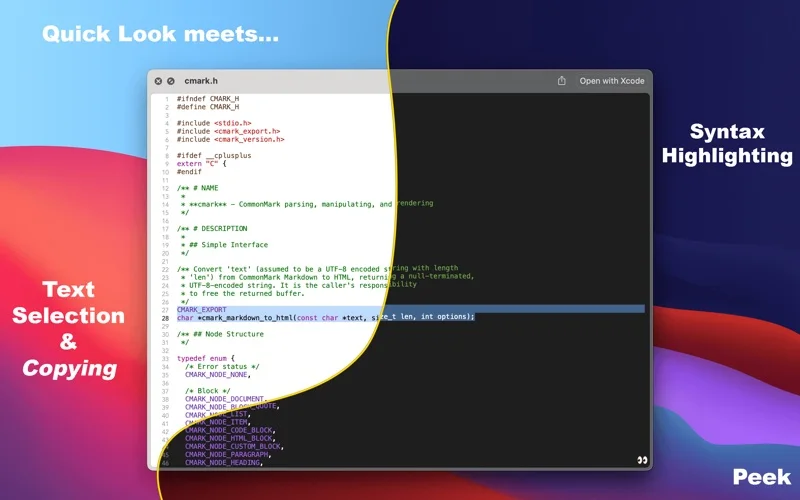
What you can do
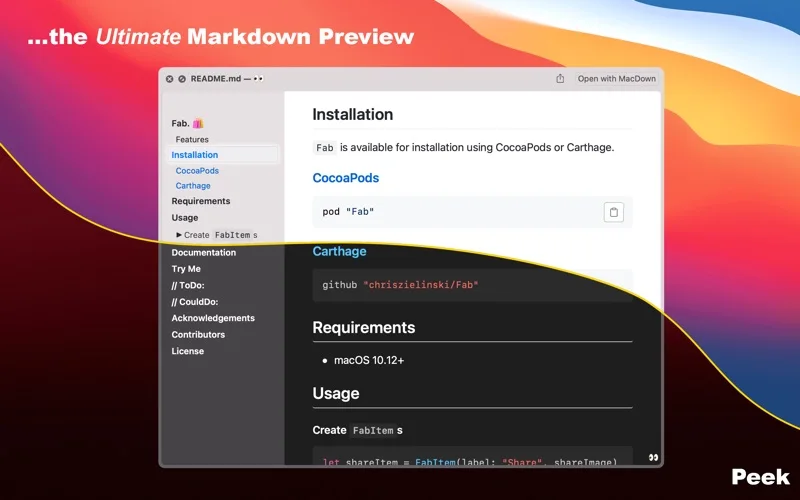
- Preview GitHub-style Markdown with a table of contents, mathematics and diagrams.
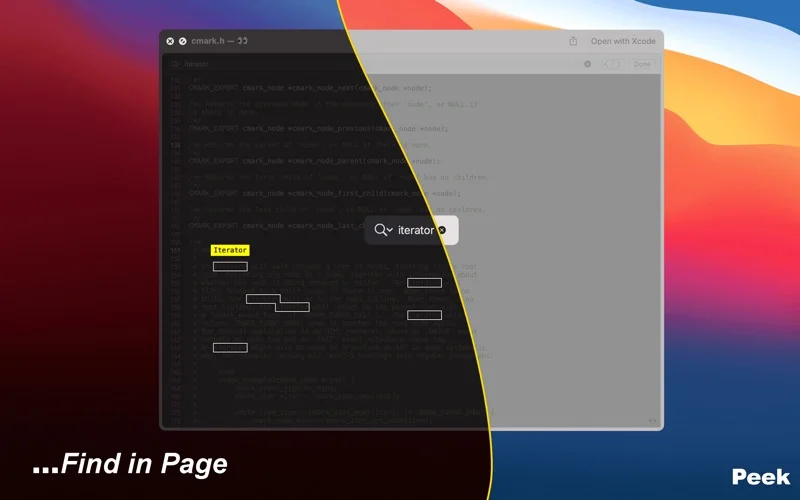
- Search, jump to a line or page and restore the previous scroll position.
- Choose syntax themes and enable the PDF-to-.ePDF rename action.
Good for
- Developers inspecting supported files in Finder without opening a full editor.
Consider alternatives for
- Editing documents or previewing ordinary .txt, .ts, Office and .pdf files through this extension.
Limitations & considerations
- System-owned formats are excluded; the .ePDF workaround renames a PDF rather than converting its contents. Keyboard features require helper permissions.
Privacy & permissions
The official FAQ says its Accessibility helper forwards supported shortcuts and does not collect keyboard input or usage data. These are publisher declarations; grant the helper access only if those keyboard functions are needed.
Privacy policySources & review notes Updated Nov 17, 2026
Reviewed by iApp4Me Editorial Team. Recommendations use the linked documentation and attributed accounts; device observations are identified separately.
- US App Store listing
Publisher description and US download price captured 2026-11-02; source-based coverage, not a device test.
- Big Z Labs privacy policy
Official text captured 2026-11-15; publisher declarations.
- Official Peek product FAQ
Official text captured 2026-11-15; publisher declarations.
No comments yet. Be the first to share your experience.