
Pencil Calendar: Daily Planner
Pencil Calendar combines drawing, typed plans and decorative templates with calendar/reminder sync.
For visual daily planning
Apple Pencil, stickers and shared template feeds support customization.
Keep in mind: Some planning/template/AI-sticker access is Premium; sync and reminders depend on permissions/connectivity.
Inside the app
Official product images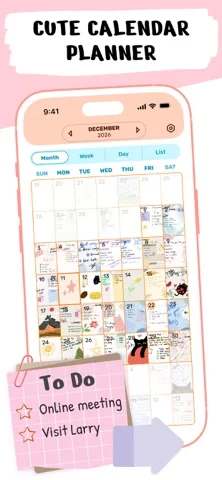
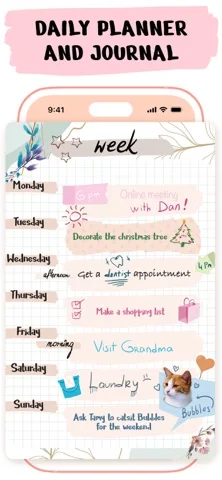
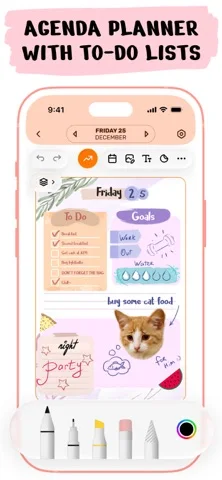
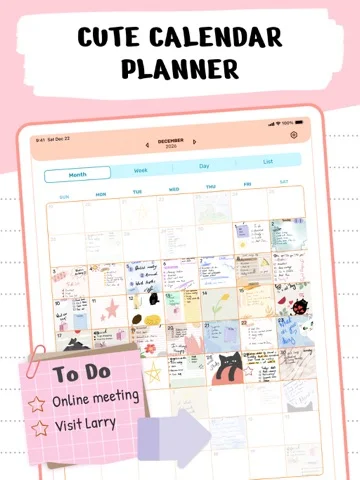
What you can do
- Write/draw on planning templates.
- Add stickers/fonts and share designs.
- Sync calendars, reminders and devices.
App Store review themes
Recurring praise and complaints, grouped by topic.
70 reviews · US App Store · Written feedback; review platforms are not identified
What reviewers like
Personalization and flexibility
13 reviewsReviewers praise planner decoration.
See 2 review examples
In version 3.12.1, the reviewer likes the decorative calendar appearance, stickers or customizable layouts.
Original excerpt“complete control over everything I do on my calendar”Apple source · Review 14638955740
In version 3.12.0, the reviewer likes the decorative calendar appearance, stickers or customizable layouts.
Original excerpt“cute and customizable”Apple source · Review 14613056690
Daily planning
12 reviewsReviewers praise daily planning.
See 2 review examples
In version 3.12.2, the reviewer finds the app useful for organizing daily, school, work or personal plans; no measured productivity gain is established.
Original excerpt“know what I’m doing in a day”Apple source · Review 14715698379
In version 3.12.2, the reviewer likes planning school, study and seasonal/weekend activities; no learning outcome is inferred.
Original excerpt“good for school and studying”Apple source · Review 14707753808
Reading and annotation tools
5 reviewsPositive feedback covers handwritten planning (4 reviews); note taking (1 review).
See 2 review examples
In version 3.11.1, the reviewer likes writing directly on chosen planner templates.
Original excerpt“write on the templates that you choose”Apple source · Review 14201785878
In version 3.9.11, the reviewer enjoys using a pencil to write daily/monthly plans.
Original excerpt“use my pencil and to write down”Apple source · Review 13965434878
What reviewers dislike
Reports of lost or overwritten work
9 reviewsReviewers raise concerns or requests about calendar entries.
See 2 review examples
In version 3.11.4, the reviewer reports all or portions of entered events disappearing; persistence versus display failure is not independently diagnosed.
Original excerpt“everything I’ve entered into the calendar disappears”Apple source · Review 14367535581
In version 3.10.1, the reviewer reports new entries disappear immediately even after installing a stated bug-fix update; reviewer is uncertain whether the cause is local.
Original excerpt“everything I add to the calendar gets immediately deleted”Apple source · Review 14006709460
Free access and limits
9 reviewsReviewers raise concerns or requests about premium feature gates.
See 2 review examples
In version 3.12.2, the reviewer dislikes premium gates limiting free use; no current universal allowance or price is independently established.
Original excerpt“have to subscribe to it”Apple source · Review 14699397999
In version 3.12.0, the reviewer dislikes premium gates limiting free use; no current universal allowance or price is independently established.
Original excerpt“templates, widgets, and stickers are for premium”Apple source · Review 14575067427
Price and subscription concerns
7 reviewsReviewers raise concerns or requests about subscription value.
See 2 review examples
In version 3.12.1, the reviewer finds feature pricing too expensive; the unspecified ad mismatch is not treated as proof of a particular missing capability.
Original excerpt“All the things are so expensive”Apple source · Review 14677464984
In version 3.12.0, the reviewer does not want to pay to use the calendar; actual free limits are not specified.
Original excerpt“I do not want to pay for it”Apple source · Review 14577663863
Show fewer negative themes
Workflow and interface friction
5 reviewsReviewers raise concerns or requests about planner controls.
See 2 review examples
In version 3.12.2, the reviewer finds the interface confusing or difficult to operate.
Original excerpt“so much more complicated”Apple source · Review 14699397999
In version 3.10.2, the reviewer finds the subscription screen and its nonpurchase controls hard to dismiss, blocking calendar access; no completed payment or entitlement loss is established.
Original excerpt“can’t even get into the calendar part”Apple source · Review 14039901899
Output quality problems
4 reviewsConcerns and requests cover text placement (3 reviews); text clipping (1 review).
See 2 review examples
In version 3.11.0, the reviewer reports written content shifts unexpectedly; a free-plan cause is only speculation.
Original excerpt“moving the writing all around the screen”Apple source · Review 14143896286
In version 3.9.7, the reviewer reports short entries display with missing ending letters/words despite apparent room; actual stored-data deletion is not established.
Original excerpt“missing end letters or words”Apple source · Review 13713629426
Support and response concerns
4 reviewsConcerns and requests cover support response (2 reviews); support contacts (1 review); support effectiveness (1 review).
See 2 review examples
In version 3.11.1, the reviewer reports no response explaining how to fix it.
Original excerpt“no response to my original review”Apple source · Review 14201785878
In version 3.10.2, the reviewer cannot reach developer help through the listed website/contact path; cause and current contact validity are unverified.
Original excerpt“No Email Attached”Apple source · Review 14034598059
Good for
- People preferring creative planner pages.
Consider alternatives for
- Anyone wanting only a minimal task list.
Limitations & considerations
- Captured minimum: iOS 16.0.
- Some planning/template/AI-sticker access is Premium; sync and reminders depend on permissions/connectivity.
Privacy & permissions
Plans, calendar access and shared templates can disclose personal schedules.
Privacy policySources & review notes Updated Nov 9, 2026
Reviewed by iApp4Me Editorial Team. Recommendations use the linked documentation and attributed accounts; device observations are identified separately.
- US App Store developer description
Complete description, download price and compatibility metadata captured 2026-11-02.
- Simpledio privacy
Developer-linked reference.
No comments yet. Be the first to share your experience.