Performance Organizer
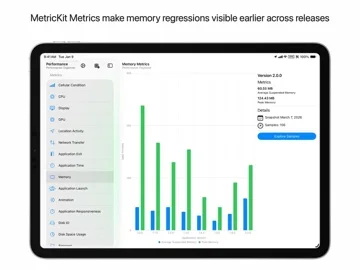
Review imported MetricKit payloads and optionally connect App Store Connect release diagnostics.
Useful for developers who scope access and check metric context
App/version/build comparisons connect crashes, performance and beta feedback.
Keep in mind: Metrics and diagnostics require eligible data/instrumentation and are not automatic proof of a regression's cause; provider access and device support need checking.
Inside the app
Official product images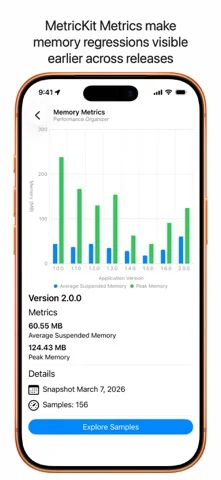
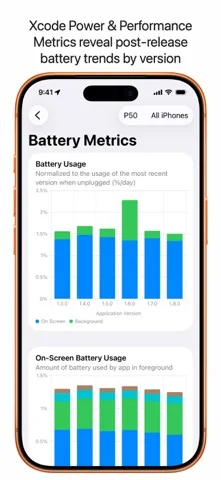
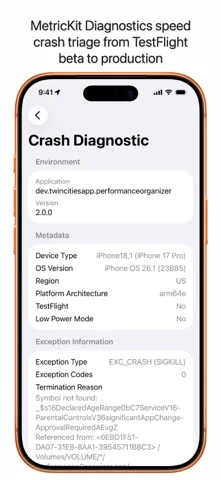
What you can do
- Unlimited MetricKit metric/diagnostic imports
- App/version/build performance comparisons
- Optional TestFlight feedback and Xcode Cloud artifacts
Good for
- Authorized Apple-platform teams managing their own apps
Consider alternatives for
- A guaranteed automatic crash fix or unrestricted team account access
Limitations & considerations
- Captured minimum: iOS 26.0.
- Metrics and diagnostics require eligible data/instrumentation and are not automatic proof of a regression's cause; provider access and device support need checking.
Privacy & permissions
API keys, beta screenshots and diagnostic payloads may be sensitive; use least privilege and inspect actual sharing/retention rather than relying on privacy branding.
Sources & review notes Updated Nov 12, 2026
Reviewed by iApp4Me Editorial Team. Recommendations use the linked documentation and attributed accounts; device observations are identified separately.
- US App Store developer description
Complete description, download price and compatibility metadata captured 2026-11-02.
No comments yet. Be the first to share your experience.