PhoneCall - Handsfree
Make and receive phone calls through a Mac connected to a compatible phone by Bluetooth.
Someone checking a hands-free desktop-call setup for a compatible phone.
Make and receive phone calls through a Mac connected to a compatible phone by Bluetooth.
Keep in mind: The phone provides the call connection; handset/profile compatibility and audio quality were not tested. The brief feature list does not establish call recording or carrier support.
Inside the app
Official product images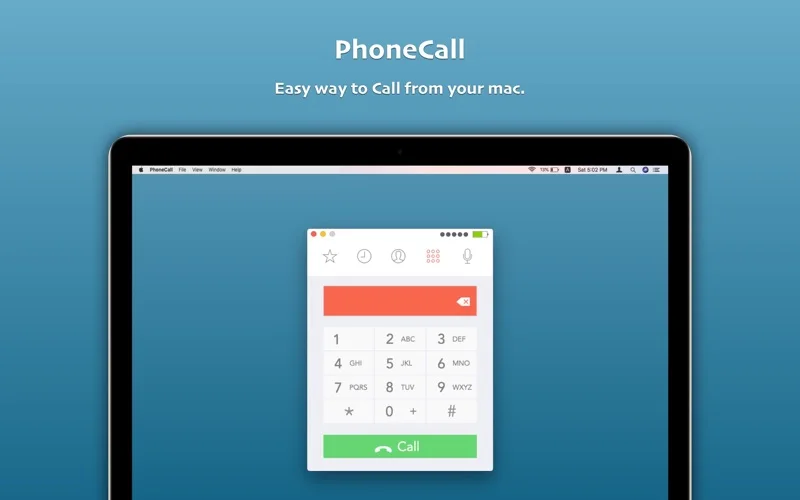
What you can do
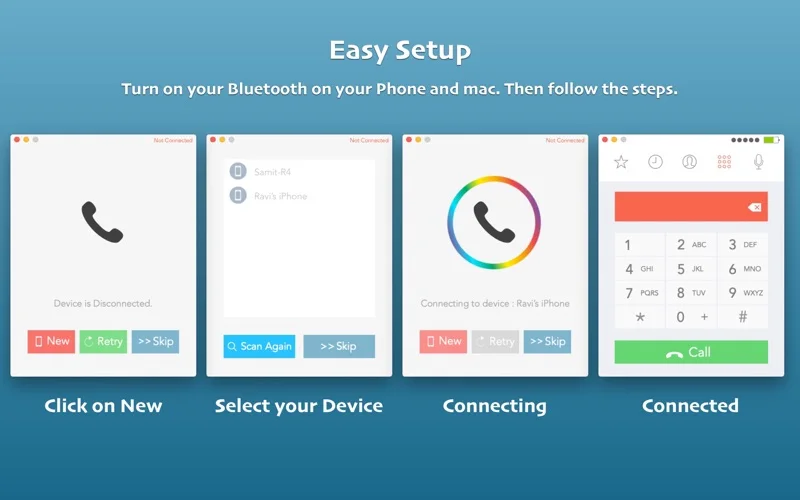
- Connect the phone and Mac using the described Bluetooth workflow.
- Place or answer calls with Mac audio.
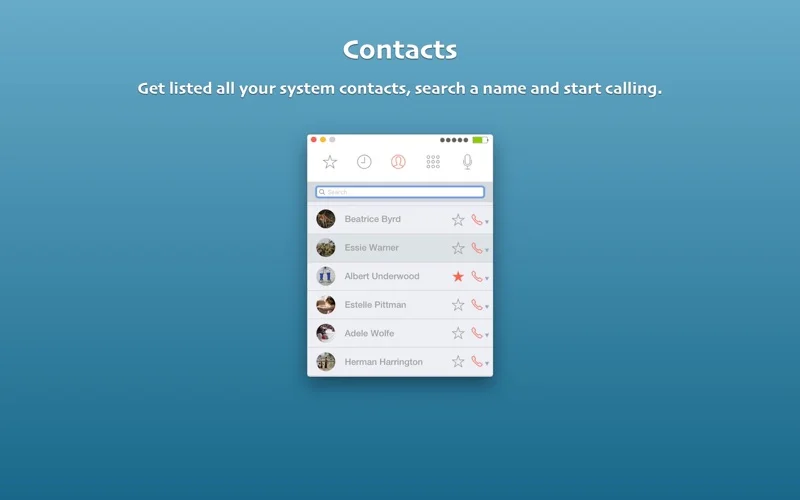
- Use the described Contacts import and favorite/contact shortcut feature.
Good for
- Someone checking a hands-free desktop-call setup for a compatible phone.
Consider alternatives for
- An independent phone line or guaranteed support for every handset and macOS version.
Limitations & considerations
- The phone provides the call connection; handset/profile compatibility and audio quality were not tested. The brief feature list does not establish call recording or carrier support.
Privacy & permissions
Calls, microphone audio and imported Contacts are sensitive. Review Bluetooth, microphone and Contacts permissions before pairing and consider what is audible in a shared room.
Sources & review notes Updated Nov 17, 2026
Reviewed by iApp4Me Editorial Team. Recommendations use the linked documentation and attributed accounts; device observations are identified separately.
- US App Store listing
Publisher description and US download price captured 2026-11-02; source-based coverage, not a device test.
No comments yet. Be the first to share your experience.