
Pic Scanner Gold: Scan Photos
Pic Scanner Gold digitizes groups of printed photos, crops them individually and organizes them with editable metadata.
Pick for archiving family photo albums
Batch cropping and EXIF editing address large inherited collections.
Keep in mind: Not intended for film negatives or slides; capture quality depends on camera and lighting.
Inside the app
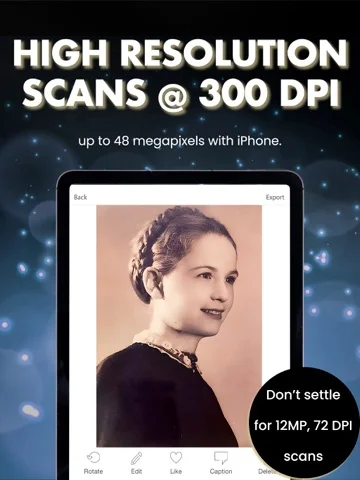
Official product images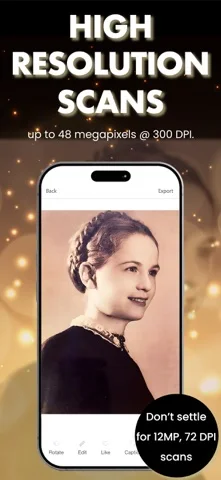
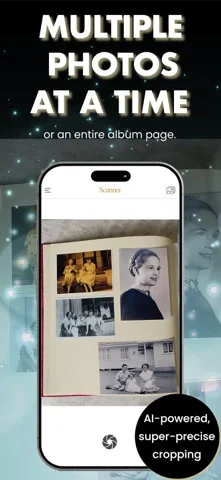
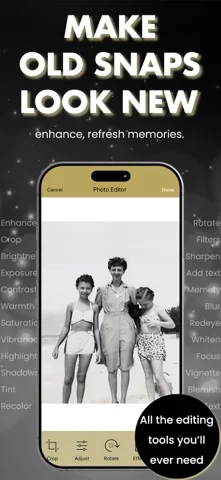
What you can do
- Scan multiple prints in one shot
- Edit EXIF dates and locations
- Export albums as folders
App Store review themes
Recurring praise and complaints, grouped by topic.
30 reviews · US App Store · Written feedback; review platforms are not identified
What reviewers like
Simple scanning with useful capture guidance
8 reviewsReviewers describe easy operation and appreciate advice about capture distance or glare reduction.
See 2 review examples
The reviewer finds the app intuitive and easy to learn.
Original excerpt“Very intuitive and simple to learn”Apple source · Review 14416371740
The reviewer finds operation simple so far.
Original excerpt“Pretty simple”Apple source · Review 14302143306
Digitizing albums and groups of photos
6 reviewsReviewers value converting printed albums into digital images, including capturing multiple photos and automatic cropping.
See 2 review examples
The reviewer finds multi-photo capture convenient and appreciates the automatic crops.
Original excerpt“it’s so easy and convenient to scanned multiple photos and get them perfectly cropped.”Apple source · Review 14528388065
The reviewer values digitizing old photographs.
Original excerpt“Scans old photos”Apple source · Review 14339605385
Editing tools reviewers value
3 reviewsPositive feedback covers manual adjustments (1 review); photo editing tools (1 review); photo restoration tools (1 review).
See 2 review examples
The reviewer finds the tools useful for restoring old photos.
Original excerpt“has helped me restore old photos with their simple but effective tools.”Apple source · Review 14053175250
The reviewer acknowledges a range of small editing adjustments despite the missing desired glare correction.
Original excerpt“You can do lots of small tweaks with the editor”Apple source · Review 13903481080
Show fewer positive themes
Output quality reviewers appreciate
3 reviewsPositive feedback covers scan clarity (1 review); scan resolution (1 review); scan results (1 review).
See 2 review examples
The reviewer is pleased with scan quality.
Original excerpt“the quality of scans are very good.”Apple source · Review 13686636523
In the context of multi-photo scanning and editing, the reviewer is pleased with the results.
Original excerpt“Great results!”Apple source · Review 13672387135
Speed and responsiveness
3 reviewsPositive feedback covers album scanning time (2 reviews); scanning workflow (1 review).
See 2 review examples
The reviewer reports scanning one album in under five minutes; this is one experience rather than a benchmark.
Original excerpt“I already scanned a whole photo album less than 5 minutes.”Apple source · Review 14528388065
The reviewer finds it quick for photo-scanning projects compared with their flatbed workflow.
Original excerpt“does a great job of making short work of picture scanning projects.”Apple source · Review 14416371740
What reviewers dislike
Blur, distortion and output detail disappoint
8 reviewsReviewers report blurred or distorted captures, glare, or output detail below their expectations; these are individual experiences across different versions.
See 2 review examples
On an iPhone 18 Pro Max, the reviewer reports distorted captures and resolution below their expectation; the reported result is not a verified device limit.
Original excerpt“It distorted pictures”Apple source · Review 14600508148
The reviewer finds capture quality poor, including in comparison with other apps.
Original excerpt“it seems to be the same trash quality”Apple source · Review 14137820230
Detection and capture controls need attention
4 reviewsReviewers describe incorrect photo boundaries or splitting, focus difficulties and constraints on capture framing.
See 2 review examples
The reviewer reports the detector incorrectly creating a separate photo from part of a coat.
Original excerpt“captured part of my sports coat as a separate photo”Apple source · Review 14600508148
The reviewer dislikes the required capture distance and believes the surrounding blank area wastes potential image detail.
Original excerpt“The app makes you stay back quite a ways”Apple source · Review 14416371740
Good for
- Families digitizing printed photo collections
Consider alternatives for
- Users scanning photographic negatives
Limitations & considerations
- Captured minimum: iOS 17.6.
- Not intended for film negatives or slides; capture quality depends on camera and lighting.
Privacy & permissions
Developer describes on-device processing without accounts; optional cloud export sends chosen photos to that service.
Sources & review notes Updated Nov 9, 2026
Reviewed by iApp4Me Editorial Team. Recommendations use the linked documentation and attributed accounts; device observations are identified separately.
- US App Store developer description
Complete description, download price and compatibility metadata captured 2026-11-02.
No comments yet. Be the first to share your experience.