
Picsart AI Photo Editor, Video
Edit photos and videos, build collages and social designs, and use optional AI tools for generation, retouching, backgrounds and conversational creation.
Consider it when you want templates, cutouts, text and AI-assisted experiments within one creative workspace
Picsart spans everyday edits, collages, stickers and short videos alongside AI image/video tools. That breadth fits creators who move between photo cleanup and social-content design without wanting a separate app for every step.
Keep in mind: The free download does not include every premium asset or AI capability. Plus and Pro add different benefits, and feature/model availability varies. Public posting, uploaded faces and connected third-party services also have distinct privacy implications.
Inside the app
Official product images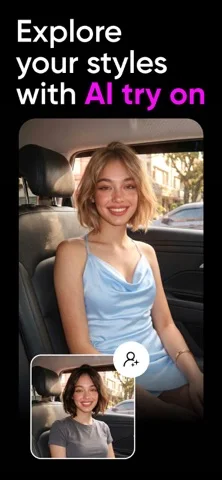
What you can do
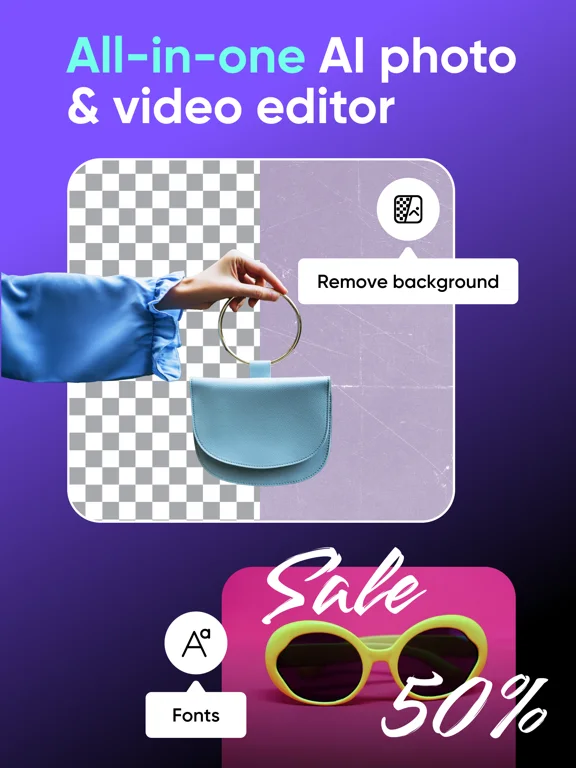
- Edit photos with text, filters, retouching and effects.
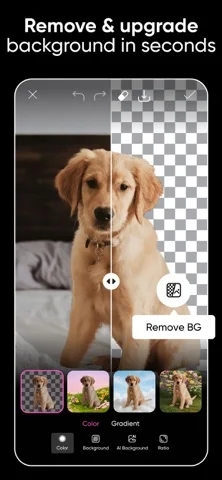
- Remove backgrounds or unwanted objects and refine cutouts.
- Build template-based posts, collages and custom stickers.
- Edit video clips with text, music and effects.
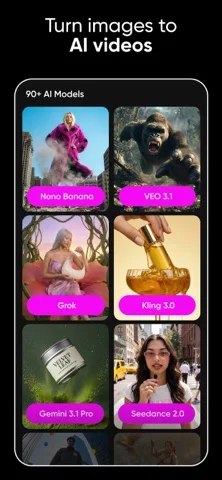
- Use advertised AI generation, replacement, enhancement, expansion and avatar tools where available.
- Explore Aura’s conversational design workflow and optional sharing/community features.
App Store review themes
Recurring praise and complaints, grouped by topic.
50 reviews · US App Store · Written feedback; review platforms are not identified
What reviewers like
Editing tools reviewers value
6 reviewsPositive feedback covers photo retouching (2 reviews); background creation (1 review); mixed media creation (1 review). Other aspects appear in this group too; these counts describe subtopics, not one shared experience.
See 2 review examples
The reviewer appreciates photo alteration and retouching.
Original excerpt“ease of altering and retouching photos”Apple source · Review 14746888053
The reviewer enjoys editing cat photos.
Original excerpt“love editing pictures of my cat”Apple source · Review 14743583907
Ease of use
5 reviewsPositive feedback covers beginner editing (1 review); ease of editing (1 review); simplified editing (1 review). Other aspects appear in this group too; these counts describe subtopics, not one shared experience.
See 2 review examples
The reviewer considers editing approachable for beginners while describing room for advanced use.
Original excerpt“easiest AI editing program for beginners”Apple source · Review 14746888053
The reviewer finds creating YouTube thumbnails easy and quick; their two-minute estimate is personal.
Original excerpt“it’s so easy to use”Apple source · Review 14740177521
A useful range of tools
4 reviewsPositive feedback covers creative editing tools (1 review); editing options (1 review); editing toolkit (1 review). Other aspects appear in this group too; these counts describe subtopics, not one shared experience.
See 2 review examples
The reviewer likes the range of editing options.
Original excerpt“Love all the edit options”Apple source · Review 14746996545
The reviewer appreciates the pace of added features.
Original excerpt“quickly they advance the release of new features”Apple source · Review 14746888053
What reviewers dislike
No recurring negative theme has at least three supporting reviews.
Good for
- People combining photo edits, collages and social-format design in one app.
- Creators who want to experiment with AI alongside familiar text, cutout and template tools.
Consider alternatives for
- Expecting every premium template, AI model or generation capability to be included free.
- A workflow requiring confirmed entirely on-device processing or a verified commercial-use license for every generated asset.
Limitations & considerations
- The captured US version 30.9.2 requires iOS 15.0 or later.
- The listing distinguishes Plus premium content/retouch features from Pro’s additional AI, team and storage features; no current price or universal tool allowance is quoted.
- Named third-party AI models are described as availability-dependent; the listing does not guarantee every model is available to every account.
- The official policy served during research is dated November 16, 2023. It is the reviewed general policy, not a tool-specific 2026 AI-provider contract.
- Profiles, posts, follows, likes and comments are described as public; this does not mean every private draft or unposted upload is automatically public.
- The policy’s local-only TrueDepth statement concerns that specific API data. Uploaded image face-geometry processing is described separately.
- Before choosing assets for a commercial project, check the applicable content/tool terms; no generated-output rights or copyright guarantee was independently established.
Privacy & permissions
The general privacy policy served on November 6 is dated November 16, 2023. It describes account, image/metadata, device/usage and optional contact/linked-account data, including face-geometry scans for some uploaded-face effects. Separately, it says Apple TrueDepth positioning data stays on the device and is neither persistently stored nor shared. Public profiles/posts and social interactions are visible to others. Providers, affiliates, analytics and ad networks can receive information for the stated purposes, including interest-based ads; device/app permissions and marketing/ad choices are available. Account closure does not promise immediate deletion of everything: the policy lists some three-year and indefinite retention exceptions. It disallows under-14 use, even though the captured store rating is 12+. This general policy does not establish how each newly advertised third-party AI model handles inputs.
Privacy policySources & review notes Updated Nov 6, 2026
Reviewed by iApp4Me Editorial Team. Recommendations use the linked documentation and attributed accounts; device observations are identified separately.
- US App Store listing
Complete developer description and version metadata captured 2026-11-02; official images cached locally.
- Picsart privacy policy
Official source consulted 2026-11-06.
No comments yet. Be the first to share your experience.