Printer App: Print from Mobile
Prepare scans, photos and documents for printing to a compatible wireless printer.
Useful after checking the exact printer and sample output
Preview settings and PDF preparation keep intake and printing in one workflow.
Keep in mind: Any/10,000-printer wording is not validated compatibility; devices must share the supported network, and document conversion can change layout.
Inside the app
Official product images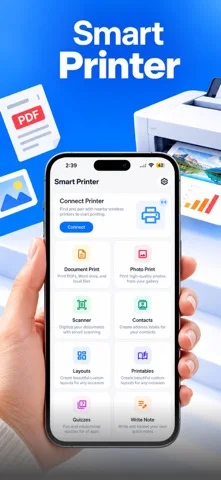
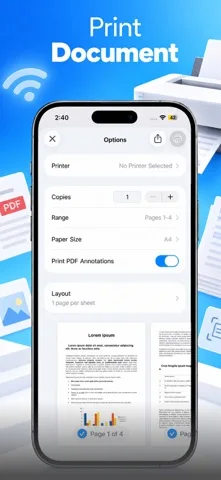
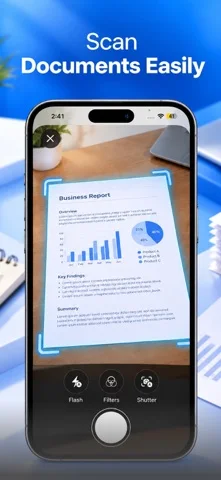
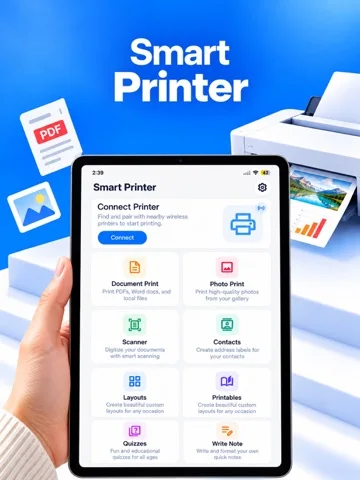
What you can do
- Wireless/AirPrint connection and preview
- Camera PDF scan and document/photo intake
- PDF merge/page numbers and share-extension printing
Good for
- People testing ordinary documents on authorized printers
Consider alternatives for
- Guaranteed every-printer support or an included printer
Limitations & considerations
- Captured minimum: iOS 16.0.
- Any/10,000-printer wording is not validated compatibility; devices must share the supported network, and document conversion can change layout.
Privacy & permissions
Files and print jobs can expose private information to a network printer; developer-wide disclosures mention ads/analytics but do not prove every listed permission applies to this app. Check actual prompts.
Privacy policySources & review notes Updated Nov 12, 2026
Reviewed by iApp4Me Editorial Team. Recommendations use the linked documentation and attributed accounts; device observations are identified separately.
- US App Store developer description
Complete description, download price and compatibility metadata captured 2026-11-02.
- Developer-wide privacy
Full cached text captured 2026-11-11T11:44:56.643471+00:00; read 2026-11-12. Scope is developer-wide, not an app-specific list of required permissions.
- Developer-wide terms
Full cached text captured 2026-11-11T11:45:36.429598+00:00; read 2026-11-12. Scope is developer-wide, not an app-specific list of required permissions.
No comments yet. Be the first to share your experience.