QR Capture
Read QR codes and supported barcodes from screen selections, clipboard images, files or a camera.
Mac users frequently copying codes from images or screens into other apps.
Read QR codes and supported barcodes from screen selections, clipboard images, files or a camera.
Keep in mind: The description states a seven-code camera-related limit removable by in-app purchase, without a price. iPhone camera requirements and third-party options vary; autofocus and lighting affect scanning.
Inside the app
Official product images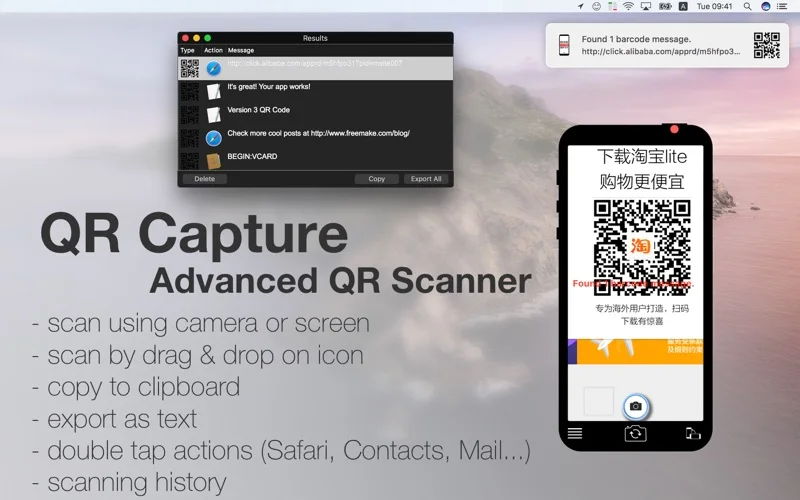
What you can do
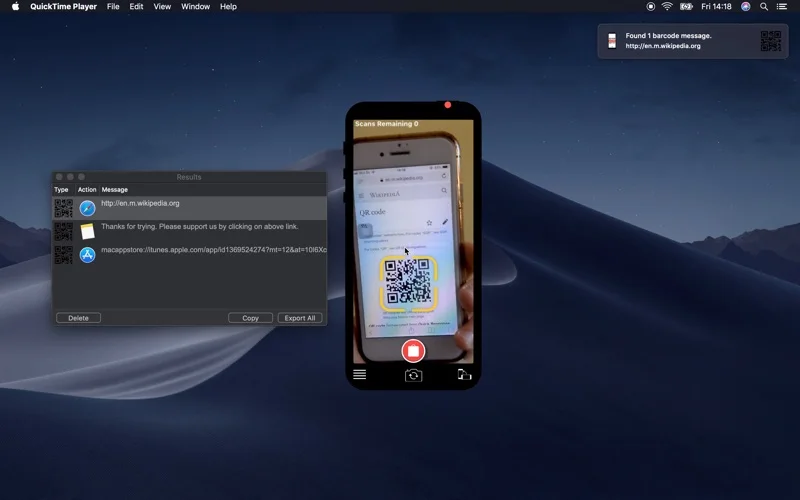
- Scan a screen region, drag a file or inspect clipboard content.
- Save recognized text in a local database and export CSV.
- Use compatible webcams or supported iPhone camera setups for QR scanning.
Good for
- Mac users frequently copying codes from images or screens into other apps.
Consider alternatives for
- Unlimited free camera scanning or automatic trust in the destination behind a code.
Limitations & considerations
- The description states a seven-code camera-related limit removable by in-app purchase, without a price. iPhone camera requirements and third-party options vary; autofocus and lighting affect scanning.
Privacy & permissions
Scanned text is stored locally according to the description and may include private links or tokens. Camera/screen permissions and automatic clipboard copying are sensitive; inspect a destination before opening it.
Sources & review notes Updated Nov 17, 2026
Reviewed by iApp4Me Editorial Team. Recommendations use the linked documentation and attributed accounts; device observations are identified separately.
- US App Store listing
Publisher description and US download price captured 2026-11-02; source-based coverage, not a device test.
No comments yet. Be the first to share your experience.