RAW Power
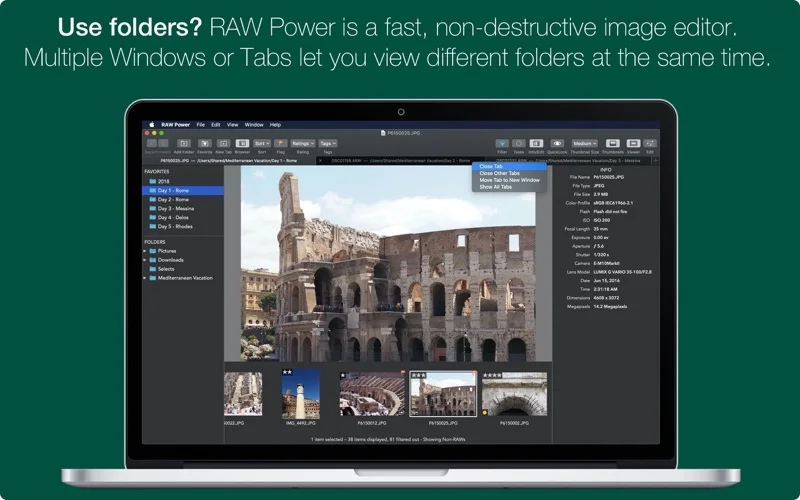
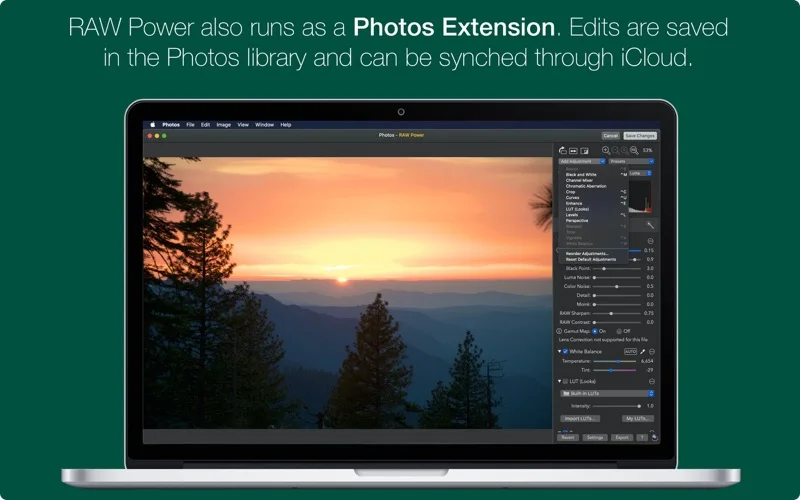
RAW Power edits RAW and JPEG photos non-destructively, either from Finder folders, an Apple Photos library or a Photos editing extension.
Pick for an Apple Photos-oriented workflow with advanced RAW controls.
Folder browsing, library integration and batch adjustments cover editing without forcing a new import catalog.
Keep in mind: Camera support depends on the file and macOS version. The developer offers Nitro separately for newer masking and workflow features; mobile RAW Power is also a separate purchase.
Inside the app
Official product images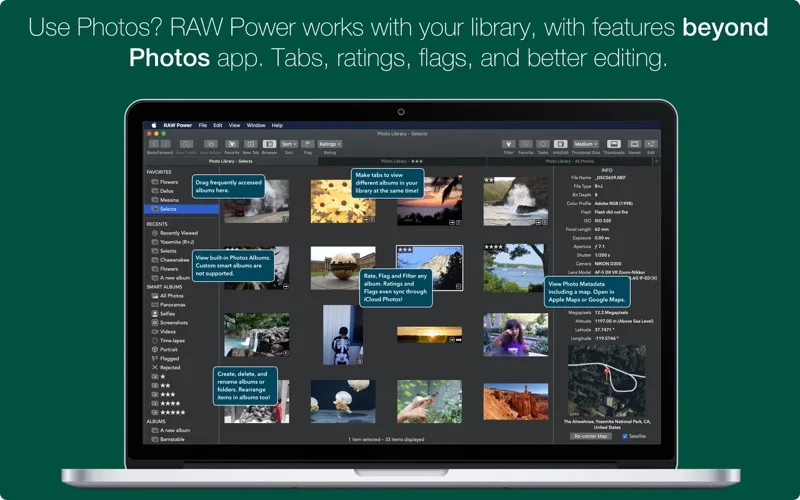
What you can do
- Edit RAW files with exposure, curves, LUTs and other adjustments
- Rate, flag and filter photos or folders
- Batch apply adjustments and export with format controls
Good for
- Photographers who want richer edits alongside Finder and Photos.
Consider alternatives for
- Users expecting Nitro's masking tools or all mobile entitlements in this purchase.
Limitations & considerations
- Captured minimum: macOS 10.14.
- Camera support depends on the file and macOS version. The developer offers Nitro separately for newer masking and workflow features; mobile RAW Power is also a separate purchase.
Privacy & permissions
Photo access can include faces, locations and other metadata. iCloud Photos changes can sync deletions and edits, so back up and review exports before sharing.
Sources & review notes Updated Nov 15, 2026
Reviewed by iApp4Me Editorial Team. Recommendations use the linked documentation and attributed accounts; device observations are identified separately.
- US App Store developer description
Complete description, release notes, download price and compatibility metadata captured 2026-11-02.
- Official developer disclosure
Full cached official product text reviewed; captured 2026-11-12. Edition-specific requirements and offer boundaries retained.
No comments yet. Be the first to share your experience.