Photo & Video
Remote Shutter: camera connect
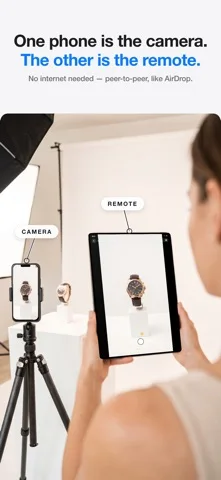
Use one Apple device to preview and control another camera device, with supported multicamera and remote-capture options.
Choose for a tested peer-to-peer photo or video setup.
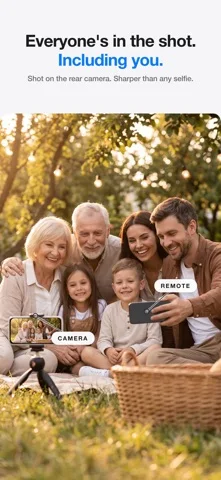
A separate monitor can help frame a group or tripod shot.
Keep in mind: Wireless range, synchronization and maximum quality depend on hardware and surroundings; selected controls are Pro.
Inside the app
Official product images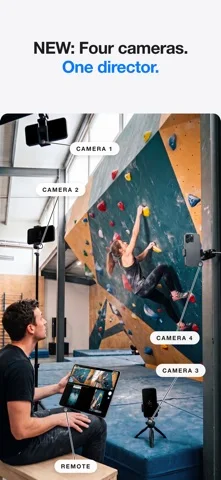
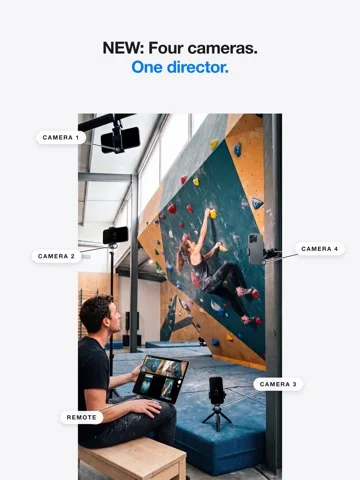
What you can do
- Live remote preview and shutter
- Supported Mac and Watch controls
- Multicamera capture and transfer options
Good for
- Creators recording consenting people or permitted subjects.
Consider alternatives for
- People expecting guaranteed pro-grade synchronization across arbitrary cameras.
Limitations & considerations
- Captured minimum: iOS 15.0.
- Wireless range, synchronization and maximum quality depend on hardware and surroundings; selected controls are Pro.
Privacy & permissions
Camera views and transferred footage can be sensitive; connect only intended devices and review participant consent.
Sources & review notes Updated Nov 11, 2026
Reviewed by iApp4Me Editorial Team. Recommendations use the linked documentation and attributed accounts; device observations are identified separately.
- US App Store developer description
Complete description, download price and compatibility metadata captured 2026-11-02.
No comments yet. Be the first to share your experience.