
RetroClip
RetroClip keeps a rolling screen-video buffer on a Mac and saves the recent action when requested.
Choose for capturing something that has just happened.
A keyboard shortcut or menu-bar action can preserve a clip without starting a recording before an event.
Keep in mind: Continuous screen capture uses memory and other resources; the developer's efficiency claims are not a guarantee of no performance impact.
Inside the app
Official product images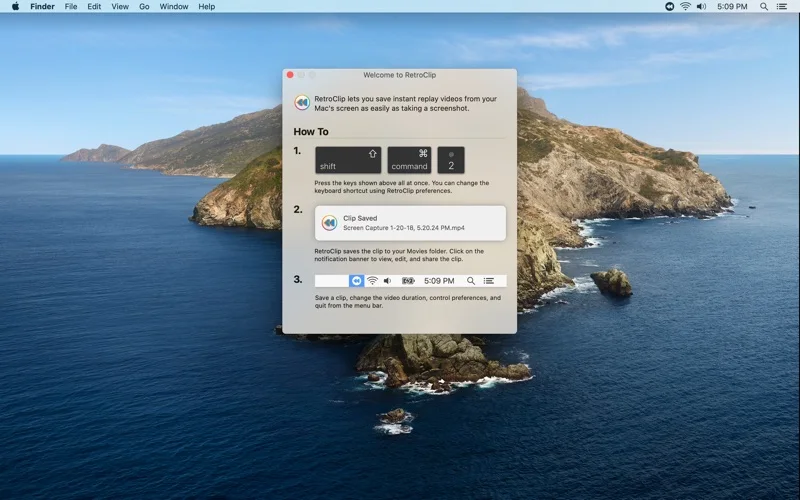
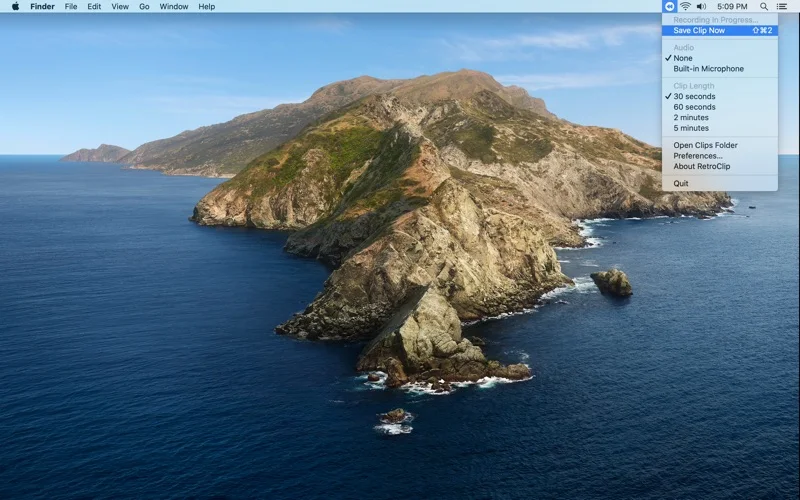

What you can do
- Keep a rolling screen buffer
- Save up to the preceding five minutes
- Trigger saving with a shortcut or menu bar
- Choose video quality
App Store review themes
Recurring praise and complaints, grouped by topic.
4 reviews · US App Store · Written feedback; review platforms are not identified
What reviewers like
No recurring positive theme has at least three supporting reviews.
What reviewers dislike
No recurring negative theme has at least three supporting reviews.
Good for
- Users capturing software behavior, demonstrations or game moments
Consider alternatives for
- Users requiring a full video editor or an indefinite recording archive
Limitations & considerations
- Captured minimum: macOS 10.12.
- Continuous screen capture uses memory and other resources; the developer's efficiency claims are not a guarantee of no performance impact.
Privacy & permissions
The app observes the screen continuously while running; passwords, messages and confidential windows can appear in saved clips.
Sources & review notes Updated Nov 11, 2026
Reviewed by iApp4Me Editorial Team. Recommendations use the linked documentation and attributed accounts; device observations are identified separately.
- US App Store developer description
Complete description, download price and compatibility metadata captured 2026-11-02.
No comments yet. Be the first to share your experience.