
rootshell: Local Terminal, SSH
rootshell combines a local terminal with remote SSH, screen-sharing and development-workflow tools.
Consider for authorized administration from a mobile device.
Tabs, splits, connection profiles and customizable keys bring several remote tasks into one interface.
Keep in mind: Protocol, security and performance claims require verification for the actual environment; it is not a guarantee that a remote service is safe or available.
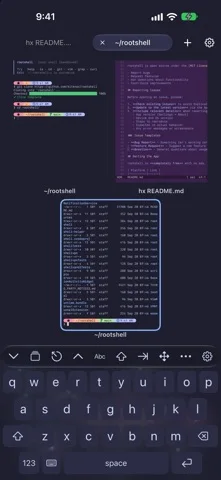
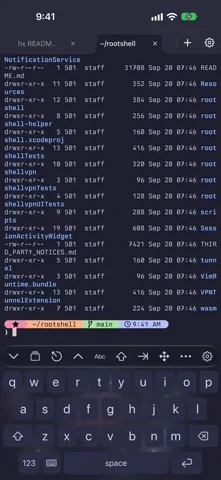
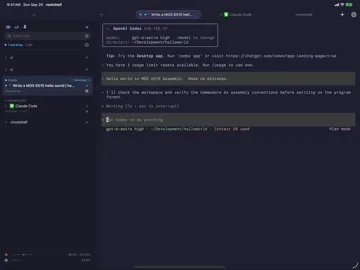
Inside the app
Official product images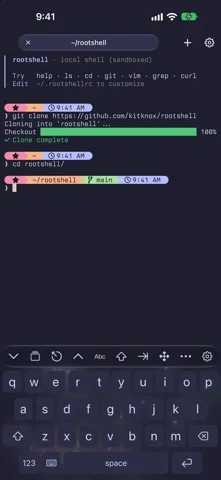
What you can do
- Use a sandboxed local shell
- Connect to authorized SSH hosts
- Manage tabs and split panes
- Access supported screen sharing
- Work with native Git tools
- Configure connection profiles
Good for
- Developers managing systems they are permitted to access
Consider alternatives for
- Users expecting unrestricted local system access or an included remote server
Limitations & considerations
- Captured minimum: iOS 18.0.
- Protocol, security and performance claims require verification for the actual environment; it is not a guarantee that a remote service is safe or available.
Privacy & permissions
Credentials, terminal history, clipboard data and optional AI access can expose secrets; external model features send information under their provider's terms.
Sources & review notes Updated Nov 11, 2026
Reviewed by iApp4Me Editorial Team. Recommendations use the linked documentation and attributed accounts; device observations are identified separately.
- US App Store developer description
Complete description, download price and compatibility metadata captured 2026-11-02.
No comments yet. Be the first to share your experience.