
Music
Samplr
Samplr turns recorded or imported audio into an instrument controlled through multitouch gestures.
Pick it for hands-on sound exploration and performance
Eight play modes, gesture recording and effects per sample encourage manipulating texture as part of composition.
Keep in mind: Six sample slots make it a focused performance instrument rather than a complete unlimited-track production studio.
Inside the app
Official product images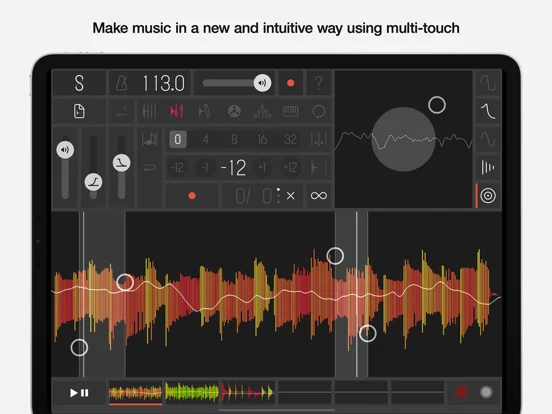
What you can do
- Slicer granular tape and other play modes
- Gesture sequencing and resampling
- MIDI Ableton Link Audiobus and audio-file support
Good for
- Musicians experimenting with sampled textures or live gestures
Consider alternatives for
- Users seeking a comprehensive conventional multitrack editor
Limitations & considerations
- Captured minimum: iOS 12.0.
- Six sample slots make it a focused performance instrument rather than a complete unlimited-track production studio.
Privacy & permissions
Microphone recording and imported audio may include others’ work or voices; cloud imports involve the selected file provider.
Sources & review notes Updated Nov 11, 2026
Reviewed by iApp4Me Editorial Team. Recommendations use the linked documentation and attributed accounts; device observations are identified separately.
- US App Store developer description
Complete description, download price and compatibility metadata captured 2026-11-02.
No comments yet. Be the first to share your experience.