Productivity
ScreenCommand
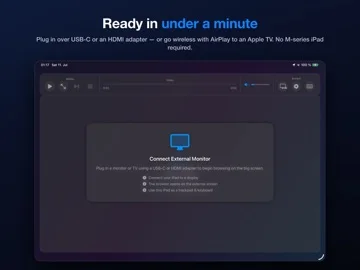
Browse websites on a required external display while controlling them from an iPhone/iPad.
Useful for users checking the exact cable/AirPlay and device route
Trackpad, keyboard and multi-tab controls use a TV as the browser workspace.
Keep in mind: No standalone on-device mode and no launching other apps on the TV; DRM/video services and 4K claims depend on connection/rights, with cable support restricted on some phones.
Inside the app
Official product images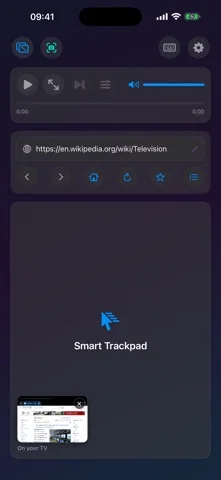
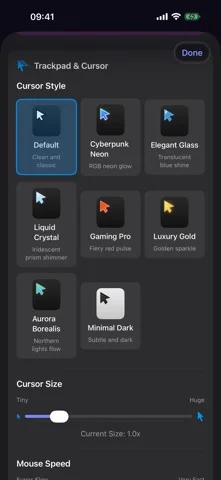
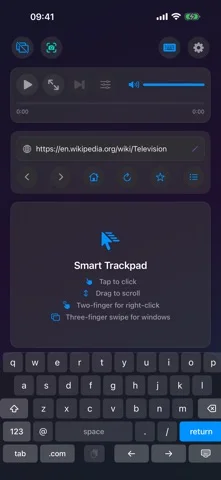
What you can do
- External-display browser windows/tabs
- Touch trackpad and hardware inputs
- Media/quality controls and per-site popup choices
Good for
- People with a compatible external display setup
Consider alternatives for
- A full desktop OS or guaranteed every-streaming-service playback
Limitations & considerations
- Captured minimum: iOS 17.0.
- No standalone on-device mode and no launching other apps on the TV; DRM/video services and 4K claims depend on connection/rights, with cable support restricted on some phones.
Privacy & permissions
Sites and Password AutoFill can expose private sessions on a public display; verify output device and sign out appropriately.
Sources & review notes Updated Nov 12, 2026
Reviewed by iApp4Me Editorial Team. Recommendations use the linked documentation and attributed accounts; device observations are identified separately.
- US App Store developer description
Complete description, download price and compatibility metadata captured 2026-11-02.
No comments yet. Be the first to share your experience.