
Social Networking
Screensaver Now
Start the configured Mac screen saver from a hotkey, menu-bar button or Dock menu.
Someone wanting quick access to a screen saver.
Start the configured Mac screen saver from a hotkey, menu-bar button or Dock menu.
Keep in mind: Security depends on the system requiring a password after the saver starts. Shortcut release can stop it according to the listing; test the actual lock behavior.
Inside the app
Official product images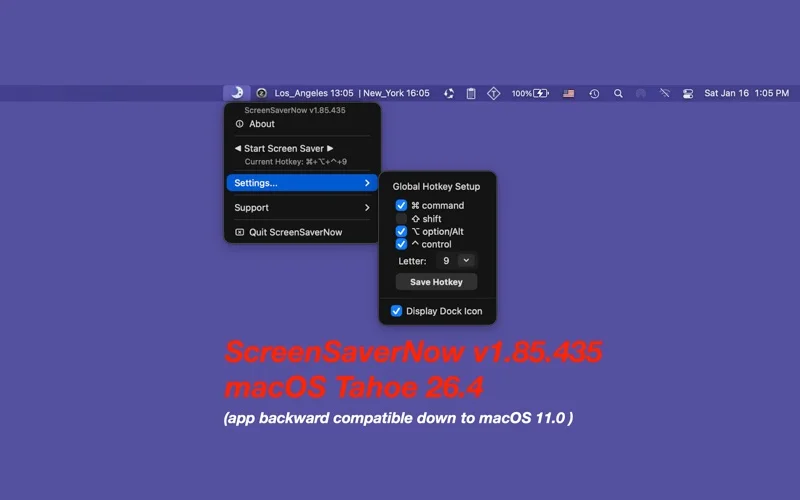
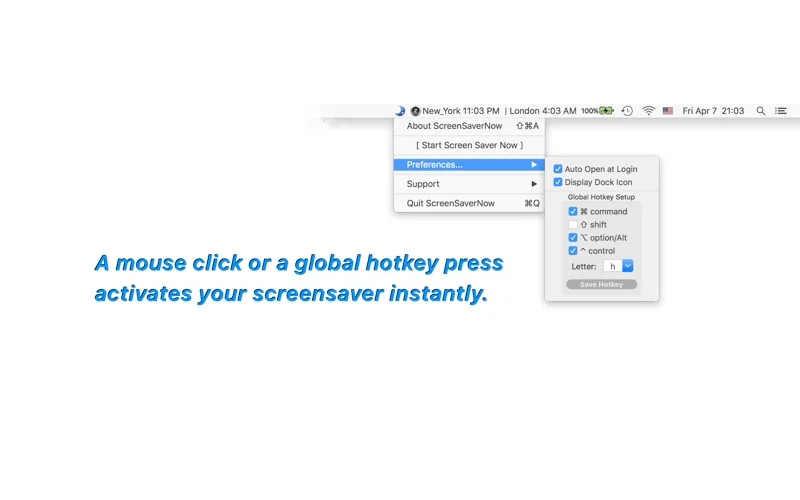
What you can do
- Choose a global shortcut.
- Trigger through the listed menu controls.
- Configure Dock visibility and startup behavior as supported.
Good for
- Someone wanting quick access to a screen saver.
Consider alternatives for
- A guaranteed lock or comprehensive file protection by itself.
Limitations & considerations
- Security depends on the system requiring a password after the saver starts. Shortcut release can stop it according to the listing; test the actual lock behavior.
Privacy & permissions
A screen saver alone does not establish protected access. Review system lock settings and app permissions; no security audit is claimed.
Sources & review notes Updated Nov 19, 2026
Reviewed by iApp4Me Editorial Team. Recommendations use the linked documentation and attributed accounts; device observations are identified separately.
- US App Store listing
Full publisher description, version and US download price captured 2026-11-02; source-based coverage, not a device test.
No comments yet. Be the first to share your experience.