ShadowDraw: Learn How to Draw
ShadowDraw guides iPad drawing by following professional artists' strokes through structured lessons.
Consider after testing the intended Apple Pencil and starter content
Teacher-selected tools and a freer mode support different practice preferences.
Keep in mind: The next step unlocks after the preceding one; skill gains and lesson totals are publisher claims, not guaranteed independent drawing ability. Do not assume every stylus is supported.
Inside the app
Official product images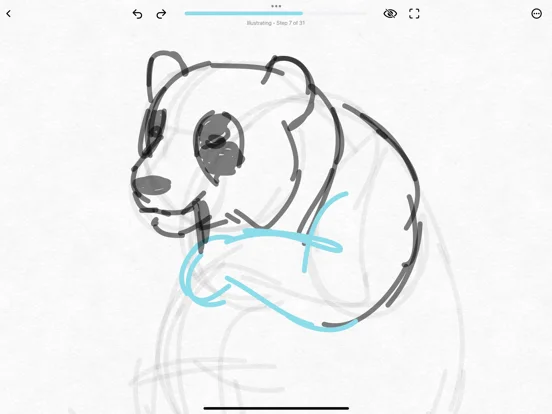
What you can do
- Follow entitled stroke-by-stroke lessons
- Choose supported Teacher or Sketch My Way modes
- Practice selected subjects and foundations
Good for
- Beginners comfortable with guided iPad/Pencil practice
Consider alternatives for
- Users seeking unrestricted freehand software or a complete free lesson library
Limitations & considerations
- Captured minimum: iOS 16.0.
- The next step unlocks after the preceding one; skill gains and lesson totals are publisher claims, not guaranteed independent drawing ability. Do not assume every stylus is supported.
Privacy & permissions
Saved drawings, family membership and support chats can identify learners; inspect sync and sharing permissions before sending private art.
Sources & review notes Updated Nov 11, 2026
Reviewed by iApp4Me Editorial Team. Recommendations use the linked documentation and attributed accounts; device observations are identified separately.
- US App Store developer description
Complete description, download price and compatibility metadata captured 2026-11-02.
No comments yet. Be the first to share your experience.