Business
SignMyPad Pro
Fill, annotate and sign PDFs, then save versions or send the completed file.
Useful for people wanting a one-time PDF signing workflow with checked extras
Form-field detection, saved signatures and folders connect repeated forms with export.
Keep in mind: Date/GPS metadata does not establish cryptographic certification or legal validity; cloud integrations and form detection need testing with actual documents.
Inside the app
Official product images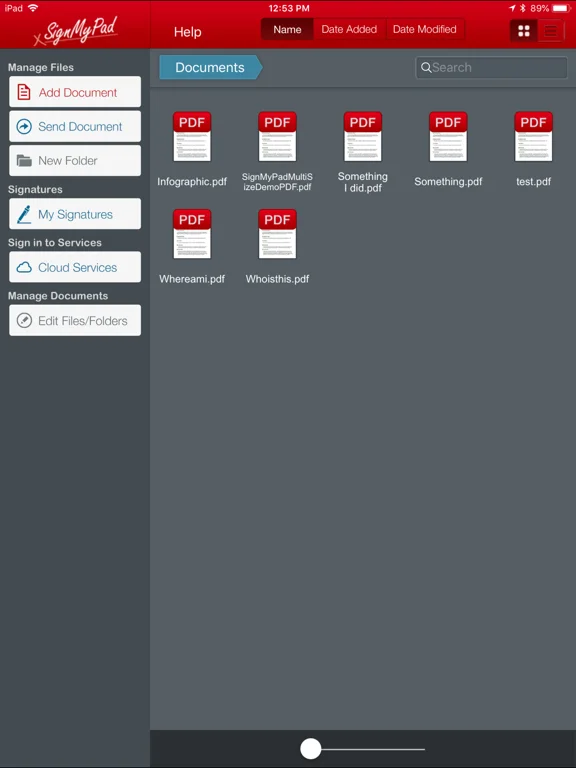
What you can do
- PDF form fields and custom text/checks
- Finger/stylus signatures, photos and ink options
- Folders/Save As, cloud/email export and AirPrint
Good for
- People authorized to complete and share their own PDFs
Consider alternatives for
- Guaranteed legally binding certification or included bulk cloud distribution
Limitations & considerations
- Captured minimum: iOS 9.0.
- Date/GPS metadata does not establish cryptographic certification or legal validity; cloud integrations and form detection need testing with actual documents.
Privacy & permissions
Saved signatures, location metadata and forms can expose identity/business details; protect the device and inspect exported metadata and recipients.
Sources & review notes Updated Nov 12, 2026
Reviewed by iApp4Me Editorial Team. Recommendations use the linked documentation and attributed accounts; device observations are identified separately.
- US App Store developer description
Complete description, download price and compatibility metadata captured 2026-11-02.
No comments yet. Be the first to share your experience.