Utilities
Simionic G1000 (PFD)
Simionic G1000 PFD emulates a primary flight display for simulator practice.
Consider it for a clearly separated desktop-simulation or standalone training setup
Interactive instrument controls and optional simulator bridging let users rehearse familiarity with a particular display style.
Keep in mind: It is not Garmin-endorsed or suitable for real-flight navigation, and the included database may be outdated; MFD functions are separate.
Inside the app
Official product images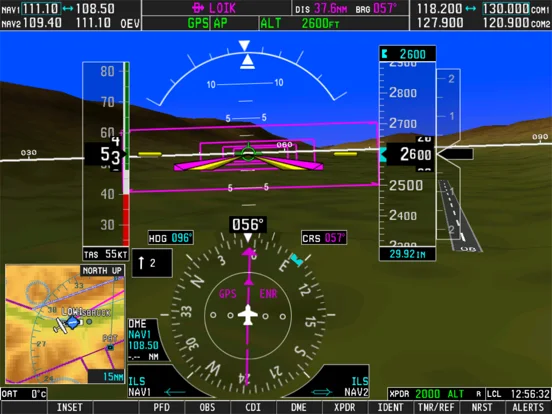
What you can do
- PFD instrument and navigation-display simulation
- Standalone controls and flight-director practice
- Listed desktop-simulator bridge support
Good for
- Aviation enthusiasts practising interface familiarity in simulation
Consider alternatives for
- Users expecting certified avionics or current operational navigation data
Limitations & considerations
- Captured minimum: iOS 9.0.
- It is not Garmin-endorsed or suitable for real-flight navigation, and the included database may be outdated; MFD functions are separate.
Privacy & permissions
Any bridge runs across the chosen device or network setup; inspect its access and publisher disclosure.
Sources & review notes Updated Nov 11, 2026
Reviewed by iApp4Me Editorial Team. Recommendations use the linked documentation and attributed accounts; device observations are identified separately.
- US App Store developer description
Complete description, download price and compatibility metadata captured 2026-11-02.
No comments yet. Be the first to share your experience.