Navigation
Speedometer GPS: Speed Monitor
Speedometer GPS displays estimated speed, optional alerts and paid trip recording or overlay modes.
Consider it if you want a supplementary view of speed during a trip and may want to log the route later.
Free speed and limit controls let you try the readout before subscribing for history, HUD or picture-in-picture.
Keep in mind: GPS estimates depend on reception and device conditions. They do not replace a vehicle instrument or establish legal speed limits.
Inside the app
Official product images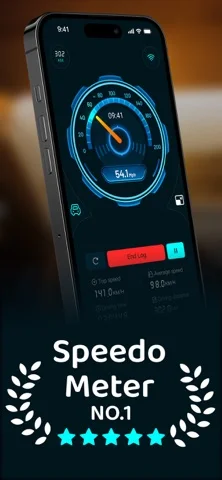
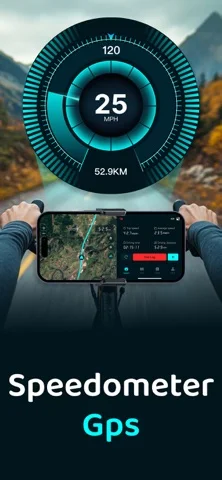

What you can do
- View current speed in mph or km/h
- Set a custom speed alert
- Use Premium trip history or a supported HUD or overlay
Good for
- People wanting a supplemental speed readout and optional trip log
Consider alternatives for
- Anyone who needs a calibrated instrument or a safety-critical alert
Limitations & considerations
- Captured minimum: iOS 15.
- GPS estimates depend on reception and device conditions. They do not replace a vehicle instrument or establish legal speed limits.
Privacy & permissions
Trip history can reveal routes and stop locations. Review location access and sharing before enabling recording.
Sources & review notes Updated Nov 11, 2026
Reviewed by iApp4Me Editorial Team. Recommendations use the linked documentation and attributed accounts; device observations are identified separately.
- US App Store developer description
Complete description, download price and compatibility metadata captured 2026-11-02.
No comments yet. Be the first to share your experience.