
Speedtest by Ookla
Run connection-speed tests from the macOS menu bar and compare saved results.
Mac users comparing internet performance or investigating an inconsistent connection.
Run connection-speed tests from the macOS menu bar and compare saved results.
Keep in mind: A speed test measures a particular connection to a test endpoint at a particular time. The saved description does not establish continuous monitoring or control over ISP performance.
Inside the app
Official product images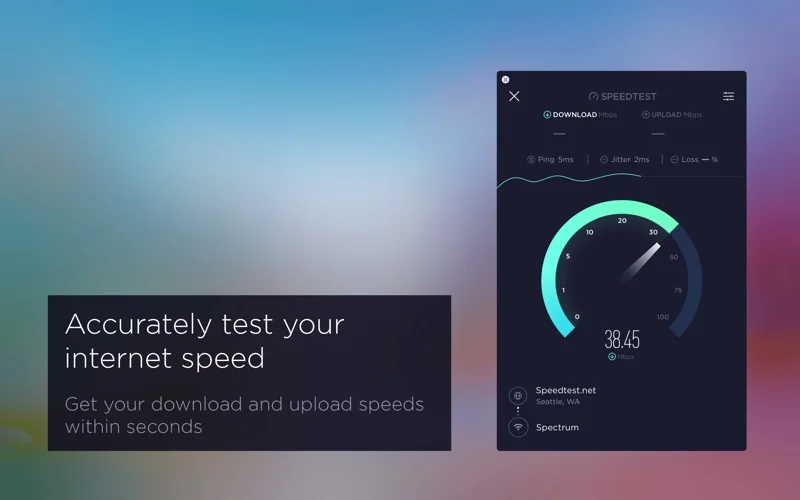
What you can do
- Measure ping, download speed and upload speed.
- Watch real-time graphs of connection consistency.
- Track earlier tests in reports and share selected results.
App Store review themes
Recurring praise and complaints, grouped by topic.
43 reviews · US App Store · Written feedback; review platforms are not identified
What reviewers like
Tests help investigate real connectivity problems
3 reviewsReviewers use testing to investigate uploads, compare lag after changing providers or choose Wi-Fi extender placement.
See 2 review examples
The reviewer finds the app useful for investigating upload performance; allegations about the provider’s intentions are not verified.
Original excerpt“troubleshoot online problems with several music collaboration programs”Apple source · Review 14726437517
The reviewer uses the app to investigate lag after changing providers.
Original excerpt“check out any lag to see if it’s the ISP or something else”Apple source · Review 14646398990
Basic speed testing is easy to access
3 reviewsReviewers find the app simple, quick and straightforward for basic tests.
See 2 review examples
The reviewer finds testing straightforward; their numeric results are individual observations.
Original excerpt“The App is easy to use”Apple source · Review 14640585326
The reviewer appreciates quick access to basic testing.
Original excerpt“easy to access for the most basic speed measurement”Apple source · Review 14576834193
What reviewers dislike
The desktop speed gauge needs a larger adjustable scale
13 reviewsMany reviewers request a scale beyond 500 Mbps or parity with iOS controls. One explicitly says results above 500 are recorded despite the capped gauge; a display limitation is not treated as a measurement ceiling. Other requests concern server or connection-count choice.
See 2 review examples
The reviewer wants the desktop app to offer the web version’s connection-count choice for VPN testing.
Original excerpt“switching between Multi and Single connections”Apple source · Review 14730347769
The reviewer wants adjustable gauge limits like those in their iOS app and explicitly describes the issue as cosmetic.
Original excerpt“Mac app cannot do this”Apple source · Review 14655977461
Background CPU use and battery drain concern Mac users
5 reviewsReviewers report sustained background CPU use, fan activity or fast battery drain after tests. Their measurements and causes are not independently verified.
See 2 review examples
The reviewer reports background CPU use persisting across restarts, installs and OS versions.
Original excerpt“drags CPU in background”Apple source · Review 14576834193
The reviewer reports background CPU use on macOS and is unsure whether waking from standby triggers it.
Original excerpt“consume a noticeable amount of CPU”Apple source · Review 14041780176
Some reported macOS releases or betas fail to launch the app
5 reviewsReviewers report failures around the OS releases or betas named in their reviews, across app versions 1.27 to 1.29; the platform labels and compatibility status are not independently confirmed.
See 2 review examples
The reviewer reports the iMac app not starting after the named OS upgrade while other device clients still work; the release name is their report.
Original excerpt“no longer starts since upgrade to Golden Gate 27”Apple source · Review 14686546955
The reviewer reports the app not opening on their stated macOS 27 setup in version 1.28.
Original excerpt“Doesn’t come up when launching, no menu, no window”Apple source · Review 14600073123
Show fewer negative themes
Crashes, freezes and reliability problems
3 reviewsConcerns and requests cover launch failure (2 reviews); menu bar launch failure (1 review).
See 2 review examples
The reviewer reports a launch regression in version 1.29.
Original excerpt“Newest version will not even open.”Apple source · Review 14660137704
In version 1.28 the reviewer reports launch failure despite reinstalling on a non-beta macOS release.
Original excerpt“app won’t even launch”Apple source · Review 14612613770
Support and response concerns
3 reviewsReviewers raise concerns or requests about desktop update cadence.
See 2 review examples
The reviewer feels the desktop app receives too few improvements compared with iOS.
Original excerpt“Can we please invest in this app as you do the iOS versions”Apple source · Review 14588838639
The reviewer considers desktop updates slow.
Original excerpt“they are slow with updates”Apple source · Review 14379471356
Good for
- Mac users comparing internet performance or investigating an inconsistent connection.
Consider alternatives for
- A guarantee of application-specific speeds or a continuously running network monitor.
Limitations & considerations
- A speed test measures a particular connection to a test endpoint at a particular time. The saved description does not establish continuous monitoring or control over ISP performance.
Privacy & permissions
Network tests communicate with remote servers and shared reports can reveal connection information. The description links Ookla’s privacy choices at speedtest.net/about/ccpa; review those choices before testing or sharing results.
Sources & review notes Updated Nov 17, 2026
Reviewed by iApp4Me Editorial Team. Recommendations use the linked documentation and attributed accounts; device observations are identified separately.
- US App Store listing
Publisher description and US download price captured 2026-11-02; source-based coverage, not a device test.
- Ookla privacy choices
Privacy-choice link supplied by the publisher in the saved store description; no claim of a newly audited policy.
No comments yet. Be the first to share your experience.