
SSH Config Editor
SSH Config Editor provides a graphical way to manage OpenSSH hosts, identity files, forwarding rules and known-host entries.
Pick for maintaining several SSH configurations without hand-editing every option.
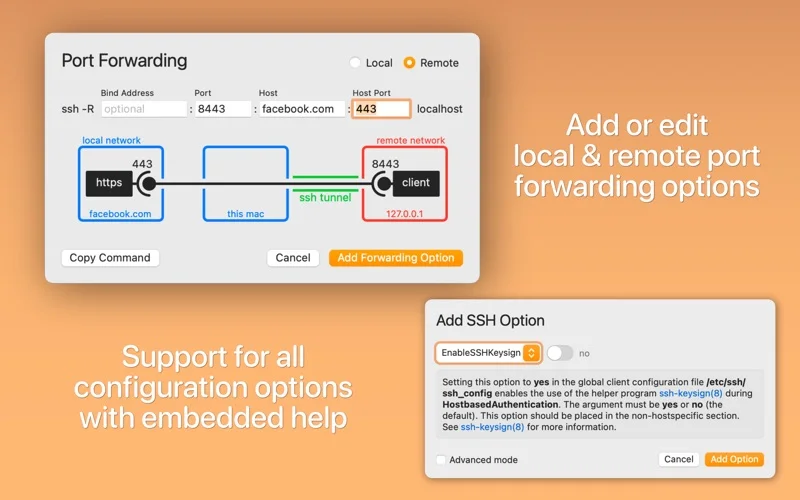
Grouped hosts, forwarding diagrams and menu-bar connections help make complicated client settings easier to inspect.
Keep in mind: The official site distinguishes Pro features such as Secure Enclave key management, password storage and automation. Do not assume all of them are included in this dated standard listing.
Inside the app
Official product images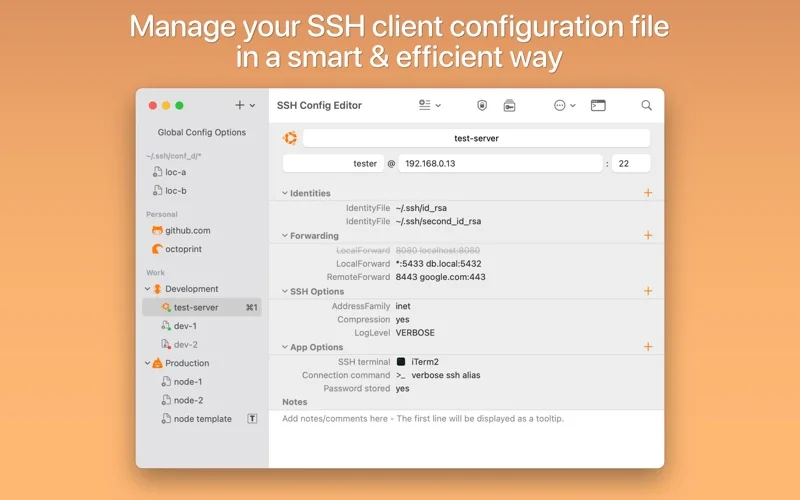
What you can do
- Organize hosts and edit SSH options
- Preview local or remote port forwarding
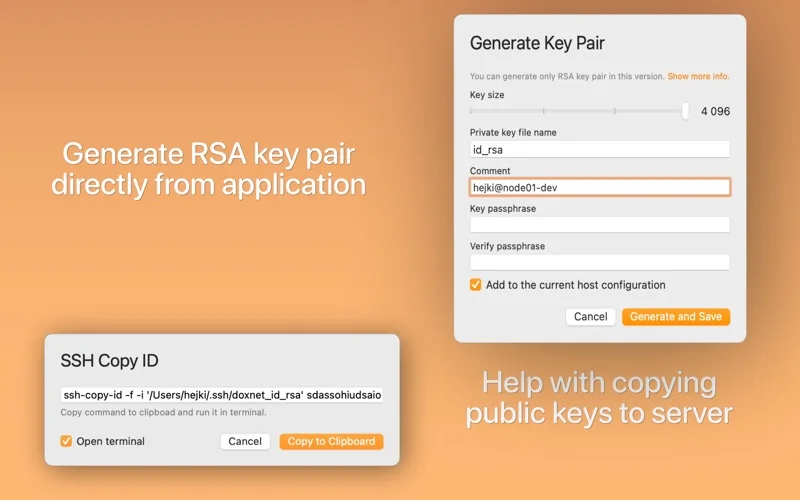
- Manage identity paths and known_hosts entries
Good for
- Mac users regularly maintaining multiple OpenSSH destinations.
Consider alternatives for
- People needing an SSH server, a remote desktop product or guaranteed inclusion of every Pro capability.
Limitations & considerations
- Captured minimum: macOS 14.0.
- The official site distinguishes Pro features such as Secure Enclave key management, password storage and automation. Do not assume all of them are included in this dated standard listing.
Privacy & permissions
Configuration and key paths reveal server identities; private keys and stored passwords are sensitive. Review forwarding rules and shared configurations before connecting or exporting.
Sources & review notes Updated Nov 15, 2026
Reviewed by iApp4Me Editorial Team. Recommendations use the linked documentation and attributed accounts; device observations are identified separately.
- US App Store developer description
Complete description, release notes, download price and compatibility metadata captured 2026-11-02.
- Official developer disclosure
Full official cached text reviewed; captured 2026-11-12. Platform, edition and data limitations retained in the profile.
No comments yet. Be the first to share your experience.