System Color Picker
System Color Picker turns macOS's color panel into an accessible app for sampling and converting colors.
Pick it for grabbing interface colors and copying a useful design value.
Palettes, recent colors and keyboard shortcuts connect sampling with a developer or designer's daily work.
Keep in mind: The captured listing warns of a macOS 26 sampler bug. Color-space conversion can also change values; verify critical colors and note the version's requirements.
Inside the app
Official product images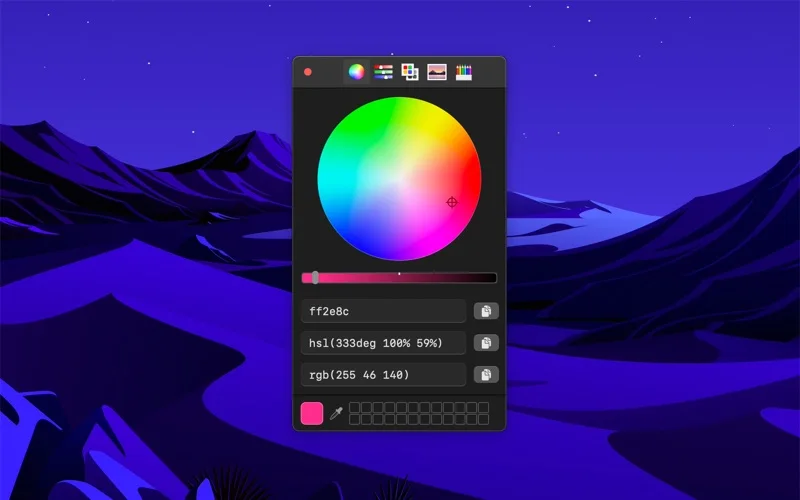
What you can do
- Sample screen colors and manage palettes
- Copy Hex, HSL, RGB, OKLCH, LCH or CMYK
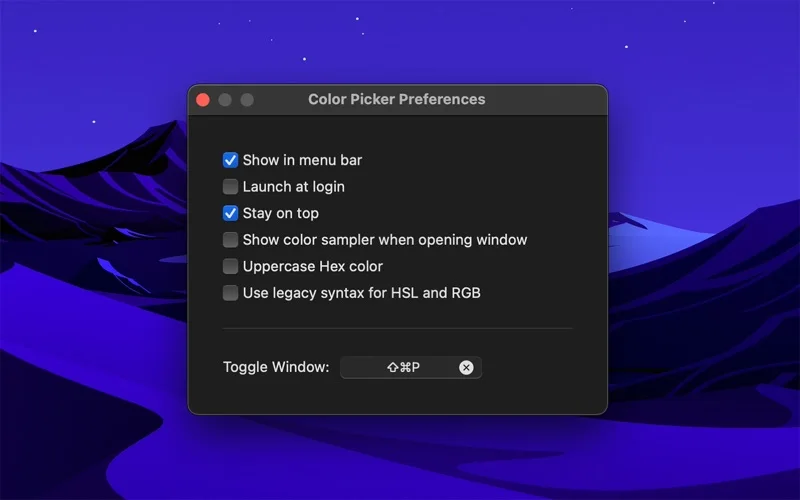
- Use global shortcuts, a menu-bar mode and Shortcuts actions
Good for
- Designers and developers who repeatedly move colors into code or artwork.
Consider alternatives for
- Users expecting a calibrated color-measurement instrument or a fix for every system sampling issue.
Limitations & considerations
- Captured minimum: macOS 26.1.
- The captured listing warns of a macOS 26 sampler bug. Color-space conversion can also change values; verify critical colors and note the version's requirements.
Privacy & permissions
The developer states no personal data is collected; sampling the screen still reveals the selected visual content locally, so avoid showing private windows in shared captures.
Sources & review notes Updated Nov 15, 2026
Reviewed by iApp4Me Editorial Team. Recommendations use the linked documentation and attributed accounts; device observations are identified separately.
- US App Store developer description
Complete description, release notes, download price and compatibility metadata captured 2026-11-02.
- Official developer disclosure
Official product text captured 2026-11-13 read, with saved listing and release notes. Pricing, platform and edition differences are stated explicitly; matching previously read catalogue evidence reused.
No comments yet. Be the first to share your experience.