SystemBatteryAnalysis
Read battery and device diagnostics, compare saved readings over time and optionally summarize headphone listening data from an Apple Health export.
Checking how reported battery readings and charging estimates change over time
Consider it if you need dated battery and charging records or a readable view of an iPhone diagnostic archive. Read the in-app data terms before importing a diagnostic file, because configuration statistics and battery ranking features can involve separate uploads.
Keep in mind: Charging power can be an estimate. Use the readings as reference trends rather than proof of a fault or the origin of a component.
Inside the app
Official product images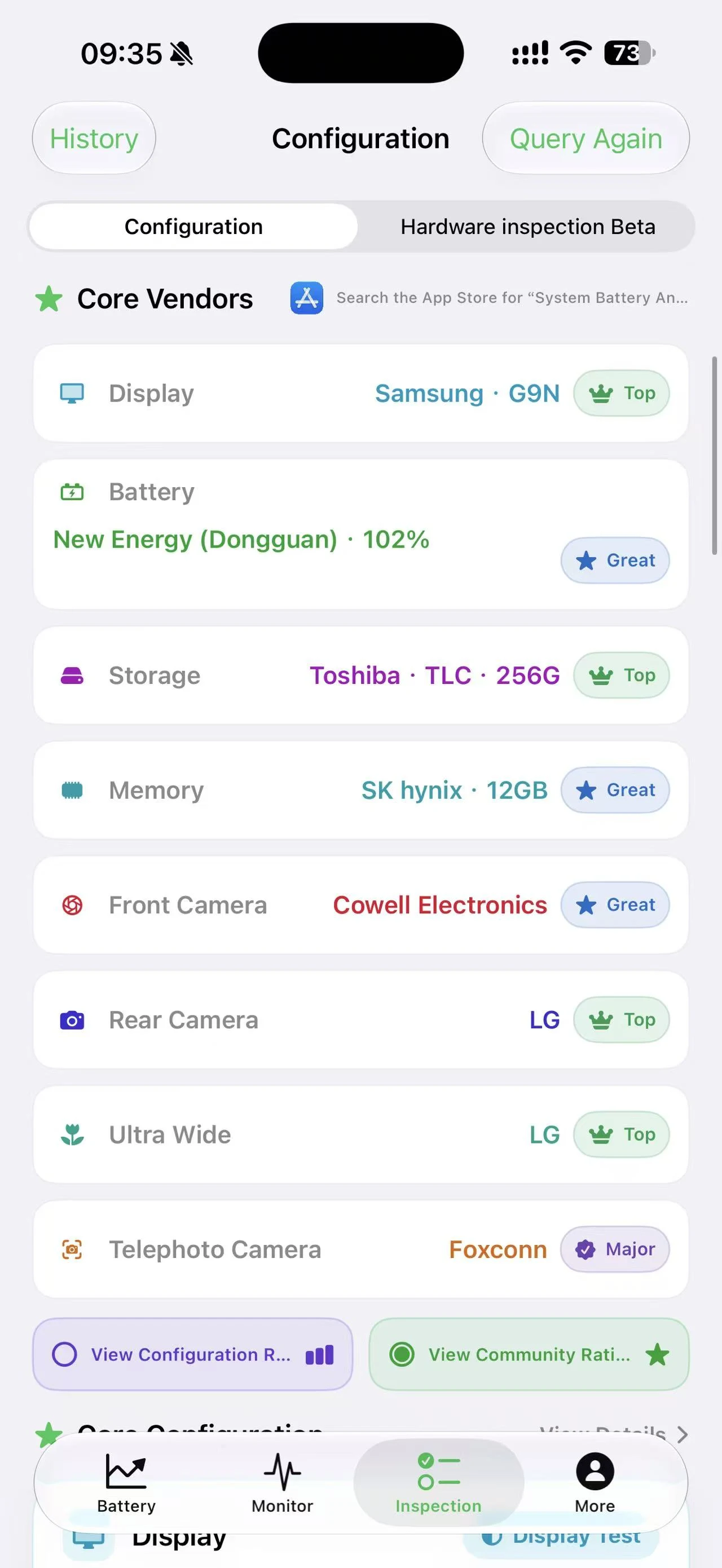
What you can do
- Parse a selected device diagnostic archive into a configuration report
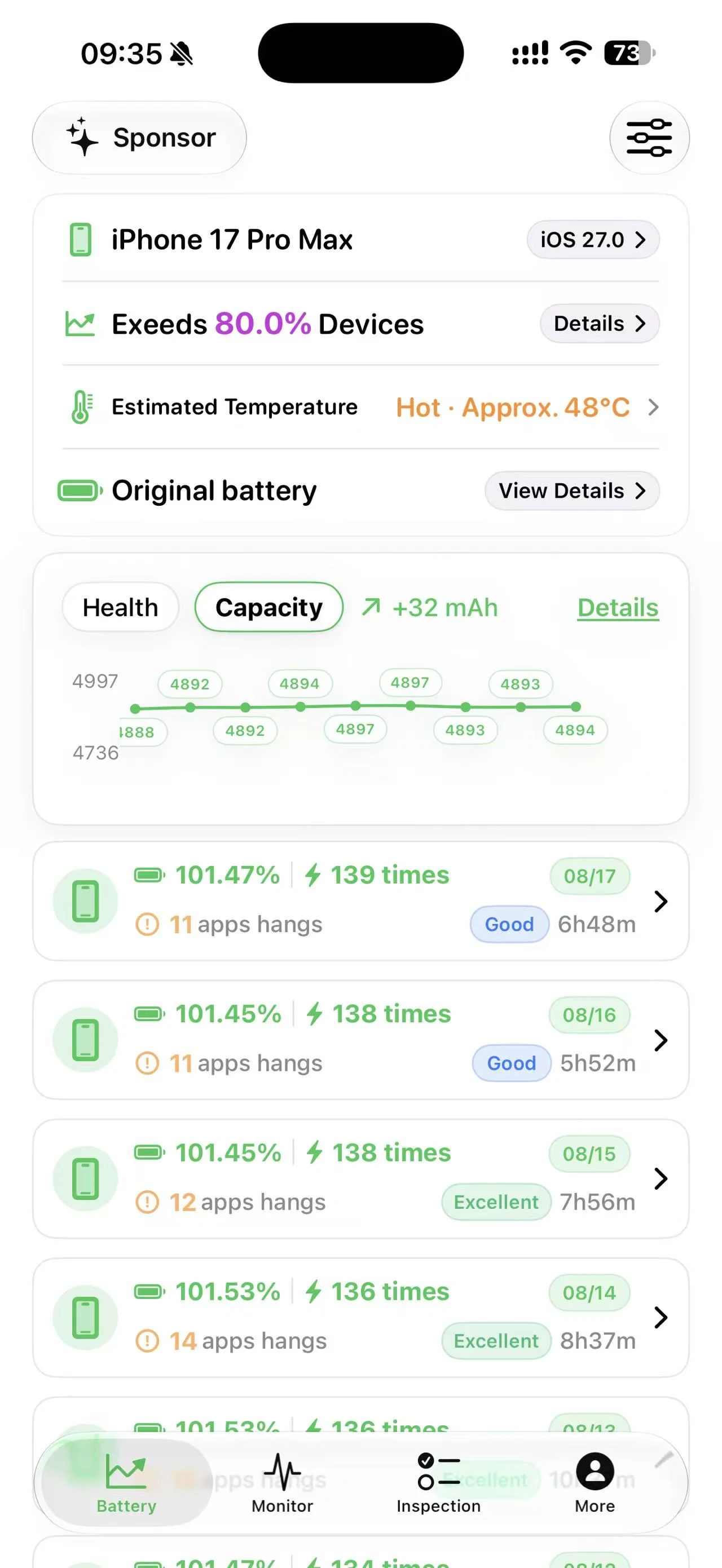
- Compare battery and charging estimates across saved entries
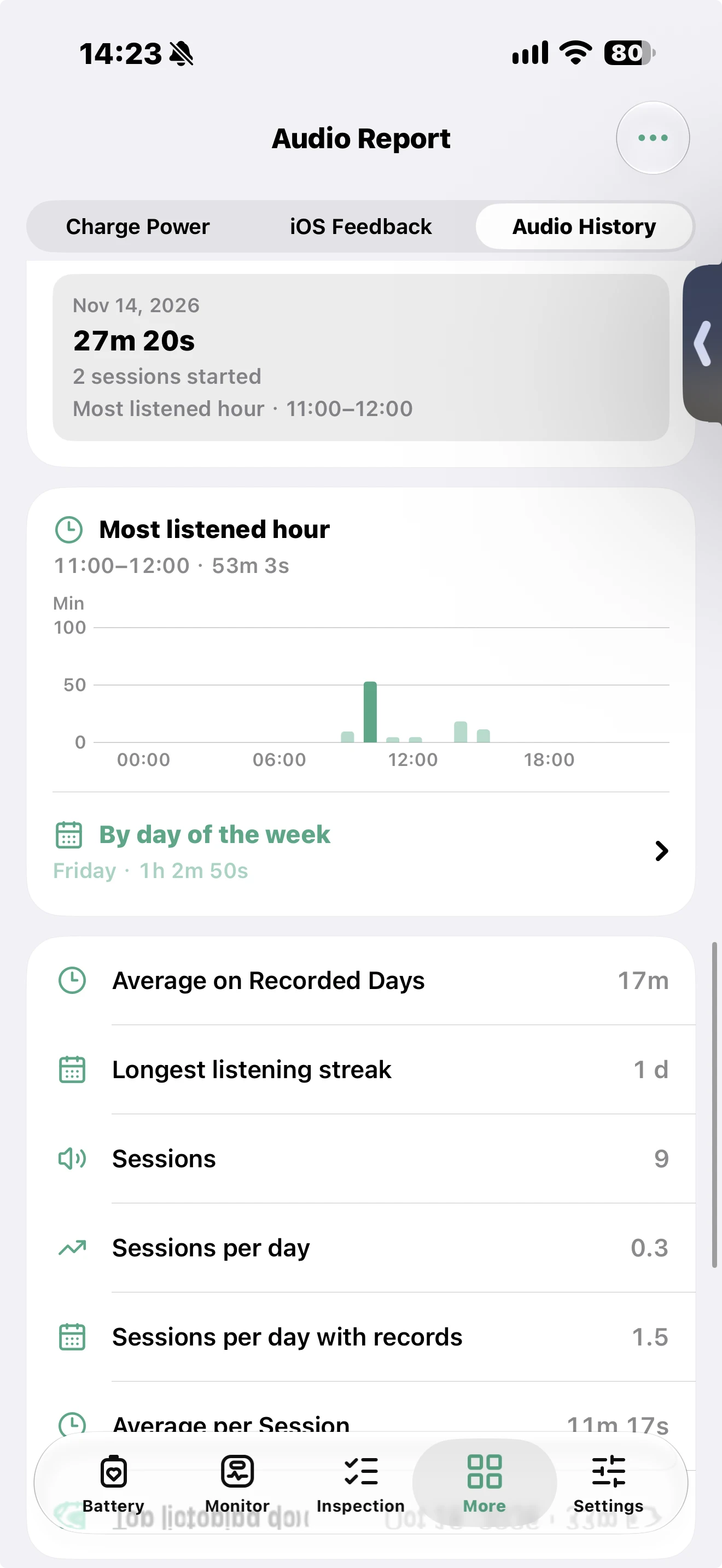
- Create a headphone sound-level summary from a manually selected Apple Health export
Good for
- Checking how reported battery readings and charging estimates change over time
Consider alternatives for
- A definitive authenticity check, a hardware diagnosis or a hearing assessment
Compare one reading over time
Start with a saved battery entry and its date. Compare the same device and the same reported metric on a later entry. A single estimate tells you less than a series taken under similar conditions.
If you plan to import a configuration archive, review the in-app statistics setting and the data notice first. The public policy describes general handling. The developer supplied separate details about statistics, rankings and Audio Report.
Read the Audio Report as a summary
The Audio Report introduced in version 2.6.0 summarizes headphone sound levels from a manually selected Apple Health export. It is an optional way to review existing records. This page draws on store information, official documentation and developer screenshots.
Limitations & considerations
- Charging power can be an estimate. Use the readings as reference trends rather than proof of a fault or the origin of a component.
- Core imports and optional cloud or statistics features have different data paths. The developer described them in correspondence. The public policy does not detail each feature.
- The configuration and battery screenshots are older official originals. The original app build is unspecified.
Privacy & permissions
The developer says the app parses the selected Sysdiagnose archive on-device and does not send the original archive to its configuration-statistics server. After the in-app notice is accepted and configuration statistics are enabled for the device, a successful import can automatically send a summary, including hardware identifiers or serial-number prefixes. Battery rankings can send results and model information separately. The developer reports no fixed automatic expiry for configuration and ranking records. Optional iCloud backup can copy battery and configuration records to the user’s account.
According to the developer, Audio Report reads the manually selected Apple Health export locally, saves the latest summary on the phone and excludes it from iCloud backup. A general usage event can record that a report was created without carrying health values or the report. Clearing the summary leaves the original export in Files.
Privacy policySources & review notes Updated Nov 24, 2026
Reviewed by iApp4Me Editorial Team. Recommendations use the linked documentation and attributed accounts; device observations are identified separately.
- US App Store listing
Version 2.6.0, platform compatibility, ads and Pro-Version pricing.
- Zhangthree official site
Developer’s product information. The publisher also provided three screenshots and feature-specific data-handling details for this listing.
- Zhangthree privacy policy
Public policy covering general practices. Feature-specific uploads, backups and retention are attributed separately to the developer.
No comments yet. Be the first to share your experience.