
Tempest Weather
Tempest configures a separate home weather sensor and displays its readings, history, and alerts.
Consider it if you own the Tempest hardware and want to see local conditions from your station.
The app combines sensor observations with historical charts and optional smart-home links.
Keep in mind: It requires the separately sold sensor and setup. Use official warning services for emergencies.
Inside the app
Official product images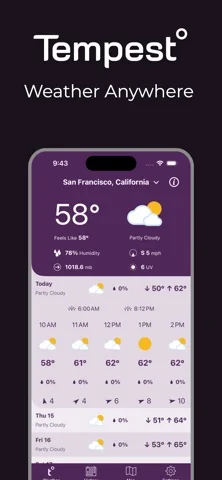
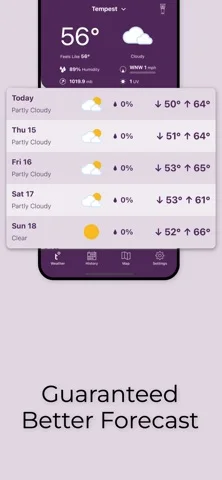
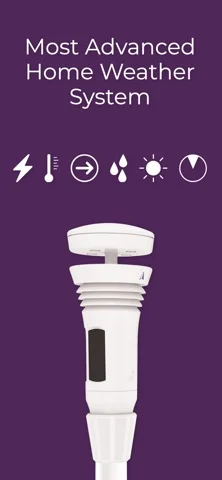
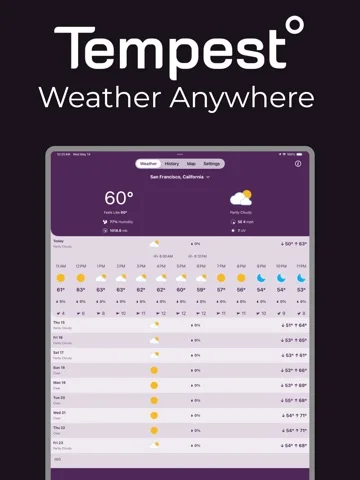
What you can do
- Set up a station on the home network
- View wind, rain, and temperature readings
- Review trends or connect supported integrations
App Store review themes
Recurring praise and complaints, grouped by topic.
30 reviews · US App Store · Written feedback; review platforms are not identified
What reviewers like
Setup and organization work well for some owners
4 reviewsReviewers praise straightforward station setup or the app’s interface organization.
See 2 review examples
The reviewer praises the interface design.
Original excerpt“nicely designed app with a good user interface.”Apple source · Review 14183001881
The reviewer finds installation simple.
Original excerpt“The installation was simple”Apple source · Review 13996351656
Automation and API access extend the station
3 reviewsReviewers value access through named home-automation services, weather networks or the data API.
See 2 review examples
The reviewer appreciates API access and says they used it to build an alternative interface.
Original excerpt“Thankfully, the data is available via the API.”Apple source · Review 14316144755
The reviewer praises integration with the named home-automation services.
Original excerpt“integrates really well with Home Assistant and Alexa”Apple source · Review 13974223808
What reviewers dislike
Confidence in readings and forecasts varies
5 reviewsReviewers question particular station readings, forecast timing or sensor-failure displays. These are reported experiences rather than instrument or forecast validation.
See 2 review examples
The reviewer reports inconsistent station readings that affect historical chart readability.
Original excerpt“data readings for your hardware sometimes get screwy”Apple source · Review 14625012197
The reviewer doubts strike counts and recency based on inconsistent displayed readings.
Original excerpt“the lightning detection feels and seems off”Apple source · Review 14320781843
Launch and widget freezes interrupt access
4 reviewsReviewers report loading freezes, initial-launch crashes or failures after updates, across their named device and OS configurations.
See 2 review examples
After over a year of use, the reviewer reports a recent loading freeze on both named devices.
Original excerpt“the app locks up and will not load on either iPad or iPhone”Apple source · Review 14740217124
The reviewer reports an update-related launch failure on the named older iPad OS while saying the phone works.
Original excerpt“the app will not open on my iPad running iOS 15.8.8.”Apple source · Review 14723307350
Customization limits and requests
3 reviewsConcerns and requests cover widget weather fields (2 reviews); temperature display order (1 review).
See 2 review examples
The reviewer wants to choose widget fields such as dew point.
Original excerpt“aren’t customizable (show me dewpoint)”Apple source · Review 14731730539
The reviewer wants additional weather statistics in widgets.
Original excerpt“could the widgets show some of these other stats?”Apple source · Review 14379244122
Good for
- People with a Tempest Weather System
Consider alternatives for
- Anyone who wants a forecast app without hardware
Limitations & considerations
- Captured minimum: iOS 15.0.
- It requires the separately sold sensor and setup. Use official warning services for emergencies.
Privacy & permissions
Station observations can be shared with the service and optional integrations; check visibility before connecting them.
Sources & review notes Updated Nov 11, 2026
Reviewed by iApp4Me Editorial Team. Recommendations use the linked documentation and attributed accounts; device observations are identified separately.
- US App Store developer description
Complete description, download price and compatibility metadata captured 2026-11-02.
No comments yet. Be the first to share your experience.