
TransactQ: QFX converter
TransactQ converts a screenshot of Apple Card's latest transactions into QFX, QBO or OFX for finance software.
Use it when a screenshot-based import fits your existing Apple Card recordkeeping.
It turns a recent transaction list into an importable file without waiting for a monthly export workflow.
Keep in mind: Recognition and relative dates need checking. Crop the list as directed, use screenshots promptly and reconcile imports to avoid duplicate or misread transactions; pending items are excluded.
Inside the app
Official product images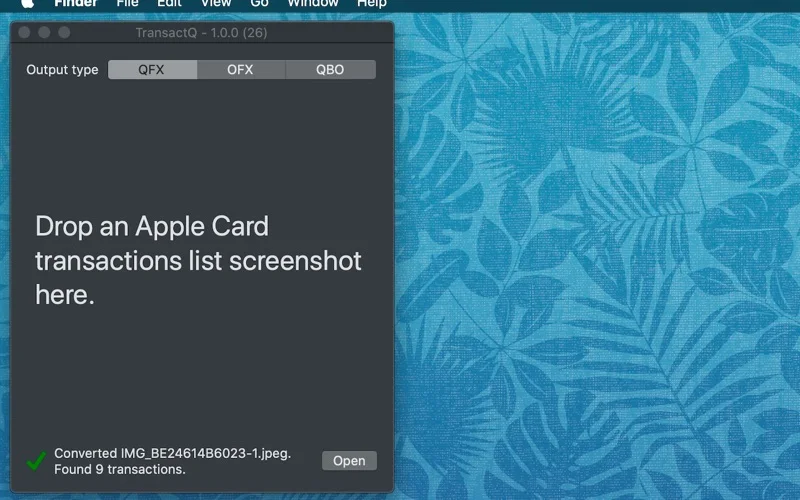
What you can do
- Read a cropped Wallet transaction-list screenshot
- Generate QFX, QBO or OFX transaction files
- Open the result in compatible personal-finance software
Good for
- Apple Card users who can verify the generated entries before importing.
Consider alternatives for
- Users expecting a live bank connection or a guaranteed error-free statement replacement.
Limitations & considerations
- Captured minimum: macOS 10.15.
- Recognition and relative dates need checking. Crop the list as directed, use screenshots promptly and reconcile imports to avoid duplicate or misread transactions; pending items are excluded.
Privacy & permissions
The official policy says screenshots and generated files remain on your device without server access; protect them because they reveal financial activity.
Sources & review notes Updated Nov 15, 2026
Reviewed by iApp4Me Editorial Team. Recommendations use the linked documentation and attributed accounts; device observations are identified separately.
- US App Store developer description
Complete description, release notes, download price and compatibility metadata captured 2026-11-02.
- Official developer disclosure
Official cached product or relevant disclosure text captured 2026-11-12, read or reused from the identical previously read source. Platform and edition differences retained.
No comments yet. Be the first to share your experience.