TV Remote for Roku
Control compatible Roku or Now TV devices with channel shortcuts, text entry and saved remote-action sequences.
An owner of a compatible Roku device who wants an alternative software remote.
Control compatible Roku or Now TV devices with channel shortcuts, text entry and saved remote-action sequences.
Keep in mind: The listing explicitly describes phone/iPad networking and an iOS Today widget. Confirm actual platform and device compatibility; keyboard and TV-specific buttons are conditional. The developer disclaims Roku affiliation.
Inside the app
Official product images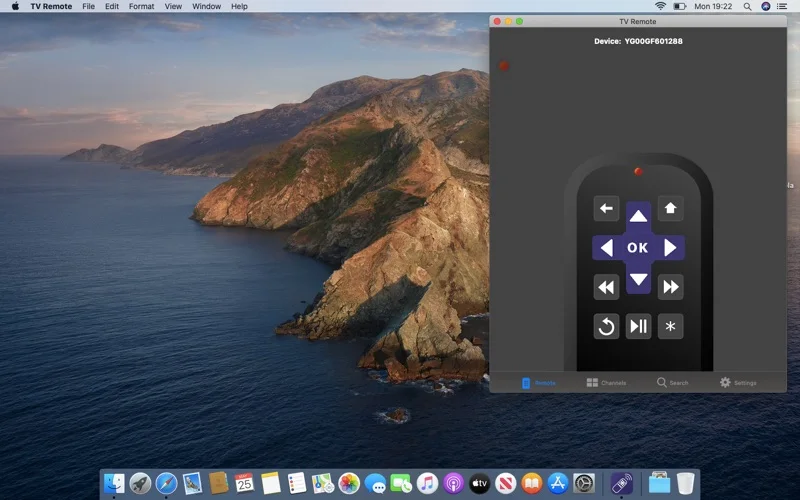
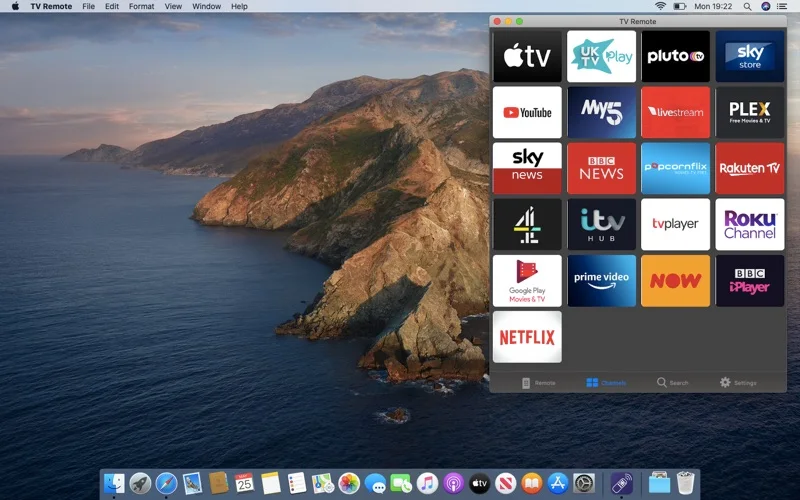
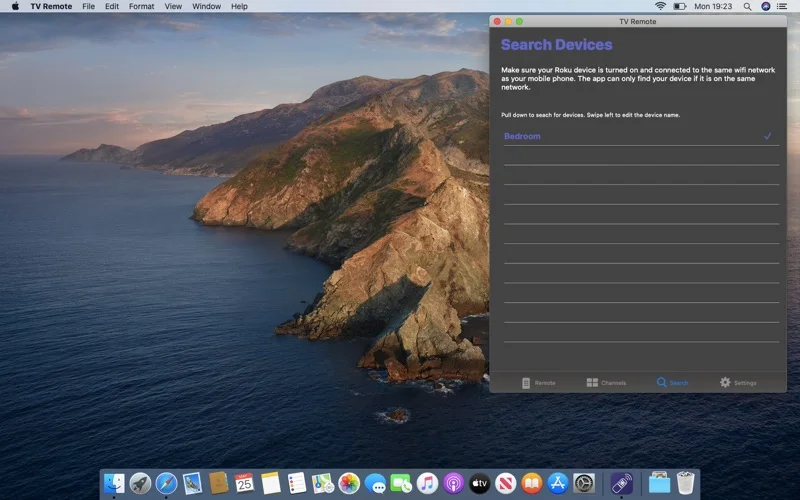
What you can do
- Discover devices on the same network and switch saved devices.
- Launch installed channels and use supported text entry.
- Record repeated remote actions or use TV buttons where the hardware supports them.
Good for
- An owner of a compatible Roku device who wants an alternative software remote.
Consider alternatives for
- Included TV subscriptions or guaranteed Mac support for iOS Today widgets.
Limitations & considerations
- The listing explicitly describes phone/iPad networking and an iOS Today widget. Confirm actual platform and device compatibility; keyboard and TV-specific buttons are conditional. The developer disclaims Roku affiliation.
Privacy & permissions
Device discovery and stored commands expose local hardware and viewing choices. Review network permissions and the store disclosure before using a shared LAN.
Sources & review notes Updated Nov 18, 2026
Reviewed by iApp4Me Editorial Team. Recommendations use the linked documentation and attributed accounts; device observations are identified separately.
- US App Store listing
Publisher description, version and US download price captured 2026-11-02; source-based coverage, not a device test.
No comments yet. Be the first to share your experience.