Unpaid Bills
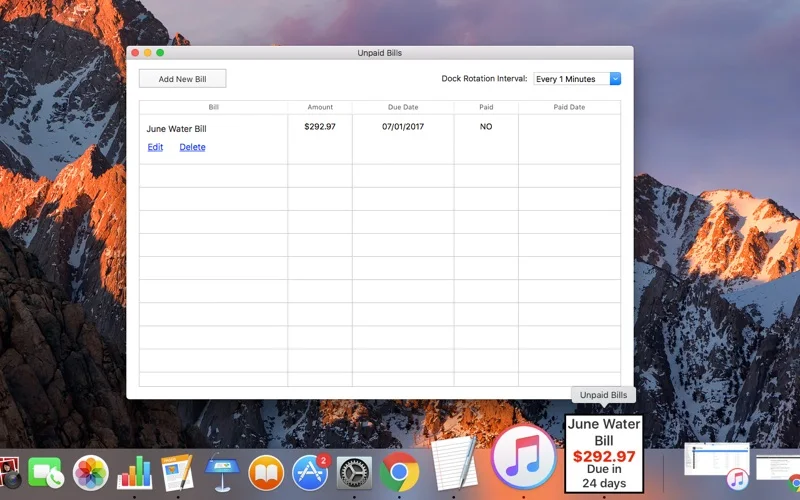
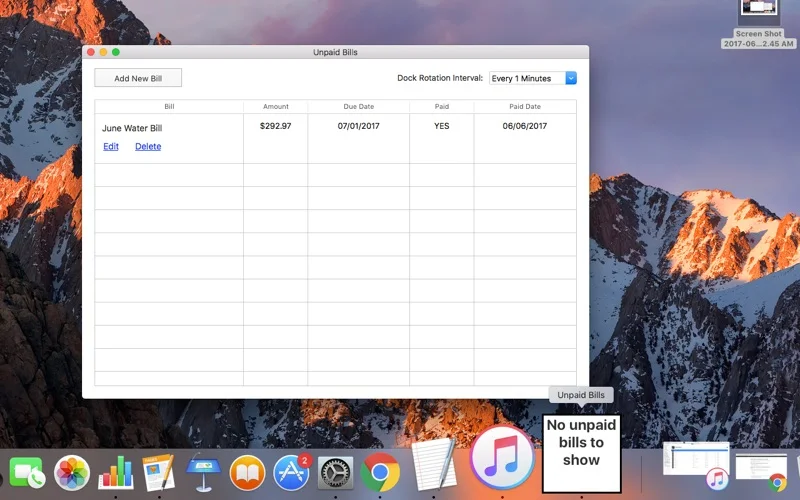
Keep upcoming bills visible in the Mac Dock and remove them after marking payment.
Someone who wants a simple visual reminder of manually entered bills.
Keep upcoming bills visible in the Mac Dock and remove them after marking payment.
Keep in mind: The app reminds rather than pays. Keep another reliable record of due dates; the description does not establish bank links, push alerts or recurring-bill automation.
Inside the app
Official product images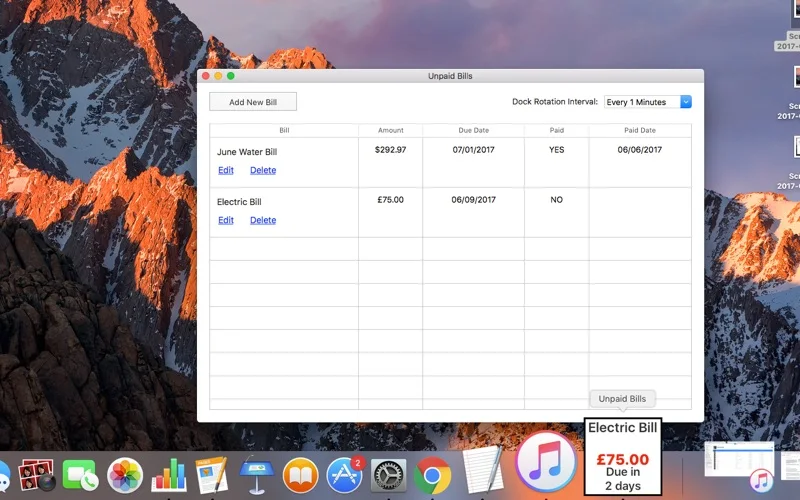
What you can do
- Enter upcoming bills.
- Rotate displayed bills at one-, five-, fifteen- or thirty-minute intervals.
- Mark a bill paid to remove it from the Dock display.
Good for
- Someone who wants a simple visual reminder of manually entered bills.
Consider alternatives for
- Paying bills automatically or synchronizing transactions with a bank.
Limitations & considerations
- The app reminds rather than pays. Keep another reliable record of due dates; the description does not establish bank links, push alerts or recurring-bill automation.
Privacy & permissions
Bill names and amounts may be visible in the Dock or on a shared screen. Review the store disclosure before entering financial details; no banking credentials are required by the described manual-entry workflow.
Sources & review notes Updated Nov 17, 2026
Reviewed by iApp4Me Editorial Team. Recommendations use the linked documentation and attributed accounts; device observations are identified separately.
- US App Store listing
Publisher description and US download price captured 2026-11-02; source-based coverage, not a device test.
No comments yet. Be the first to share your experience.