
Developer Tools
UTC Bar
Show UTC time in the Mac menu bar and its day/date when clicked.
Someone needing a compact reference to UTC while working across time zones.
Show UTC time in the Mac menu bar and its day/date when clicked.
Keep in mind: The clock relies on the Mac’s time setup. Accuracy, display rendering and current menu-bar behavior were not independently tested; no alarm feature is established.
Inside the app
Official product images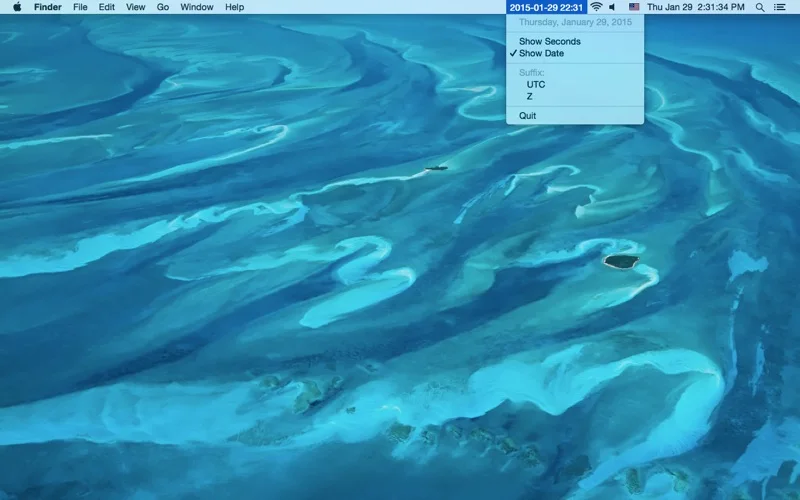
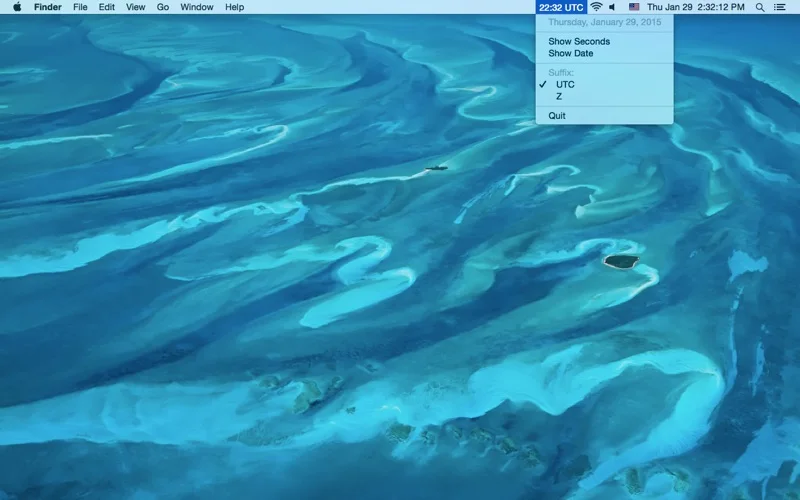
What you can do
- Read the menu-bar UTC clock.
- Click to view the current UTC day.
- Check the corresponding UTC calendar date.
Good for
- Someone needing a compact reference to UTC while working across time zones.
Consider alternatives for
- An alarm, scheduler or independently certified time source.
Limitations & considerations
- The clock relies on the Mac’s time setup. Accuracy, display rendering and current menu-bar behavior were not independently tested; no alarm feature is established.
Privacy & permissions
A time display can appear during screen sharing. Review the store disclosure before assuming no usage reporting.
Sources & review notes Updated Nov 19, 2026
Reviewed by iApp4Me Editorial Team. Recommendations use the linked documentation and attributed accounts; device observations are identified separately.
- US App Store listing
Full publisher description, version and US download price captured 2026-11-02; source-based coverage, not a device test.
No comments yet. Be the first to share your experience.