
Utilities
WattsConnected
在 MacBook 菜单栏显示充电器协商功率、充电历史和电池状态的工具,帮助识别可能限制功率的线材。
适合经常更换 USB-C 充电组合的人
把协商功率和历次充电记录放在一起,便于比较适配器与线材。
Keep in mind: 显示的是系统报告的协商及充电数据,不是外接实验室功率计;不支持没有电池的桌面 Mac。
Inside the app
Official product images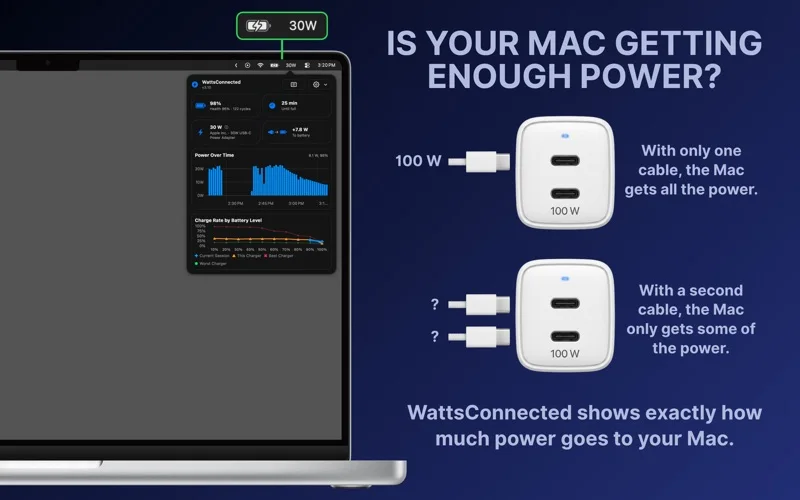
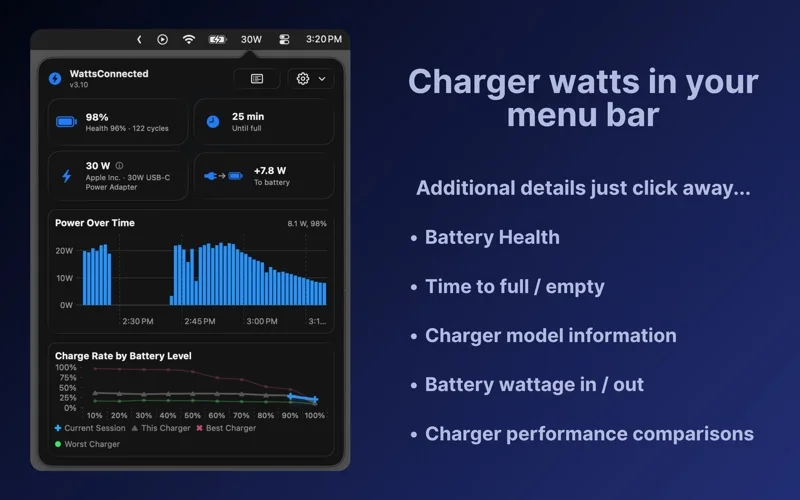
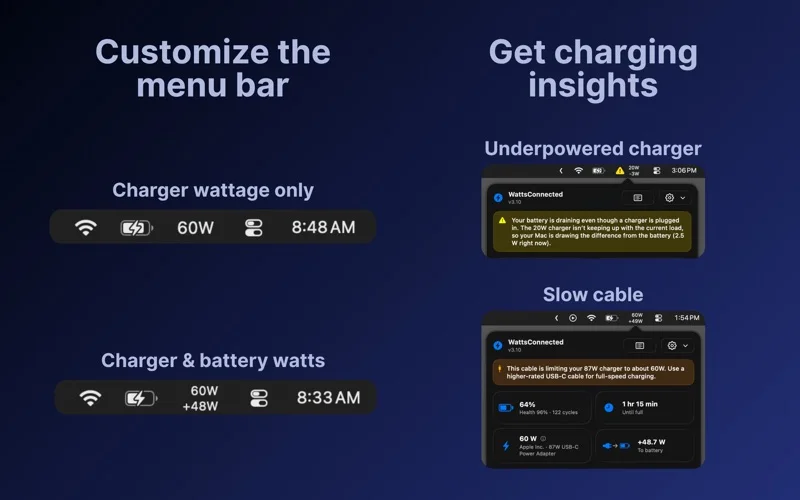
What you can do
- 菜单栏协商功率
- 低功率和线材提醒
- 充电器历史比较
- 电池健康与循环次数
- 剩余时间估算
Good for
- 常用多口充电器和不同线材的 MacBook 用户
Consider alternatives for
- iMac、Mac mini 用户或需要精密电气安全测试的人
Limitations & considerations
- Captured minimum: macOS 13.5.
- 显示的是系统报告的协商及充电数据,不是外接实验室功率计;不支持没有电池的桌面 Mac。
Privacy & permissions
开发者称充电历史只保存在本机、不需账户或网络且不运行分析收集。
Sources & review notes Updated Nov 15, 2026
Reviewed by iApp4Me Editorial Team. Recommendations use the linked documentation and attributed accounts; device observations are identified separately.
- US App Store developer description
Complete description, release notes, download price and compatibility metadata captured 2026-11-02.
- Official developer disclosure
Read full cached official product page; retain version, platform and service dependencies.
No comments yet. Be the first to share your experience.