Webcam Adjust
Adjust hardware controls exposed by compatible USB UVC webcams while previewing their image.
A user whose USB webcam exposes the required UVC hardware controls.
Adjust hardware controls exposed by compatible USB UVC webcams while previewing their image.
Keep in mind: Only controls implemented by the camera can be changed. The broad works-with-any-app claim, camera list and current macOS interoperability were not independently tested.
Inside the app
Official product images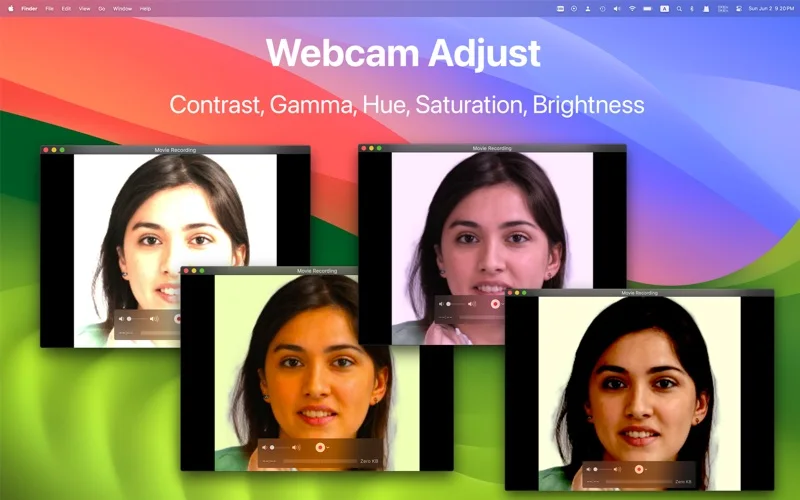
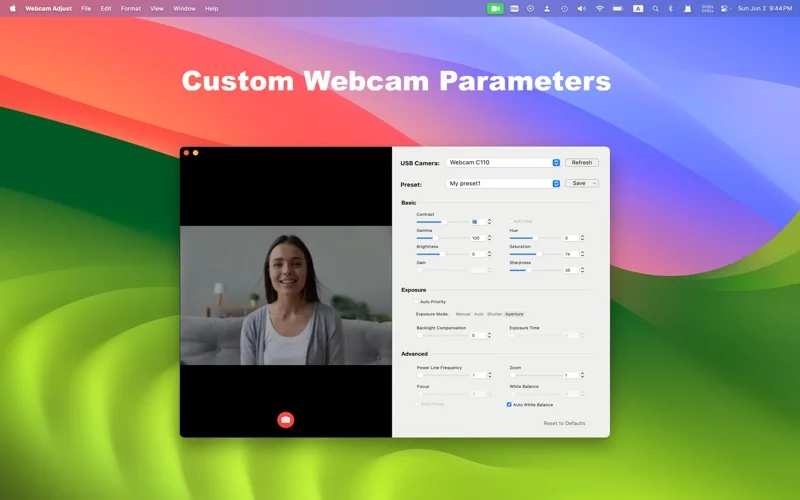
What you can do
- Change supported exposure, focus, brightness and white-balance controls.
- See a live camera preview before applying changes.
- Control multiple connected cameras where supported.
Good for
- A user whose USB webcam exposes the required UVC hardware controls.
Consider alternatives for
- Guaranteed controls on every built-in camera or identical results in every video-call app.
Limitations & considerations
- Only controls implemented by the camera can be changed. The broad works-with-any-app claim, camera list and current macOS interoperability were not independently tested.
Privacy & permissions
Live preview requires camera access and can reveal private surroundings. Review permissions and the store disclosure before enabling a camera; no recording or local-only security audit is claimed.
Sources & review notes Updated Nov 18, 2026
Reviewed by iApp4Me Editorial Team. Recommendations use the linked documentation and attributed accounts; device observations are identified separately.
- US App Store listing
Publisher description, version and US download price captured 2026-11-02; source-based coverage, not a device test.
No comments yet. Be the first to share your experience.