
Workday
Access employer-enabled HR, time, expense and approval workflows through your organization’s Workday account.
Use it for the tasks your organization has enabled
Workday suits employees and managers whose organization already uses Workday and authorizes mobile access to relevant tasks.
Keep in mind: It is an enterprise companion, not a standalone personal payroll or HR service. Your organization controls access, roles and available workflows, and not every desktop feature is available on mobile.
Inside the app
Official product images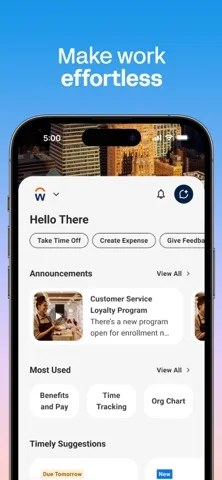
What you can do
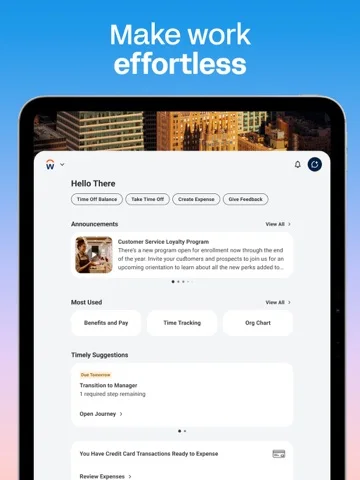
- View supported pay information and request time off.
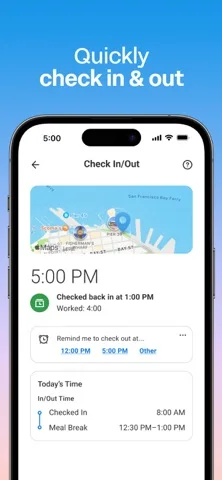
- Check in or out, review shifts and submit timesheets where enabled.
- Submit eligible expenses and follow task reminders.
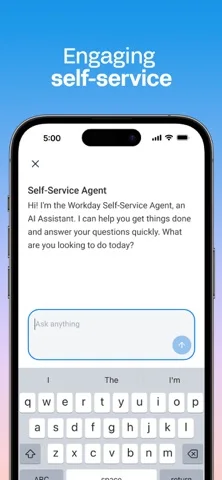
- Use supported company directory, learning and feedback functions.
- Approve employee requests and view role-specific reports as a manager.
- Use supported biometric authentication alongside your organization’s access requirements.
Good for
- Employees handling routine HR tasks away from a desk.
- Managers reviewing authorized requests and team information on mobile.
Consider alternatives for
- Individuals looking to buy a personal payroll-management app without an employer tenant.
- Expecting every Workday module or desktop workflow to be available automatically.
Limitations & considerations
- Captured version 2026.10.1 requires iOS 18.0 or later.
- Your organization must authorize mobile access; a free download does not create a company account or enable unlicensed modules.
- The captured release mentions travel, attendance, onboarding and Career Hub improvements; these do not guarantee availability for every role or tenant.
- Use your organization’s HR or IT access instructions for account and permission issues.
Privacy & permissions
Workday’s February 27, 2026 statement distinguishes employer-controlled enterprise data from information Workday handles as a controller. Your organization controls the employee records placed in its service and is the contact for questions or rights concerning those records. Workday separately logs limited system usage such as assigned identifiers, IP address, device and app details for operation, security, analytics and support. Optional in-app feedback is separate; do not assume the vendor’s website-marketing notice replaces your employer’s data policy.
Privacy policySources & review notes Updated Nov 6, 2026
Reviewed by iApp4Me Editorial Team. Recommendations use the linked documentation and attributed accounts; device observations are identified separately.
- US App Store listing
Complete developer description and version metadata captured 2026-11-02; official images cached locally.
- Workday privacy statement and enterprise-data scope
Official source consulted 2026-11-06.
No comments yet. Be the first to share your experience.