WritePDF
An iPad PDF toolkit for annotations, forms, page organization, document conversion, searching and supported printing workflows.
Consider for users combining form completion with document handling
Reusable signature placement, cross-file search and page operations address several common paperwork steps in one app.
Keep in mind: The listing includes historical cloud and printing services; compatibility with any named connector or printer must be checked rather than assumed current.
Inside the app
Official product images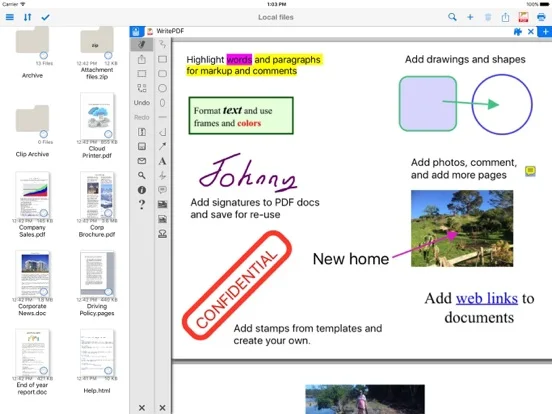
What you can do
- Add text, highlights, shapes and pictures to PDFs
- Fill forms and reuse a saved signature
- Rearrange pages and combine supported documents
- Search stored files and use supported sharing or printing
Good for
- iPad users evaluating a broad paperwork tool who can test their actual forms and output route.
Consider alternatives for
- People needing certified digital signatures, guaranteed third-party integrations or evidence of end-to-end document security.
Limitations & considerations
- Captured minimum: iOS 12.0.
- The listing includes historical cloud and printing services; compatibility with any named connector or printer must be checked rather than assumed current.
Privacy & permissions
Stored signatures and documents are sensitive. Cloud connectors and printing may disclose files to other services; broad security marketing is not a technical assurance.
Sources & review notes Updated Nov 11, 2026
Reviewed by iApp4Me Editorial Team. Recommendations use the linked documentation and attributed accounts; device observations are identified separately.
- US App Store developer description
Complete description, download price and compatibility metadata captured 2026-11-02.
No comments yet. Be the first to share your experience.