XBOX
Stay connected to Xbox friends, parties, game purchases, console downloads and captures from a phone or tablet.
Keep Xbox friends and console tasks within reach
The Xbox app suits people already using Xbox gaming services who want party chat, achievements, console captures and remote installation alongside game discovery and shopping.
Keep in mind: The free companion app does not include every game or a Game Pass subscription. The current official mobile page directs cloud gaming and remote play to separate web entry points.
Inside the app
Official product images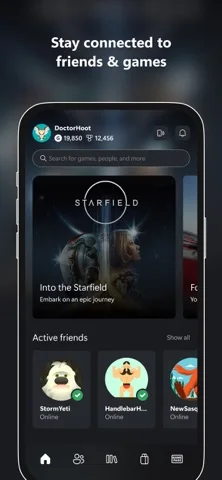
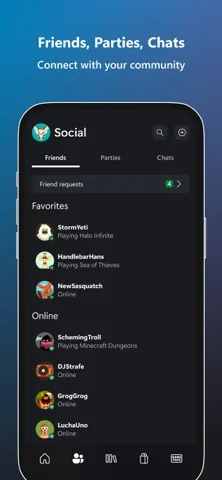
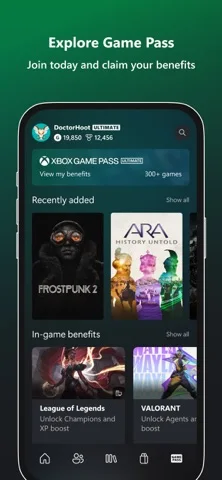
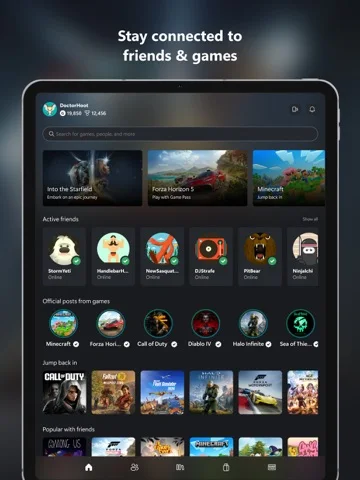
What you can do
- Use voice and text chat with Xbox friends and parties.
- View achievements, messages and game invitations.
- Share supported console screenshots and game clips.
- Browse and buy games or add-on content.
- Queue supported game installations on a connected console.
- Explore Game Pass recommendations and new-game notifications.
- Track and redeem eligible Rewards points, as described in the captured listing.
Good for
- Xbox players keeping in touch with friends away from the console.
- Managing supported console downloads and sharing captures from a phone.
Consider alternatives for
- Expecting the free app to provide paid games or Game Pass automatically.
- Assuming all cloud streaming and console remote play takes place inside the iOS companion app.
Limitations & considerations
- Cloud gaming is directed to xbox.com/play and console remote play to xbox.com/remoteplay on the official mobile page.
- Game Pass libraries, cloud access and supported games depend on plan, region and device; some games are sold separately.
- Remote installation requires a supported console in the appropriate power and network state; installing a game is separate from owning a right to play it.
Privacy & permissions
Microsoft’s September 2026 statement includes Xbox-specific collection of account identifiers, purchases, gameplay and achievements, diagnostics, shared captures and social or chat activity. Gamertags and leaderboard scores are public, while settings control other activity visibility. Game publishers have separate data practices. Microsoft can review communication and shared content for safety enforcement. Review Xbox privacy and family settings before sharing captures or enabling a child’s communication features.
Privacy policySources & review notes Updated Nov 6, 2026
Reviewed by iApp4Me Editorial Team. Recommendations use the linked documentation and attributed accounts; device observations are identified separately.
- US App Store listing
Complete developer description and version metadata captured 2026-11-02; official images cached locally.
- Xbox mobile app features and streaming FAQ
Official source consulted 2026-11-06.
- Microsoft privacy statement, including Xbox
Official source consulted 2026-11-06.
No comments yet. Be the first to share your experience.