
Productivity
Yam Pad - Drawing Tablet
An iPad drawing-tablet companion for Mac connected through USB and a separate host app.
Consider after checking the exact iPad, stylus and Mac application
Pressure/tilt input and canvas gestures can reuse an existing iPad for compatible desktop drawing.
Keep in mind: Hover requires suitable hardware, and listed app compatibility is not tested for every current version. Source OS requirements differ, so check both host and tablet.
Inside the app
Official product images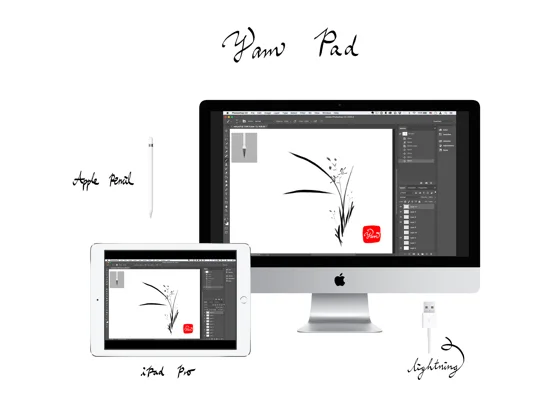
What you can do
- Connect supported iPad and Mac over USB
- Use eligible Pencil pressure and tilt
- Pan or zoom with gestures
- Use supported keyboard or Touch Bar simulation
Good for
- Artists already owning compatible hardware and able to test the host workflow.
Consider alternatives for
- People expecting a standalone drawing program or identical pressure behavior in every Mac app.
Limitations & considerations
- Captured minimum: iOS 8.0.
- Hover requires suitable hardware, and listed app compatibility is not tested for every current version. Source OS requirements differ, so check both host and tablet.
Privacy & permissions
The wired path does not establish all data practices. Trust the host installer and protect confidential artwork.
Sources & review notes Updated Nov 11, 2026
Reviewed by iApp4Me Editorial Team. Recommendations use the linked documentation and attributed accounts; device observations are identified separately.
- US App Store developer description
Complete description, download price and compatibility metadata captured 2026-11-02.
No comments yet. Be the first to share your experience.