
YouTube Kids
Give children a separate video-viewing app with age-based or parent-approved content settings, profiles and parental controls.
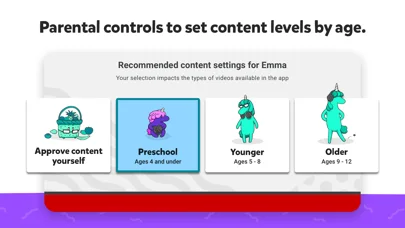
Choose the content setting before handing over the screen
YouTube Kids suits families who want a child-focused viewing space and are willing to configure content approval, search, history and viewing-time controls.
Keep in mind: Filtering reduces the available catalog but cannot guarantee every video fits your family’s preferences. Free use can include paid ads and commercial creator content.
Inside the app
Official product images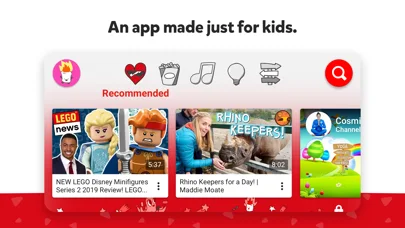
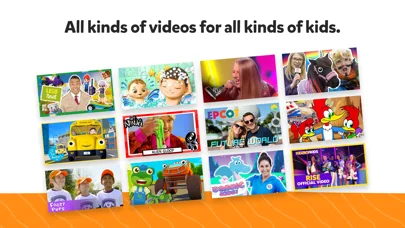
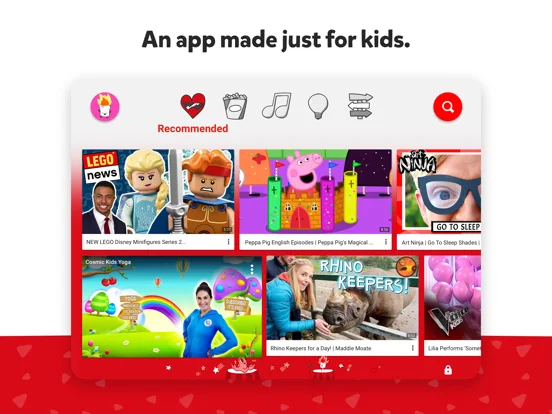
What you can do
- Choose Preschool, Younger or Older content settings.
- Use Approved Content Only to handpick accessible videos and channels.
- Create supported child profiles with separate preferences.
- Block or report unwanted videos and channels.
- Use a timer to limit a viewing session.
- Revisit favorites and manage watch or search history.
Good for
- Parents who want to configure a separate viewing experience for younger children.
- Families willing to approve content or review recommendations and history.
Consider alternatives for
- Expecting every available video to have been manually reviewed.
- Assuming free use excludes advertising or all commercial messages.
Limitations & considerations
- Official help says automated filtering is imperfect; review the settings and block or report content you do not want.
- Approved Content Only limits viewing to chosen content and disables search. Other settings allow broader discovery.
- YouTube Premium benefits can remove paid ads where applicable, but user-uploaded commercial content is a different category. Parental setup remains important.
Privacy & permissions
The YouTube Kids notice describes device identifiers, viewing and search activity used for operation, recommendations and contextual advertising. Parents can pause or clear history. Signing in with a child’s managed Google account invokes the Family Link notice and account-linked data practices, so signed-out and managed-account use should not be treated as identical.
Privacy policy Privacy policySources & review notes Updated Nov 6, 2026
Reviewed by iApp4Me Editorial Team. Recommendations use the linked documentation and attributed accounts; device observations are identified separately.
- US App Store listing
Complete developer description and version metadata captured 2026-11-02; official images cached locally.
- Information for parents
Official source consulted 2026-11-06.
- YouTube Kids privacy notice
Official source consulted 2026-11-06.
- Managed child-account privacy notice
Official source consulted 2026-11-06.
No comments yet. Be the first to share your experience.