
Graphics & Design
ZBrush - 3D Model Maker
ZBrush for iPad brings Maxon's digital sculpting and painting workflow to compatible iPads.
Choose it for brush-based organic modeling or continuing supported desktop projects on a tablet.
Apple Pencil controls and desktop transfer support a mobile sculpting session.
Keep in mind: The free plan limits tools and access; mesh capacity depends on device, and full desktop parity is not guaranteed.
Inside the app
Official product images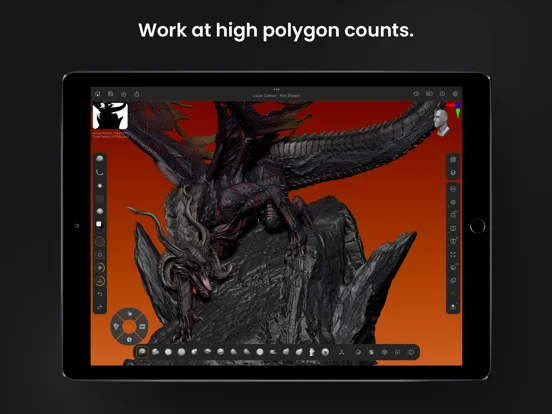
What you can do
- Sculpt and paint meshes
- Use supported remeshing and layering tools
- Transfer projects or export with the appropriate plan
Good for
- A digital sculptor evaluating a touch-first workflow.
Consider alternatives for
- Someone needing a full desktop production pipeline with every plugin.
Limitations & considerations
- Captured minimum: iOS 17.0.
- The free plan limits tools and access; mesh capacity depends on device, and full desktop parity is not guaranteed.
Privacy & permissions
Imported models, references and account activation can be involved; review sync and file-sharing choices.
Sources & review notes Updated Nov 11, 2026
Reviewed by iApp4Me Editorial Team. Recommendations use the linked documentation and attributed accounts; device observations are identified separately.
- US App Store developer description
Complete description, download price and compatibility metadata captured 2026-11-02.
- Maxon free versus subscription comparison
Explains that free core tools differ from unrestricted paid features.
No comments yet. Be the first to share your experience.