Keep Android Notifications for Later
Save incoming Android notifications in a separate inbox, filter by app and export a backup for later reference.
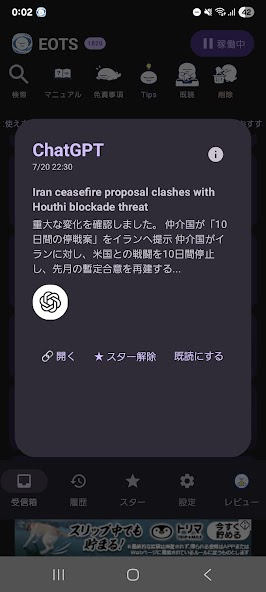
The short answer
EOTS may help someone who wants to review notification history at a chosen time. Its scope is the notification content received after permission is granted, not the complete history of another app. This is an Android-only listing; no iOS version was verified.
Begin with one small attempt
Consider which notification previews may contain private information before granting notification access. Send a harmless new notification and check what text or image was actually saved.
Check the result and access
Filter the inbox by app, inspect a saved item and test a small backup/restore before relying on longer-term storage. Do not treat a missing notification as a recoverable message.
The checked US Google Play page offers free installation and marks the app as containing ads.
No in-app purchase or subscription marker was observed. Exact advertising behavior and any additional paid options were not tested.
Limitations & considerations
- Android only. The minimum Android version and an independent official product website were not verified.
- Only content actually included in received notifications can be retained. It cannot recover pre-installation history or messages never delivered in a notification.
- Battery optimization and changes in messaging apps can affect capture and return-to-content behavior. Deleted-message and read-receipt claims are not guarantees of recovery or invisibility.
Use the linked official pages for current platform, access and purchase conditions.
Sources & scope
Reviewed November 14, 2026. Source-based workflow checked November 14, 2026. No installed-device, subscription or outcome test.
- EOTS: Notification History Log · Google Play
Official source checked November 14, 2026. Publisher claims are distinguished from installed-device testing.