Record a Short Mac Demo With System Audio
Capture a Mac window, region or display, choose system audio and microphone separately, then trim and save a local MP4.
The short answer
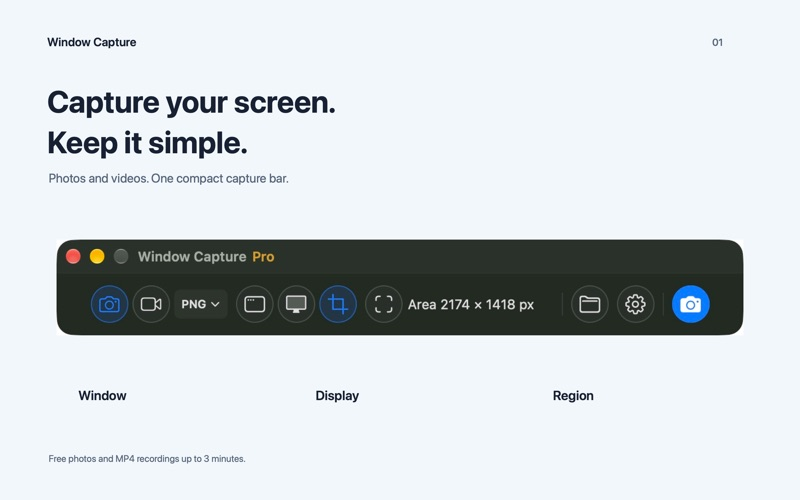
Window Capture may suit short software demonstrations on an Apple silicon Mac. Free MP4 clips stop at three minutes; the one-time Pro purchase removes that limit and adds silent GIF export. It requires macOS 15 or later and is not an iPhone recorder.
Begin with one small attempt
Select a single window and set system audio on and microphone off if narration is not required. Check the permission prompts before recording.
Check the result and access
Keep the free attempt under three minutes, trim the beginning and end, then inspect the saved MP4. A longer recording or silent GIF requires Pro.
Screenshots are free; each free MP4 recording is limited to three minutes.
US Pro costs $7.99 once. It removes the recording limit and adds silent GIF export, automatic clipboard handling, cursor/click effects and local OCR. No subscription.
Limitations & considerations
- Requires macOS 15 or later and an Apple M1 or newer chip.
- Audio capture, trimming, permissions and OCR were not tested on an installed Mac app. No offered Pro code was requested or redeemed.
Use the linked official pages for current platform, access and purchase conditions.
Sources & scope
Reviewed November 14, 2026. Source-based workflow checked November 14, 2026. No installed-device, subscription or outcome test.
- Window Capture · App Store
Official source checked November 14, 2026. Publisher claims are distinguished from installed-device testing.
- Window Capture · official developer information
Official source checked November 14, 2026. Publisher claims are distinguished from installed-device testing.