Review large videos before clearing iPhone storage
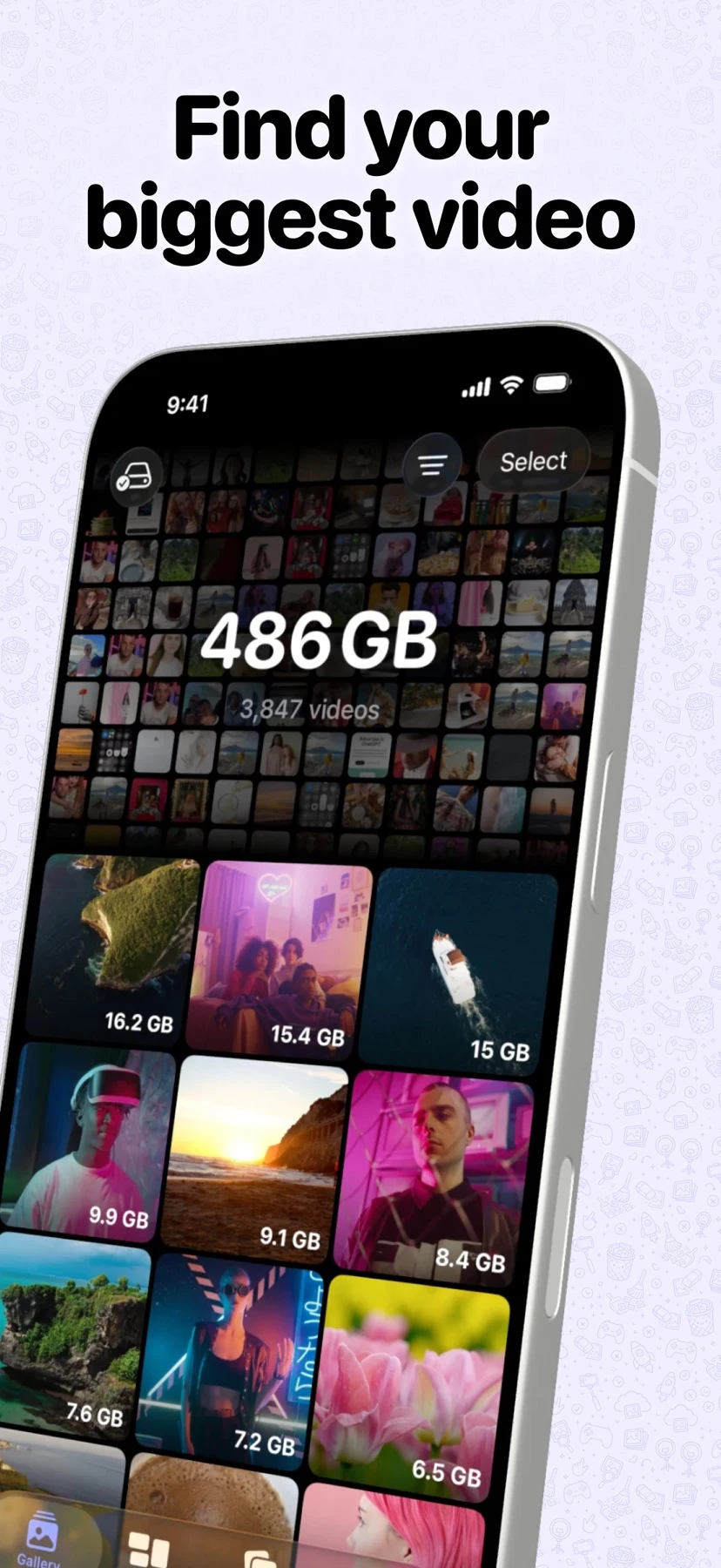
Deletti sorts the iPhone photo library by file size so you can identify large videos and review a short list of items you no longer need.
The short answer
Deletti sorts the iPhone photo library by file size so you can identify large videos and review a short list of items you no longer need.
Follow a sample workflow
Open the size-sorted gallery. Compare two or three large sample recordings, including their file sizes, before marking any for deletion.
Open the marked-items view and check that the selection contains only the clips you intend to remove. Confirm the iOS prompt only if the selection is correct.
Check Recently Deleted if you need to recover a clip. The storage shown in the product images is an example, and available space on your device can differ.
Check price and access
Free download with up to 20 file deletions. US App Store: Pro costs $4.99 per month after a 7-day trial, and the one-time plans cost $17.99 for an individual or $19.99 for Family Sharing.
The US store also lists a $9.99 family upgrade. On November 22 the publisher advertised a separate, conditional $8.99 individual lifetime offer through December 1, 2026 (Pacific time).
Limitations & considerations
- The available sources show selection and deletion rather than compression of originals. File removal and resulting free space have not been independently tested.
Use the linked official pages for current platform, access and purchase conditions.
Sources & scope
Reviewed November 22, 2026. This editorial guide is based on publicly available publisher documentation and product images.
- App Store listing
Publisher information checked November 22, 2026.
- Official product information
Publisher information checked November 22, 2026.