
Eye Protection
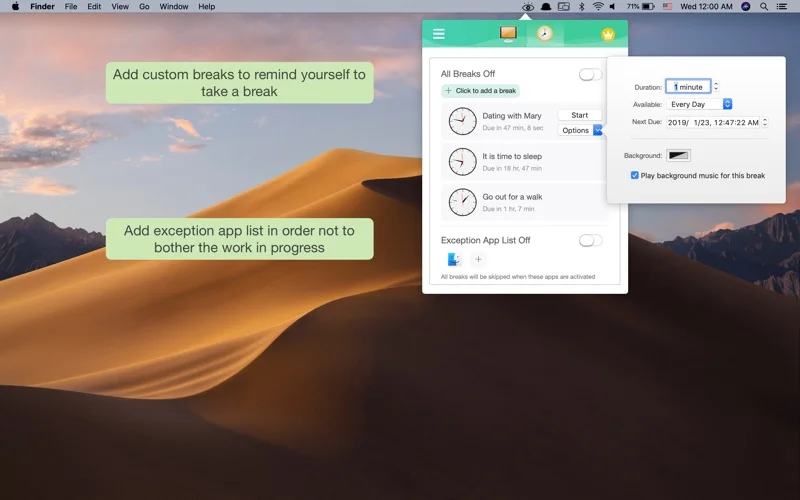
Adjust display brightness using a described ambient-light mode and set timed breaks.
Someone comparing a display-comfort utility and break reminders.
Adjust display brightness using a described ambient-light mode and set timed breaks.
Keep in mind: The description’s radiation-protection claim is not substantiated here. Ambient-light behavior depends on the device; brightness and reminder functions were not independently tested.
Inside the app
Official product images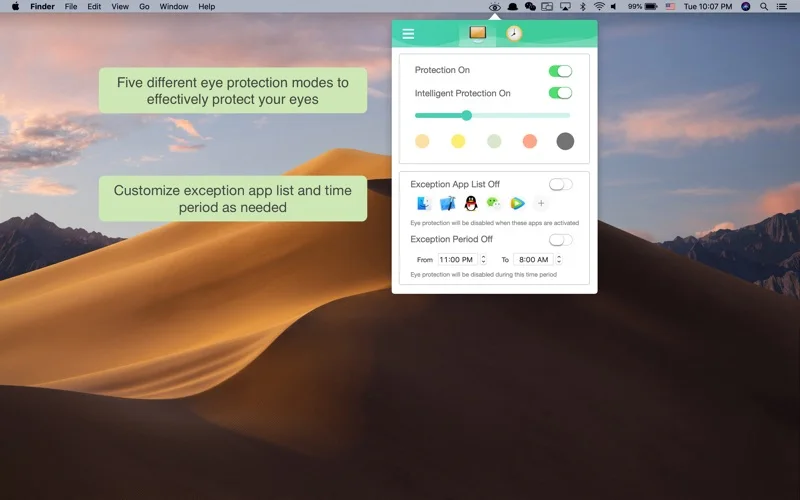
What you can do
- Enable the publisher-described Smart Protection brightness adjustment.
- Configure custom break times.
- Use the described one-click activation.
Good for
- Someone comparing a display-comfort utility and break reminders.
Consider alternatives for
- Reducing computer radiation or preventing eye disease as a verified medical benefit.
Limitations & considerations
- The description’s radiation-protection claim is not substantiated here. Ambient-light behavior depends on the device; brightness and reminder functions were not independently tested.
Privacy & permissions
Review any sensor or screen-control permissions and the store disclosure before enabling automation. The description does not establish screen-recording or local-only data handling.
Sources & review notes Updated Nov 17, 2026
Reviewed by iApp4Me Editorial Team. Recommendations use the linked documentation and attributed accounts; device observations are identified separately.
- US App Store listing
Publisher description and US download price captured 2026-11-02; source-based coverage, not a device test.
No comments yet. Be the first to share your experience.