
HEVCut
Make a smaller copy of photos and videos, compare it with the original, then decide what to keep in your library.
Reviewing smaller copies of an existing photo and video library before removing originals
Consider HEVCut when a photo library is full of large videos or photos you want to keep in a smaller form. Its useful distinction is the review step between compression and removing originals. Start with representative files and inspect detail, resolution, motion and sound before applying settings to a large library. A smaller file involves format and quality tradeoffs; it is not an archival substitute for an original.
Before you choose: Savings vary with the source and settings; the developer’s percentages and screenshot examples are not a guarantee.
Visit the official product page →The essentials
- Platforms
- iPhone · iPad · Mac
- Purchase model
- Free download with a limited compression allowance. Pro adds unlimited compression and controls; weekly, annual and lifetime options. Check current local prices.
- Developer / project
- Alejandro Pacheco
- US App Store snapshot
- v10.2.6 · minimum OS 26.0 · Free to download. In-app purchases may be additional.
Checked 2026-11-01 · Verify current listing
Price & purchase options
- Free: library scanning and summaries, result review, and a limited number of photo/video compressions. The numeric compression allowance is not established.
- Pro: unlimited compression and Fine-tune; deleting from Duplicates and Clutter also requires Pro.
- The official press kit lists weekly and annual subscriptions plus a lifetime purchase. Current amounts and offer eligibility must be checked in the App Store purchase sheet.
US reference information checked November 1, 2026. Current local prices, offer eligibility and renewal terms are determined by the purchase screen.
US · checked 2026-11-01 · Verify the current offer ↗. Taxes, promotions and checkout eligibility may change the amount.
Inside the app
Developer-published product images. Captions identify the platform and source; these are not our test captures.
HEVCut
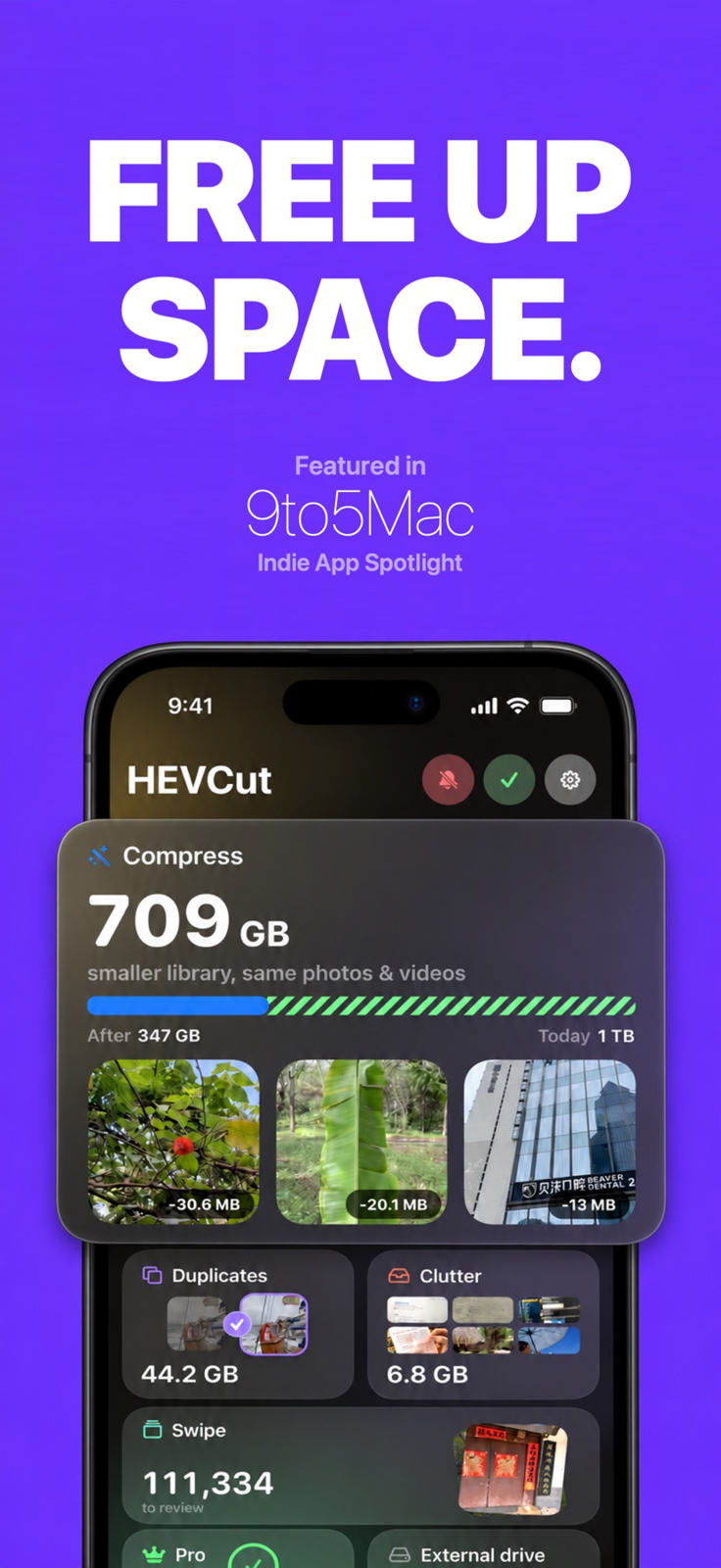
Library overview and estimated savings
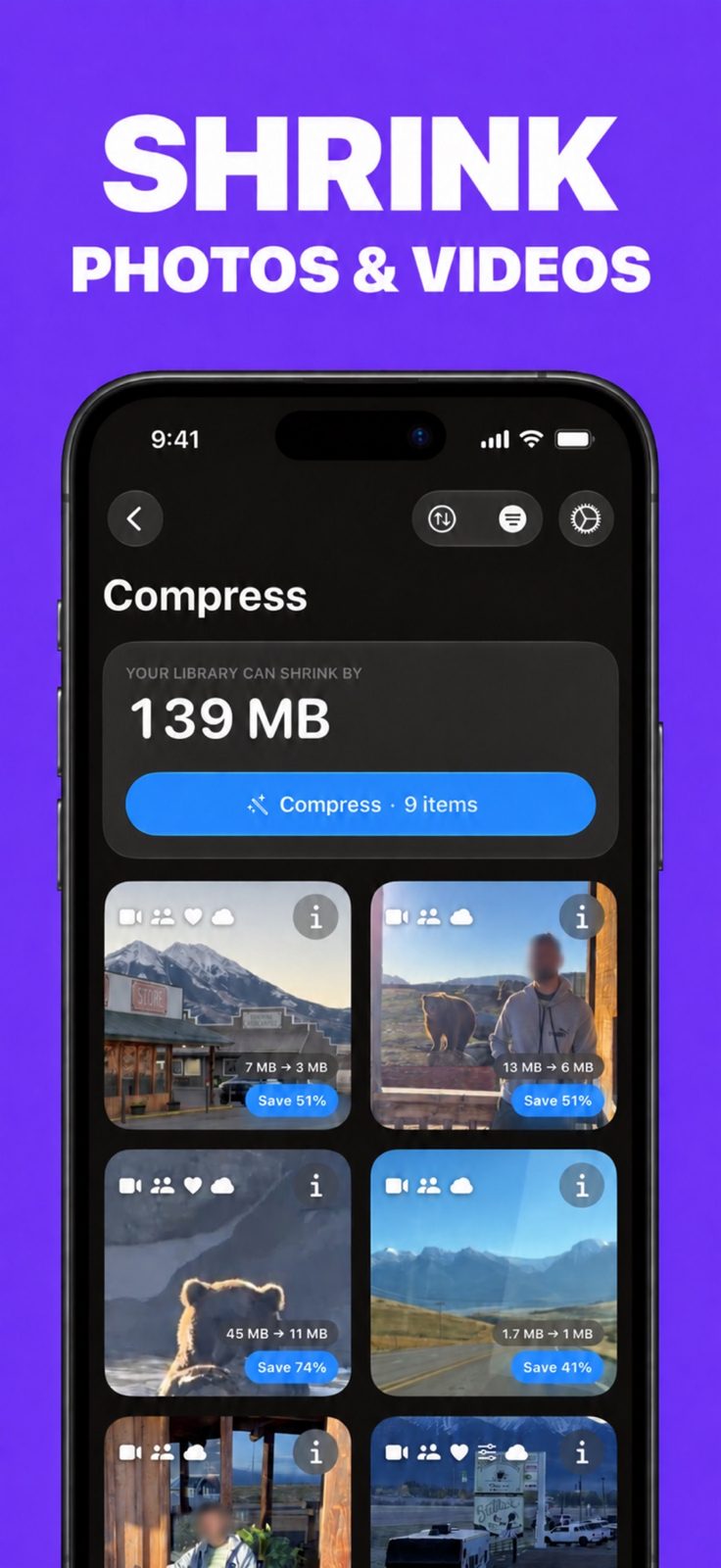
A compression queue with per-item estimates
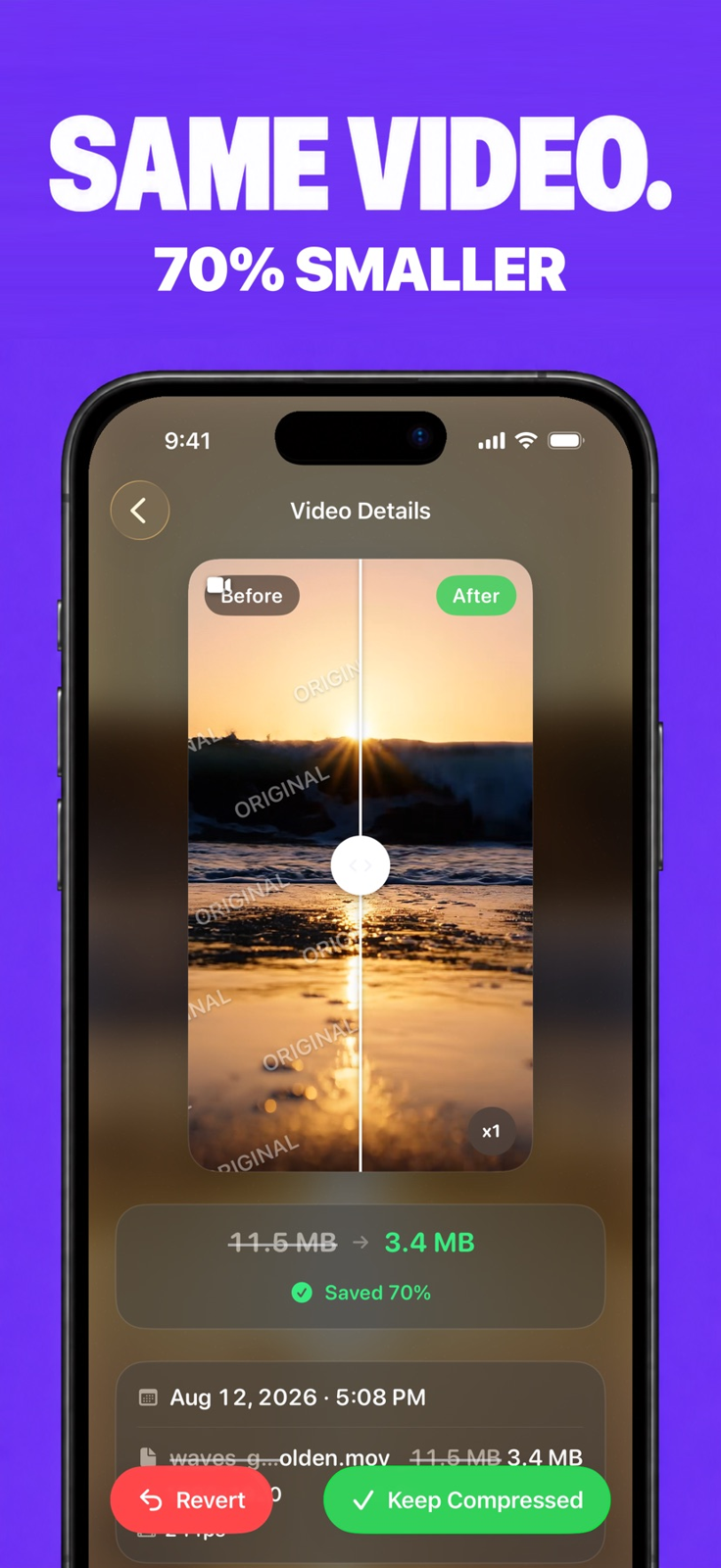
Compare the original with the compressed result
Who it suits
- Reviewing smaller copies of an existing photo and video library before removing originals
- People willing to choose a format and inspect visible quality rather than expect fixed savings
When to choose something else
- Preserving every original pixel, RAW adjustment option or video metadata field
- An older device that cannot run iOS, iPadOS or macOS 26
Features & tradeoffs
Features below come from the linked provider documentation. The recommendations above are our editorial interpretation.
- On-device HEVC video and HEIC/AVIF photo compression with size estimates
- Original-versus-result comparison before choosing Keep Compressed or Revert
- Duplicate and clutter review, with Pro required for deletion from those tools
- Library and external-folder compression across iPhone, iPad and Mac
Make the review step part of the cleanup
Start with files that matter but are easy to inspect. HEVCut saves a compressed result alongside its original, allowing a visual comparison before choosing which copy to keep. A favorable size estimate does not establish that the result preserves the detail you need. Check any text, fine texture, movement and sound that matter to your use.
Keep Compressed sends the Photos original to Recently Deleted. That is a recovery window, not a separate backup. Deleting an original from an external drive has different consequences and is permanent according to the provider. Keep an independent original when its archival or editing value matters.
Free scanning and paid cleanup are different
The official feature guide distinguishes free scanning and review from Pro deletion in Duplicates and Clutter. Compression has a limited free allowance, while Pro adds unlimited use and fine controls. The exact allowance and current amounts are not stated in the reviewed materials; check the purchase screen rather than infer them from a free download.
Read the outside coverage with the version in mind
Michael Burkhardt’s October 3, 2026 9to5Mac Indie App Spotlight highlights compression and duplicate cleanup as a way to reduce a photo library’s footprint. Its savings figures and prices describe that dated introduction. We use it for outside editorial context, not as a benchmark of the current release or a promise that each file will shrink by the same percentage.
Editorial basis and disclosure
Official features, the press kit, privacy policy and US App Store version 10.2.6 were checked November 1, 2026. The press kit retains older version references, so the store determines the version recorded here. The developer offered a Pro code; none has been redeemed. Images are official store screenshots, and no compression quality or library-cleanup test is claimed. No payment or positive coverage was promised.
Limitations & considerations
- Savings vary with the source and settings; the developer’s percentages and screenshot examples are not a guarantee.
- Default video settings can reduce 4K to 1080p. Keep original resolution is a separate toggle; original-resolution photos require Pro Fine-tune.
- Photo presets can downsize images, AVIF does not retain Live Photo motion, and video conversion can change audio or HDR metadata.
- Current Pro prices and the numeric free allowance were not established. The in-app purchase sheet controls the offer.
Documented features, attributed opinions and explicitly labeled hands-on observations are different kinds of evidence. We do not infer unmeasured performance or privacy guarantees.
Privacy & permissions
The policy says original media is processed on the device and is not uploaded for compression. iCloud-only originals must first be downloaded from iCloud. No app account is required.
Media staying local does not mean the app sends no information: the policy describes usage and error analytics, purchase processing and advertising-attribution data, subject to privacy settings.
Read the provider’s privacy policy ↗Sources
Product facts checked November 1, 2026. Independent and user perspectives, where available, are attributed above. Missing external coverage is not treated as a negative verdict.
- HEVCut · official feature guide
Compression settings, review-before-replace behavior, current free/Pro boundaries and format limitations; checked November 1, 2026.
- HEVCut · US App Store
Identity, current released version and US free-download listing.
- HEVCut · press kit
Platforms and weekly/annual/lifetime purchase types. Older version labels are superseded here by current store metadata.
- HEVCut · privacy
Local media processing distinguished from analytics, purchase and advertising-attribution information.
- 9to5Mac · HEVCut Indie App Spotlight
Michael Burkhardt, October 3, 2026. Dated editorial introduction, not a benchmark of the current version; historical prices are not current quotations.
No comments yet. Be the first to share your experience.