Onscreen Translate
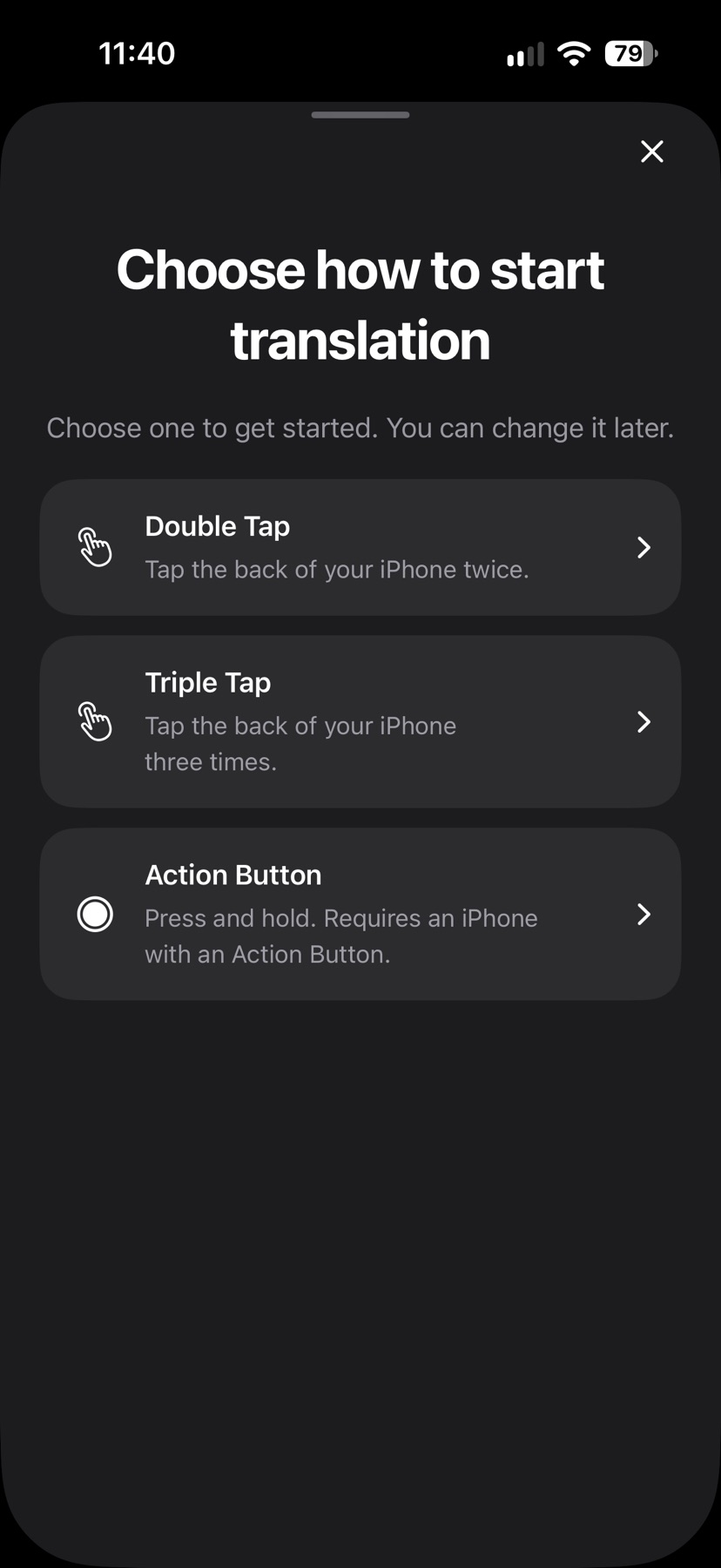
Capture a screen with Back Tap or a supported Action Button and read a translated image while keeping its layout in view.
Reading text that cannot be selected on a captured iPhone screen
Onscreen Translate may help when visible text cannot be selected, such as labels inside an app or picture. It translates one captured screen at a time and offers shortcut setup, photo and camera tools. It does not continuously translate while scrolling; background previews require iOS 26, and some translation paths send recognized text online.
Keep in mind: Back Tap setup, Action Button operation, camera support, latency and translation quality were not tested.
Inside the app
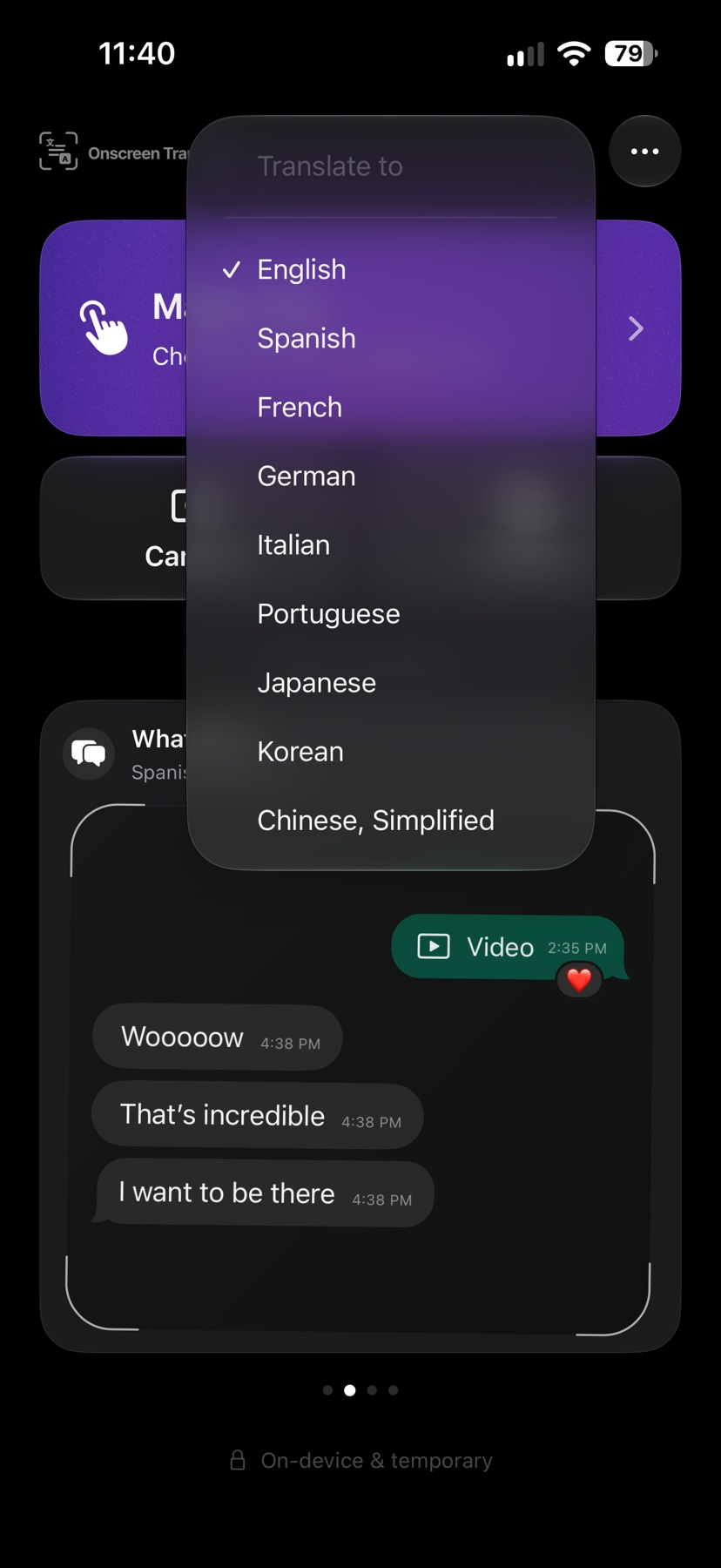
Official product images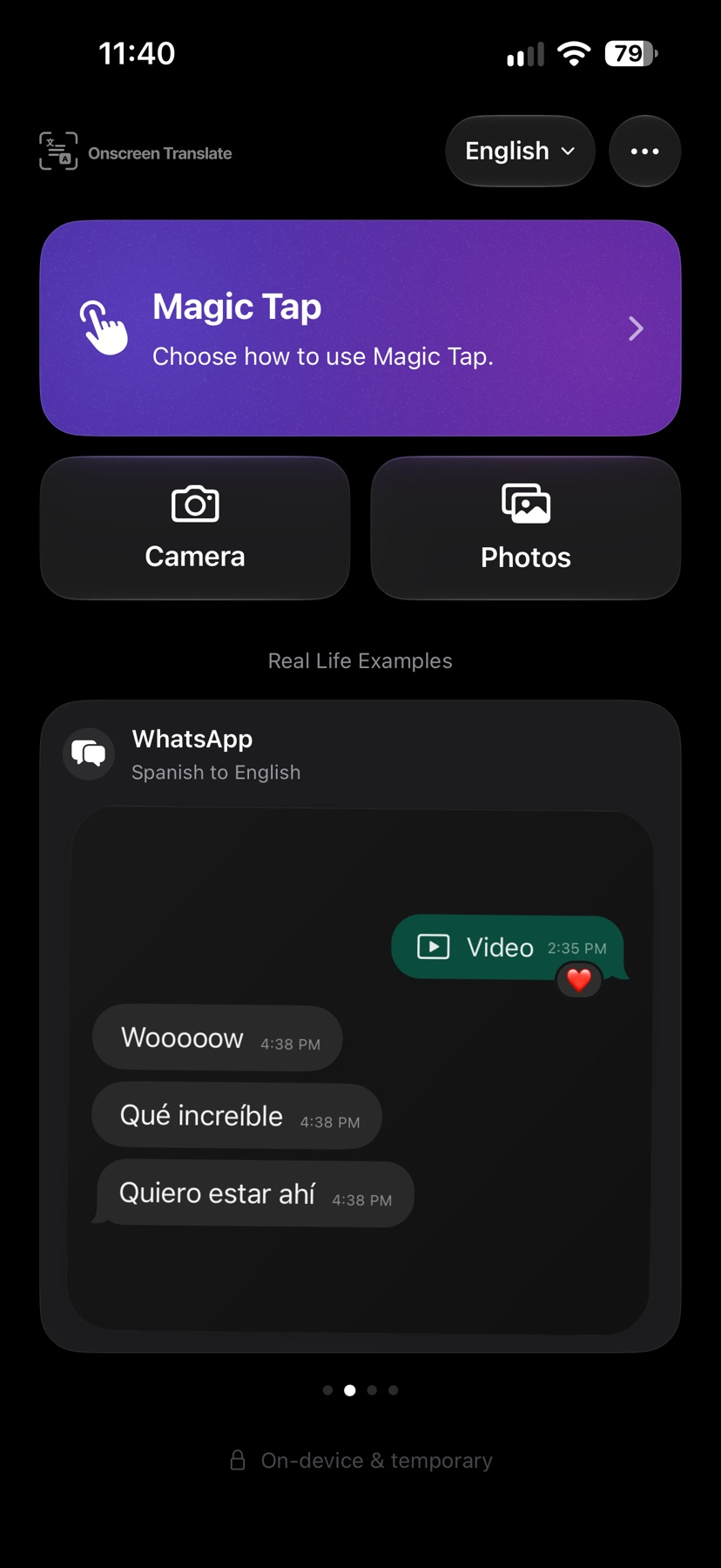


What you can do
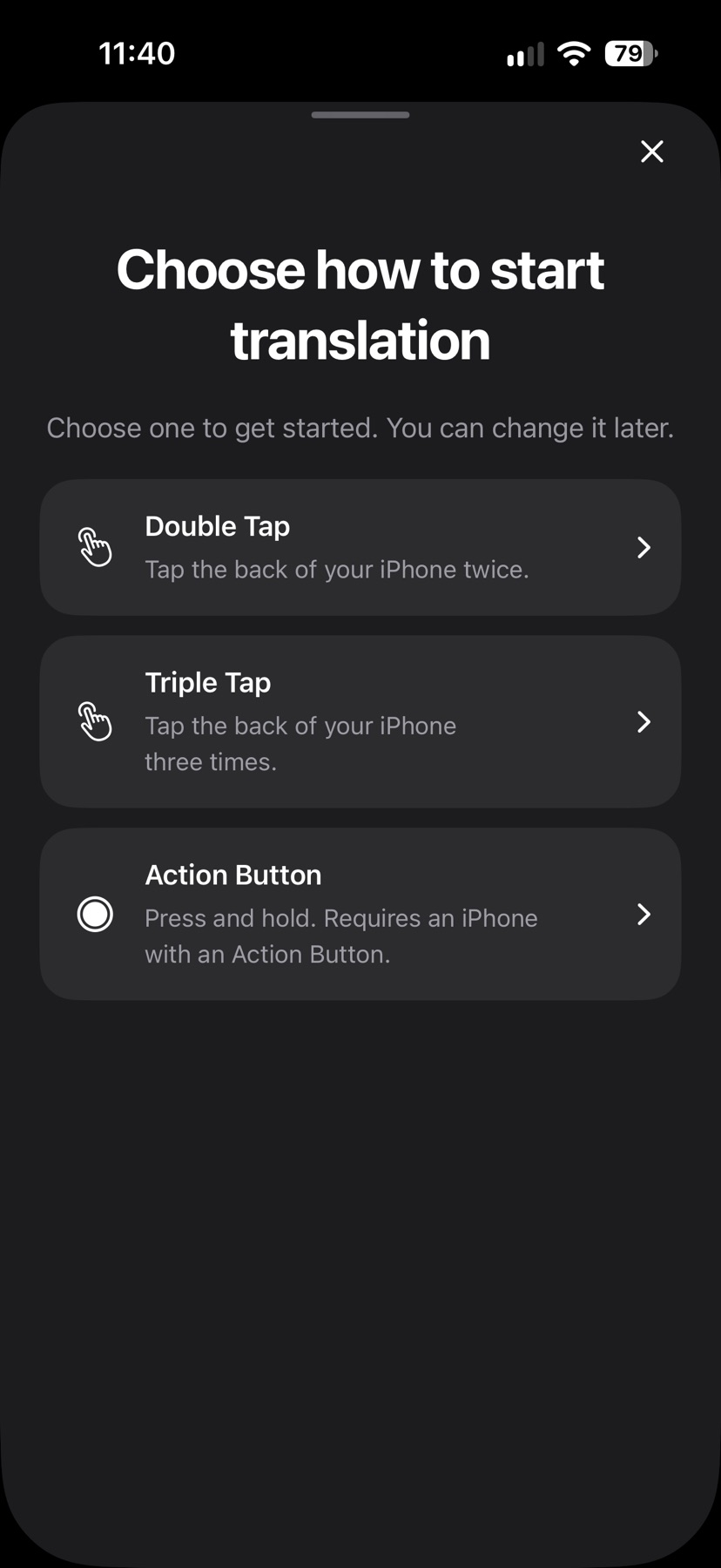
- Assign a screenshot-translation shortcut to Back Tap or a supported Action Button
- Translate a captured screen, photo or supported camera view and compare the original
- Use local OCR, downloaded Apple languages and some online Gemini translation paths
Good for
- Reading text that cannot be selected on a captured iPhone screen
Consider alternatives for
- Continuous translation while scrolling or unlimited offline service on every supported device
A small workflow to compare
Choose a target language and follow the Magic Tap setup. In iPhone Settings, assign the installed shortcut to double or triple Back Tap, or a supported Action Button.
Open a screen with readable sample text and use the chosen trigger. Compare the translated image with the original before acting on a price, address or other important detail. This setup was not run on a phone for our guide.
Expect an app opening on earlier supported iOS versions and background preview only on iOS 26 or later. Check language downloads, possible online processing and the purchase screen before relying on repeated use.
Release and evidence
US store release 1.0.4 requires iOS 18.4 or later. Official references checked November 17, 2026. The gallery is attributed publisher material, not our installed-device observations.
Limitations & considerations
- Back Tap setup, Action Button operation, camera support, latency and translation quality were not tested.
- Requires iOS 18.4 or later. Background screenshot previews require iOS 26; earlier supported versions open the app. The Action Button is model-dependent.
- Small, moving or unclear text can be recognized incorrectly. A translated image does not change the original app controls.
Privacy & permissions
Text recognition runs on the iPhone. The documented online path sends recognized text through Cloudflare to Google Gemini; screenshots and camera frames are described as staying on device unless the user shares them. Downloaded Apple languages provide a separate offline path. These declarations were not independently audited.
Privacy policyUse it for
Sources & review notes Updated Nov 17, 2026
Reviewed by iApp4Me Editorial Team. Recommendations use the linked documentation and attributed accounts; device observations are identified separately.
- Onscreen Translate · App Store
Official reference checked November 17, 2026. Publisher statements; no installed-device test.
- Onscreen Translate · official product information
Official reference checked November 17, 2026. Publisher statements; no installed-device test.
- Onscreen Translate · privacy policy
Official reference checked November 17, 2026. Publisher statements; no installed-device test.
No comments yet. Be the first to share your experience.