
Zinnia
A digital journal and scrapbook workspace for people who want to arrange photos, text and decorative elements themselves.
Hands-on digital scrapbooking
Shortlist Zinnia when making the layout is part of the enjoyment. Its documented editing controls provide a different route from generating a finished PetaNote page. Consider your screen size before committing to a dense spread.
Keep in mind: The listing description quotes older subscription amounts than some purchase rows. Do not assume the lowest listed offer is available to everyone.
Inside the app
Official product images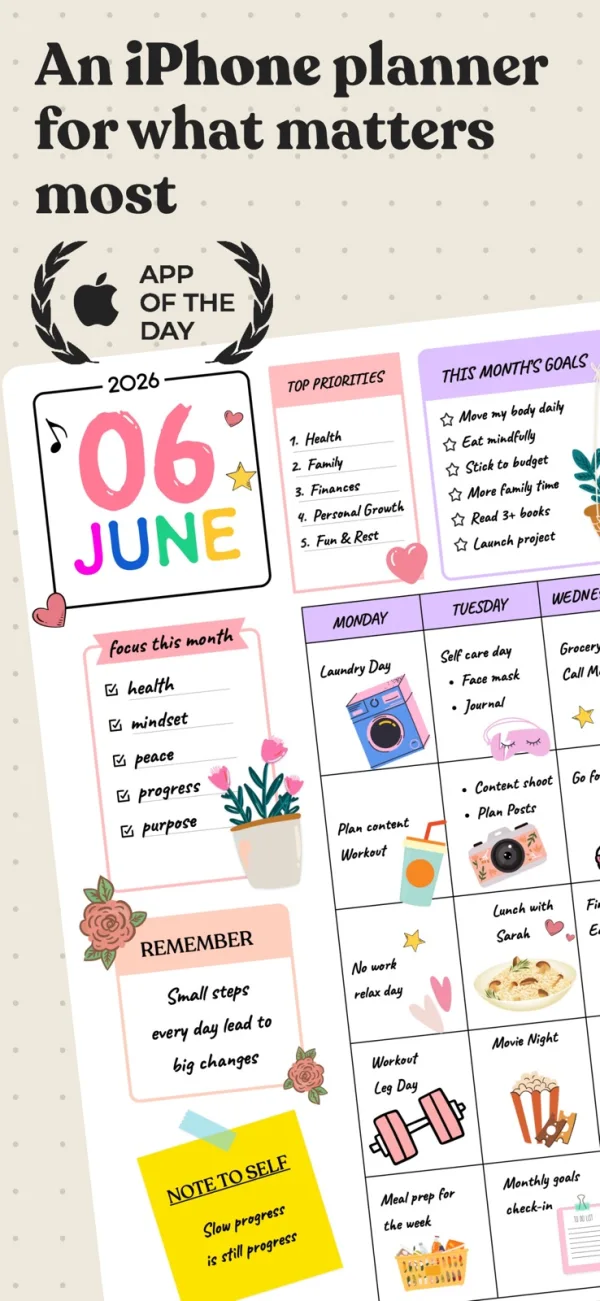
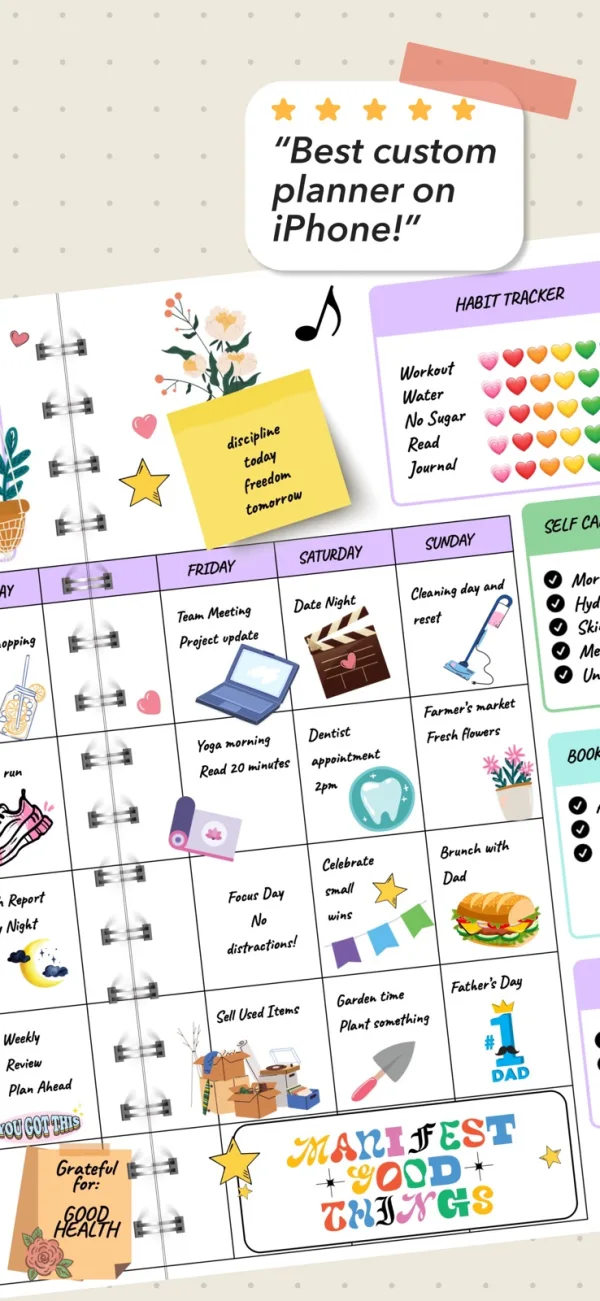
What you can do
- Photo import and journal templates
- Object resizing and arrangement
- Typed and handwritten content
- PDF export
App Store review themes
Recurring praise and complaints, grouped by topic.
400 reviews · US App Store · Written feedback; review platforms are not identified
What reviewers like
Other specific feature
48 reviewsThe reviewer enjoys building a personal digital planner.
See 2 review examples
The reviewer enjoys building a personal digital planner.
Original excerpt“perfect app if you’re trying to create a digital planner.”Apple source · Review 14731391292
The reviewer uses the app for budgeting, recipes and planning.
Original excerpt“keep track of my budget, I started a recipe book, and a planner.”Apple source · Review 14669912639
Ease of use
42 reviewsThe reviewer finds journal use easy.
See 2 review examples
The reviewer finds journal use easy.
Original excerpt“Everything is easy.”Apple source · Review 14691082898
The reviewer finds the planner easier than alternatives they tried.
Original excerpt“this one is the easiest to use.”Apple source · Review 14650182236
Personalize journals around your own needs
39 reviewsReviewers value changing themes, colors and layouts or making notebooks from scratch for work and personal use.
See 2 review examples
The reviewer values designing a personal digital space.
Original excerpt“creating my own digital space”Apple source · Review 14731391292
The reviewer enjoys personalizing journal covers with photos.
Original excerpt“import a photo on the cover on every journal”Apple source · Review 14699080890
What reviewers dislike
Free access and limits
78 reviewsThe reviewer objects to needing payment without specifying a tool.
See 2 review examples
The reviewer objects to needing payment without specifying a tool.
Original excerpt“This makes u pay”Apple source · Review 14730615618
The reviewer dislikes needing payment for the desired full feature set.
Original excerpt“you have to pay everything to get all the features”Apple source · Review 14677166950
Selection and workflow changes can be frustrating
19 reviewsReviewers describe imprecise selection, extra steps after updates or an initial learning curve.
See 2 review examples
The reviewer finds the app unfriendly to use.
Original excerpt“not user friendly”Apple source · Review 14691602254
The reviewer says a new multi-step copy-and-paste workflow makes adding planner stickers tedious.
Original excerpt“the whole things is VERY tedious”Apple source · Review 14564321656
The subscription does not fit every budget
18 reviewsReviewers consider the cost high or unaffordable, especially when seeking occasional or free planning tools.
See 2 review examples
The reviewer considers the price poor value given the reported data loss.
Original excerpt“charge way too much just to lose your work.”Apple source · Review 14691602254
The reviewer says Premium is unaffordable and dislikes trials.
Original excerpt“ɪ ᴄᴀɴ'ᴛ ᴀғғᴏʀᴅ ᴘʀᴇᴍɪᴜᴍ”Apple source · Review 14612519107
Good for
- Hands-on digital scrapbooking
- Combining handwriting with photos and typed notes
Consider alternatives for
- Assuming page design is fully automatic
- Choosing a phone workflow solely from an iPad review
Limitations & considerations
- The listing description quotes older subscription amounts than some purchase rows. Do not assume the lowest listed offer is available to everyone.
- An older iPhone usability complaint is context, not proof of a current defect. Try the page size and controls you intend to use.
Use it for
Sources & review notes Updated Oct 18, 2026
Reviewed by iApp4Me Editorial Team. Recommendations use the linked documentation and attributed accounts; device observations are identified separately.
- Zinnia · English App Store listing
English interface listed; photo import, object editing and PDF export described. Subscription description and listed purchase options differ: verify the selected offer.
What reviewers and users say
Our summaries of linked accounts—not our own experience or a vote-based ranking. Older versions and different platforms are labeled. Sources reviewed October 18, 2026.
Paperless X
iPad review · historical article with 2023 in its URL; tested version not specified
Likes the editable page elements and handling of multiple photos, but finds selecting items in crowded layouts and assembling a planner laborious.
Read in context: A planner-focused review, not a current iPhone scrapbook test. Its old prices and UI complaints are not treated as current facts.
App Store · Social-Circle
October 8, 2025 · historical review
Values combining handwriting with templates and exporting journals.
Read in context: One account; not a reliability test.
App Store · S. M. Klyde
March 19, 2024 · older iPhone/iPad experience
Enjoys iPad customization but finds phone layouts cramped.
Read in context: Historical opinion, not a confirmed current defect.
How to read disagreement
Different opinions can reflect different jobs, versions, devices or paid plans. We do not call a few comments “the consensus.” A consequential factual conflict that remains after checking those differences is a candidate for a focused hands-on test. A preference for one interface over another usually is not.
No comments yet. Be the first to share your experience.