Turn Photos into a Digital Journal on iPhone
Choose between a generated scrapbook page, an editable layout and a lasting photo diary. English-language options for iPhone and iPad.


The short answer
Choose the result before the app: PetaNote for a generated visual page, Zinnia or Canva for arranging a layout yourself, and Day One for an ongoing photo diary. These routes solve different problems; there is no single winner for every kind of memory keeping.
Price, creative control & who each app suits
A source-based comparison, not a speed or usability score. USD amounts were checked October 18, 2026; annual charges are not monthly billing. Follow each pricing source for the current offer.
| App / approach | Price snapshot · USD | What you control | Who it suits |
|---|---|---|---|
| PetaNote Generated scrapbook |
Free download. Memberships: $3.99 / $4.99 / $7.99 per month. Point packs: 50 for $5.99, 100 for $8.99, 150 for $12.99. Store description. The style image shows 1-point / 3-point options and some member-free styles; member quotas and retry charges remain unspecified.Pricing source ↗ |
Supply photos, words and a style; AI composes the page. Layer-by-layer editing after generation is not established. | You want a styled image without positioning every sticker. Not the safest assumption for exact layout control or faithful photo reproduction. |
| Zinnia Hands-on scrapbook |
Free download. US purchase rows list $9.99/month and $39.99/year, alongside other offers. Not every listed offer is available to every account. Confirm trial, renewal and billing period.Pricing source ↗ |
Move, resize, rotate and layer objects; combine photos, handwriting and typed text. | You enjoy decorating a spread and want to adjust individual elements, especially on an iPad. Less suitable if arranging the page is the work you want to avoid. |
| Canva Editable design template |
Free tier. Individual Pro: $144/year in the reviewed web pricing view, before tax. Web snapshot, not an in-app quote. Start with free assets; check eligibility before adding premium content.Pricing source ↗ |
Replace photos, edit text and colors, reposition and group elements. Template-led does not mean a locked layout. | You want a tidy travel grid, cafe collage or social-ready page and prefer adjusting a template. Not a substitute for a dedicated diary archive. |
| Day One Continuing photo diary |
Basic free: one photo per entry. Silver $49.99/year; Gold $74.99/year on the web plan page. Silver lists up to 30 photos/videos per entry. Gold is not required simply to keep a multi-photo diary.Pricing source ↗ |
Edit the entry and its media rather than placing scrapbook decorations on a free-form canvas. | You want dated memories you can search, revisit and export over years. Less suitable when the main goal is arranging a decorative spread. |
One moment, two versions
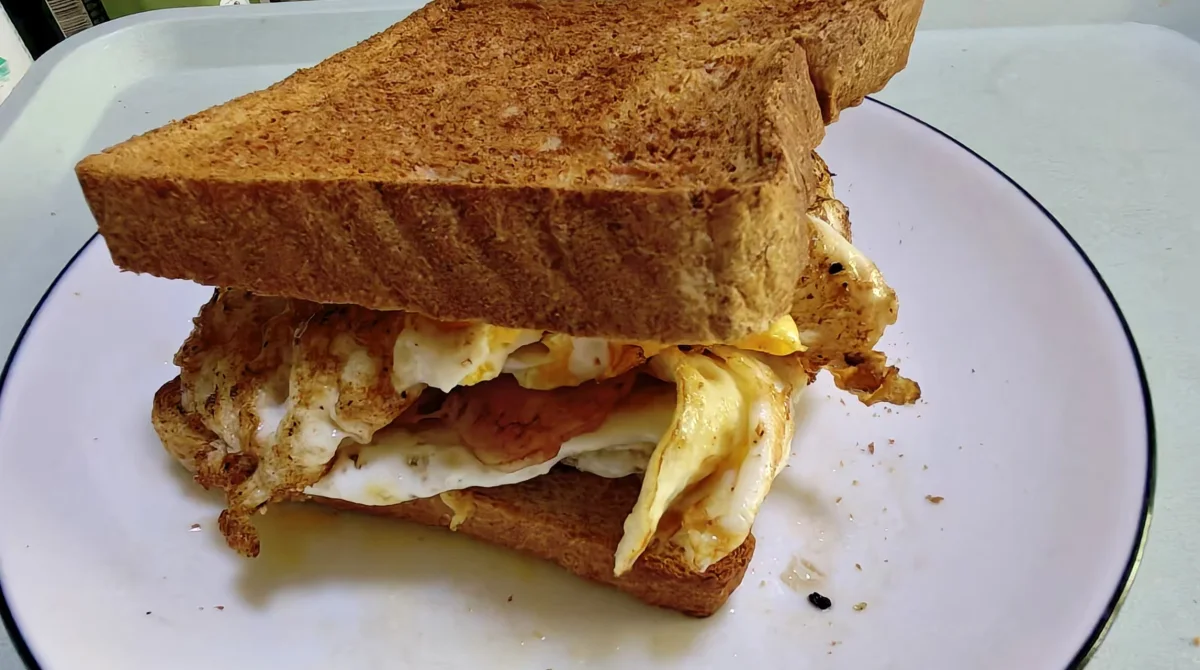
This developer-published breakfast example illustrates the kind of transformation being discussed. It is not our test, and the Chinese lettering does not demonstrate English output quality.

See the apps, not just the feature list
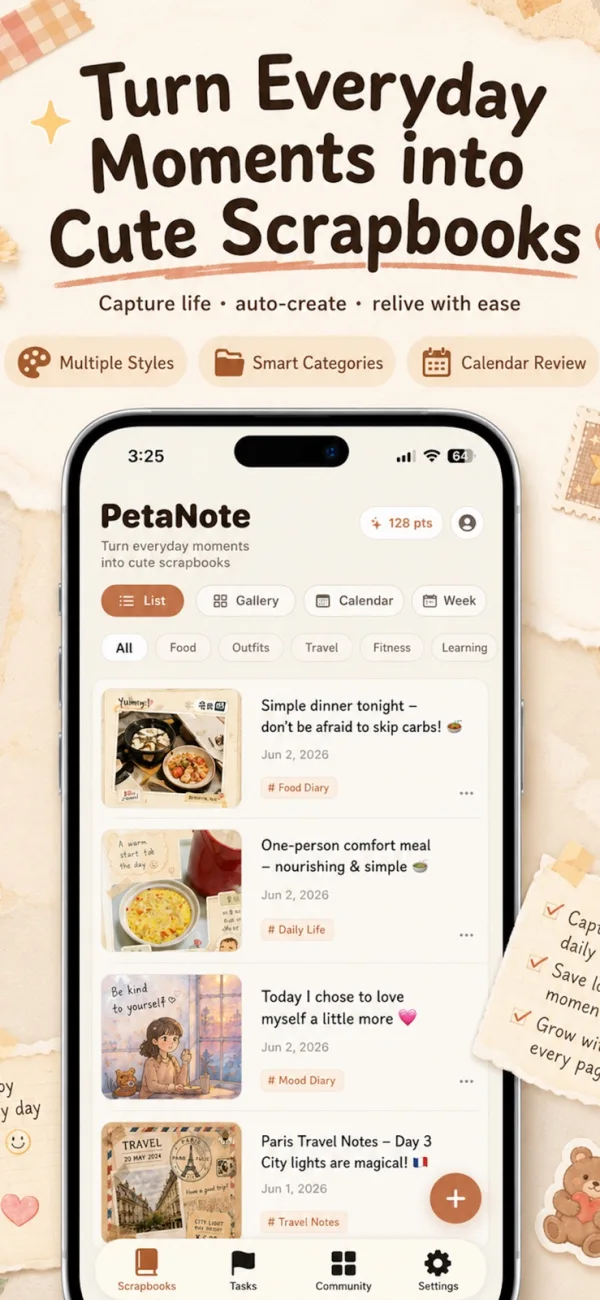
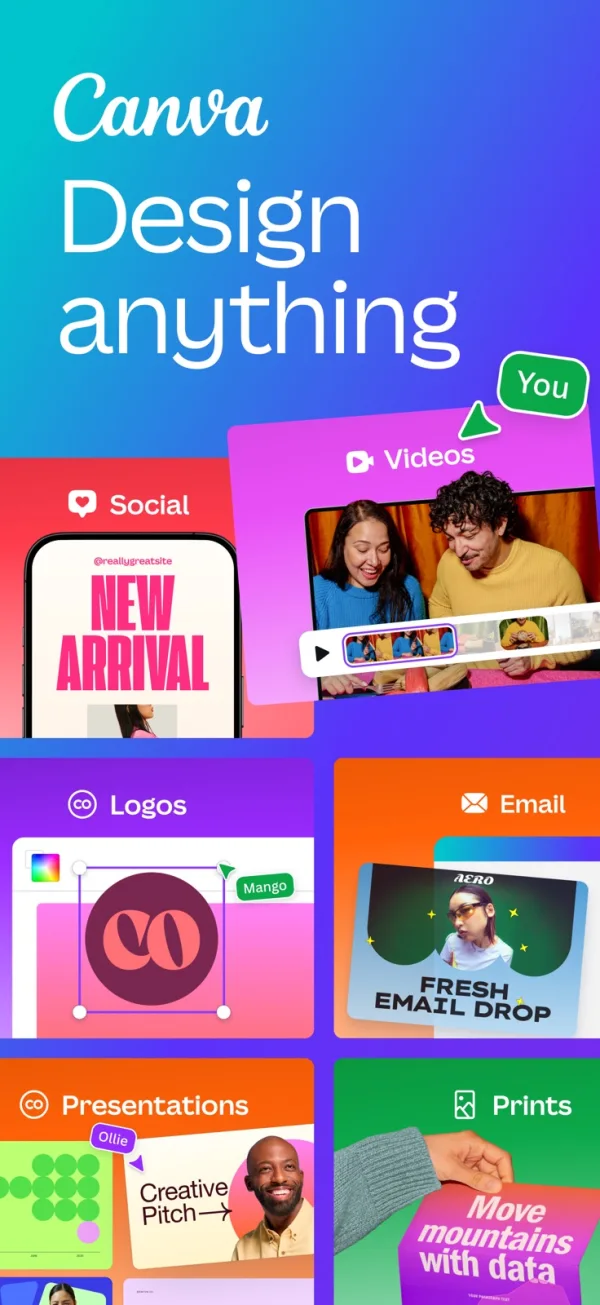
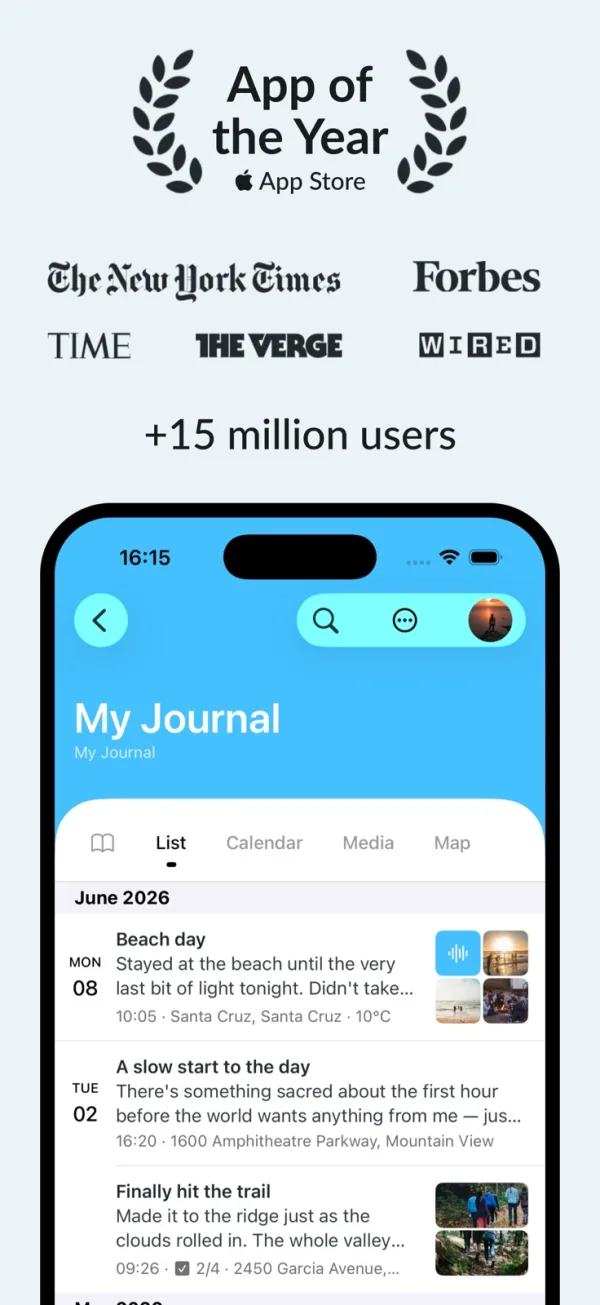
Developer-published product images. Captions identify the platform and source; these are not our test captures.
PetaNote
Zinnia
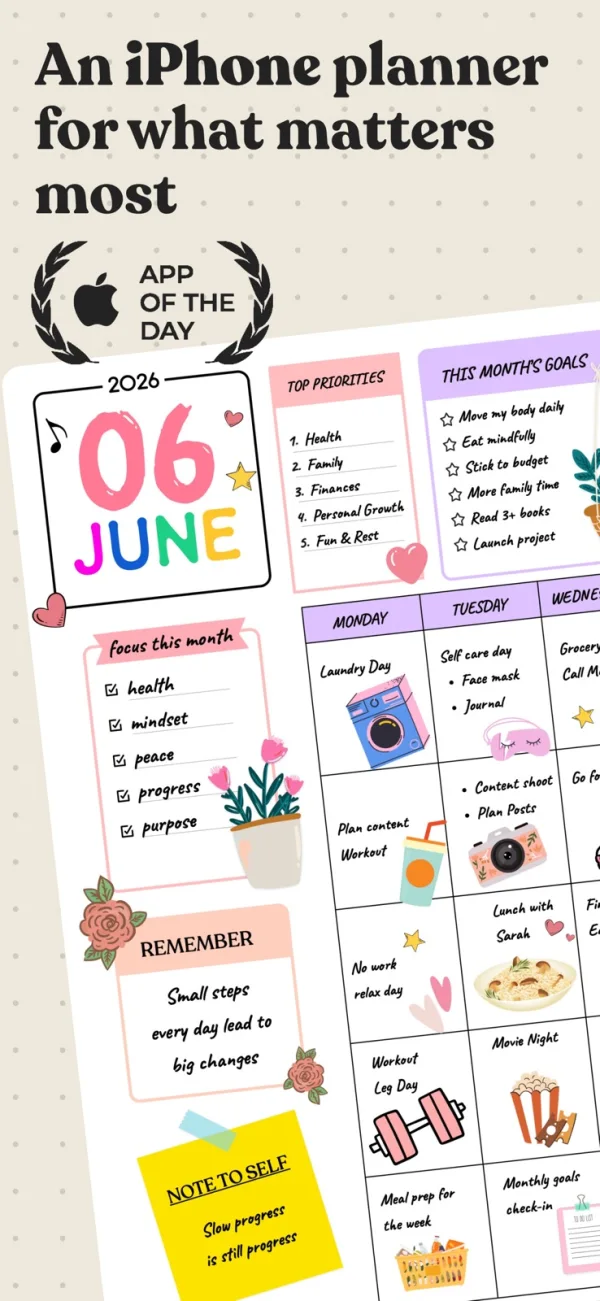
Canva
Day One
What reviewers and users say
Our summaries of linked accounts—not our own experience or a vote-based ranking. Older versions and different platforms are labeled. Sources reviewed October 18, 2026.
Paperless X
iPad review · historical article with 2023 in its URL; tested version not specified
Likes the editable page elements and handling of multiple photos, but finds selecting items in crowded layouts and assembling a planner laborious.
Read in context: A planner-focused review, not a current iPhone scrapbook test. Its old prices and UI complaints are not treated as current facts.
App Store · Social-Circle
October 8, 2025 · historical review
Values combining handwriting with templates and exporting journals.
Read in context: One account; not a reliability test.
App Store · S. M. Klyde
March 19, 2024 · older iPhone/iPad experience
Enjoys iPad customization but finds phone layouts cramped.
Read in context: Historical opinion, not a confirmed current defect.
Anna Aspnes Designs · Anna Aspnes
May 29, 2026 · Canva vs Photoshop for scrapbooking
Recommends Canva for clean grids and quick shareable pages; prefers a dedicated layered editor for blended, textured artwork.
Read in context: The author sells scrapbooking supplies and classes. This is a commercially interested practitioner perspective, not a neutral benchmark; desktop-oriented, not an iPhone test.
App Store · ScubyPlays
November 2, 2022 · historical iOS review
Likes designing wallpapers and invitations, but finds browsing free and Pro imagery together frustrating.
Read in context: One older account, not proof of the current asset browser. The separate video-editing complaints do not establish scrapbook performance.
MacStories · Niléane
iOS 17.2-era Apple Journal review · historical Day One comparison
Values Day One for adapting to long entries, short bullet points and photo memories as her journaling habit changes.
Read in context: A personal workflow, not a controlled app comparison. Descriptions of early Apple Journal must not be read as current limitations.
App Store · Kevinleewilson
June 16, 2021 · historical subscription review
Accepts an ongoing subscription because the accumulated memories and continued development matter to this long-term user.
Read in context: One subscriber’s value judgment, not evidence that today’s price is worthwhile for an occasional photo-journal user.
How to read disagreement
Different opinions can reflect different jobs, versions, devices or paid plans. We do not call a few comments “the consensus.” A consequential factual conflict that remains after checking those differences is a candidate for a focused hands-on test. A preference for one interface over another usually is not.
Read the cost in terms of the job
For one simple collage, begin by checking whether Canva Free has the elements you need. For a photo diary, Day One Basic is a meaningful free route if one photo per entry is enough; its multi-photo allowance is a separate reason to consider Silver.
Zinnia charges for a creative workspace, while PetaNote also exposes point packs. You cannot calculate a fair PetaNote cost per finished page from pack prices alone: the generation rate, retry policy and member allowance also matter. A subscription starting price is not proof of the cheapest workflow.
What the outside opinions change
The Zinnia accounts below disagree less than they first appear to: someone who enjoys customizing a spread can value the same flexibility that a planner-focused reviewer experiences as extra setup. Canva’s scrapbook practitioner sees it as useful for clean collages, but prefers a different tool for blended artwork.
For Day One, the cited writers value an ongoing journaling habit rather than decorative layout. Their approval does not establish that a subscription makes sense for a few occasional pages. No substantive independent English PetaNote review was found in this search; directory descriptions do not fill that gap.
Keep factual details outside the illustration
AI-generated artwork can reinterpret a meal, a face or lettering. For meaningful names, prices, dates and ticket information, retain a plain-text note and the original photo. If exact photographic fidelity matters, avoid replacing the original with a generated scene.
Before sharing any page, check faces, addresses, school names, tickets and reflections in the photos. Publishing to a community is a separate choice from saving a private copy.
Save a page you can still use later
Decide whether you need a phone-sized image, a printed page, an editable project or a portable diary archive. They are not interchangeable. Check the output outside the app and zoom in on small text before treating it as finished.
Keep source photos, a short text note and the finished page together. When long-term journaling is the goal, inspect a sample library export rather than assuming a share button provides a backup. Day One documents export options; the right format still depends on the data you need to keep.
Limitations & considerations
- English support is listed for all four apps. English generated-text quality, image fidelity and completion time have not been compared on the same material.
- An image export, an editable project and a searchable diary archive are different outcomes. Confirm the one you need before paying.
- PetaNote: Generation can reinterpret a scene. Check faces, text and factual details, and keep the source photos.
- Zinnia: The listing description quotes older subscription amounts than some purchase rows. Do not assume the lowest listed offer is available to everyone.
- Canva: Check asset and feature eligibility before building a page around a paid element.
- Day One: The current web plan page uses Basic, Silver and Gold; older reviews may describe Premium instead.
Documented features, attributed opinions and explicitly labeled hands-on observations are different kinds of evidence. We do not infer unmeasured performance or privacy guarantees.
Sources & scope
Reviewed October 18, 2026. These are provider-published sources; listings and feature access can change. This article uses the linked documentation; any hands-on observations are separately labeled.
- PetaNote · US App Store metadata
Apple US metadata lists PetaNote, English support, iPhone/iPad compatibility and developer-supplied capabilities. This is not independent testing.
- Petanote · English product page and showcase
Developer examples of photo-to-journal generation, not our results. The FAQ still mentions beta; the dated App Store listing is used for availability.
- Zinnia · English App Store listing
English interface listed; photo import, object editing and PDF export described. Subscription description and listed purchase options differ: verify the selected offer.
- Canva · scrapbook maker
Official template-based scrapbook workflow; not a phone-specific, timed tutorial.
- Canva · web pricing
USD yearly view checked October 18, 2026: Free US$0; individual Pro US$144/year, excluding applicable tax. This is a web snapshot, not an in-app checkout quote.
- Canva · customizing templates
Documents moving, resizing, grouping and editing page elements. Available controls depend on design, device and plan.
- Day One · current plan comparison
Basic, Silver and Gold web plans. Web prices and current in-app offers can differ. Checked October 18, 2026.
- Day One · exporting entries
Official explanation of export formats; format and platform matter, and a plain-text export is not a photo backup.