Apps that make the iPhone Duo fold useful
From content and controls to outer-screen previews: six documented ideas that change the workflow, not just its size.
The short answer
Look for a reason to open, prop up or close the device. An effective layout can keep two useful things visible, leave the device stable on a table, or move information to the display facing the right person. These are sourced examples, not our hands-on findings.
Six reasons to use the new shape
A source demonstration can suggest a useful workflow without proving performance, output quality or every subscription entitlement.
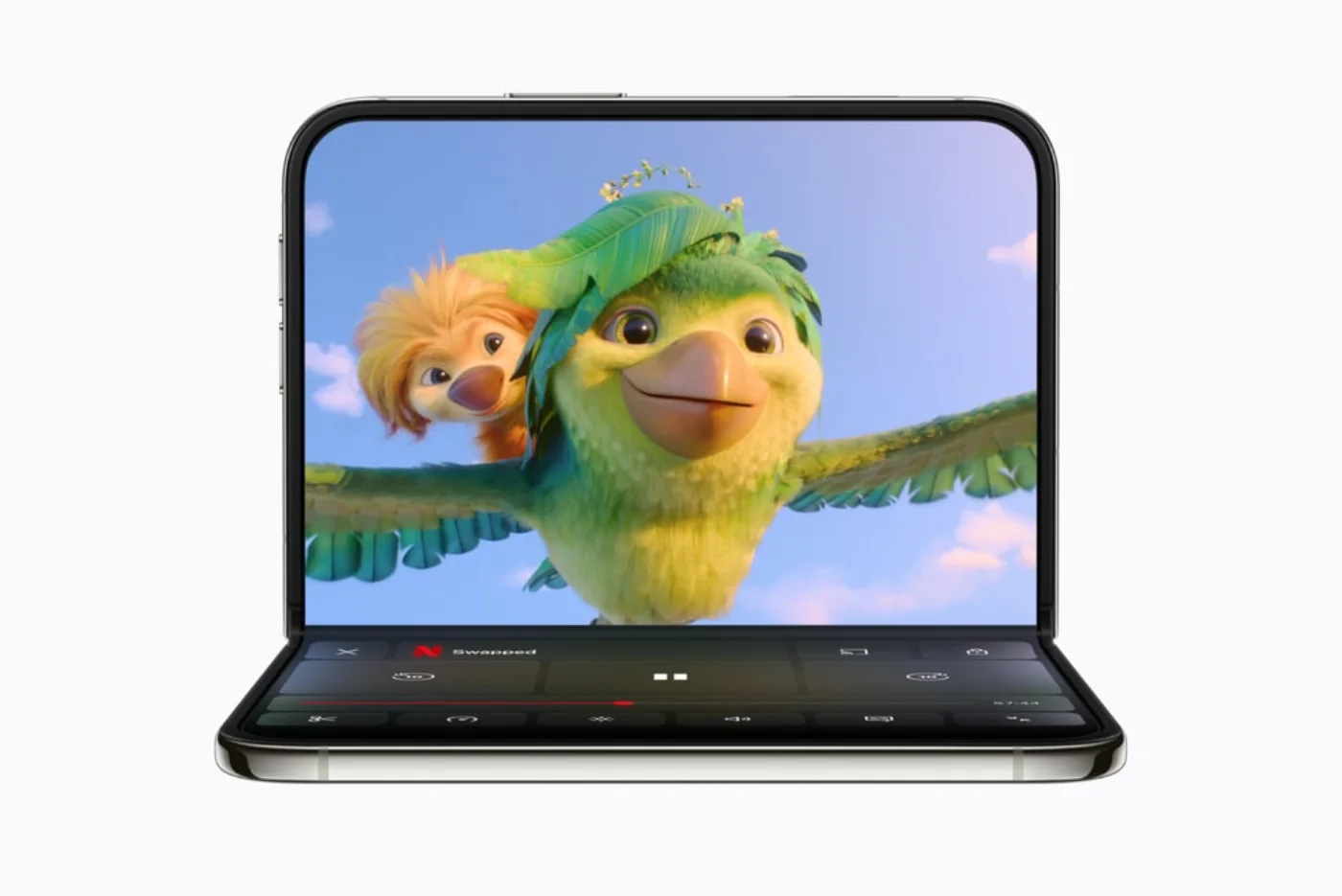
Watch without holding the phone
Netflix
A hands-free viewing route is useful when you are watching at a desk or on a train. Ask whether the new pose saves you from holding or balancing the device, rather than assuming a larger picture is a new workflow.
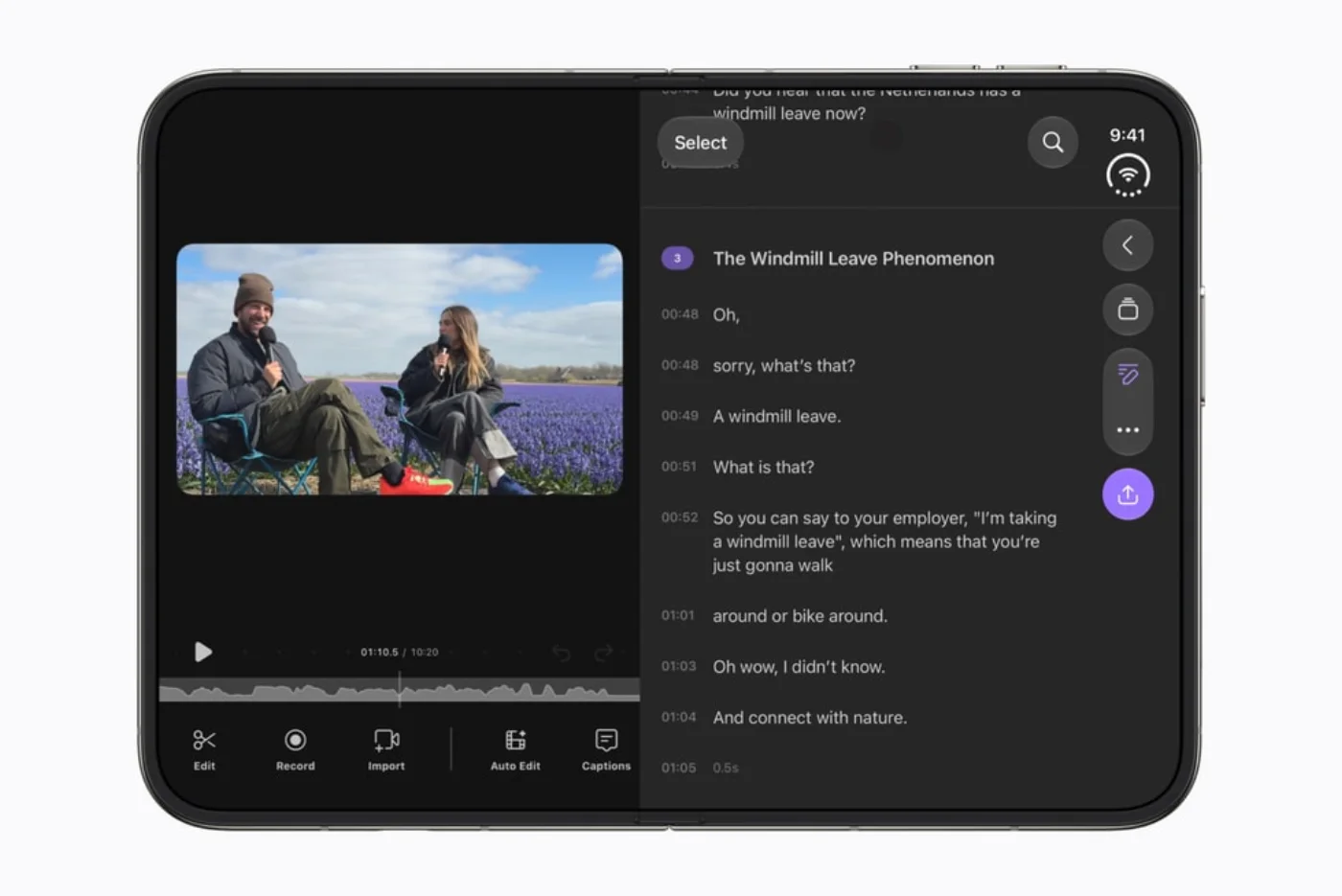
Apple Tom’s GuidePut the camera preview on the other side
Detail
A person being recorded needs different information from the person operating a camera. Detail’s release notes give a concrete outer-screen use, rather than simply promising a larger editor. Treat the recording configuration and privacy of a visible script as part of the choice.
Detail · App Store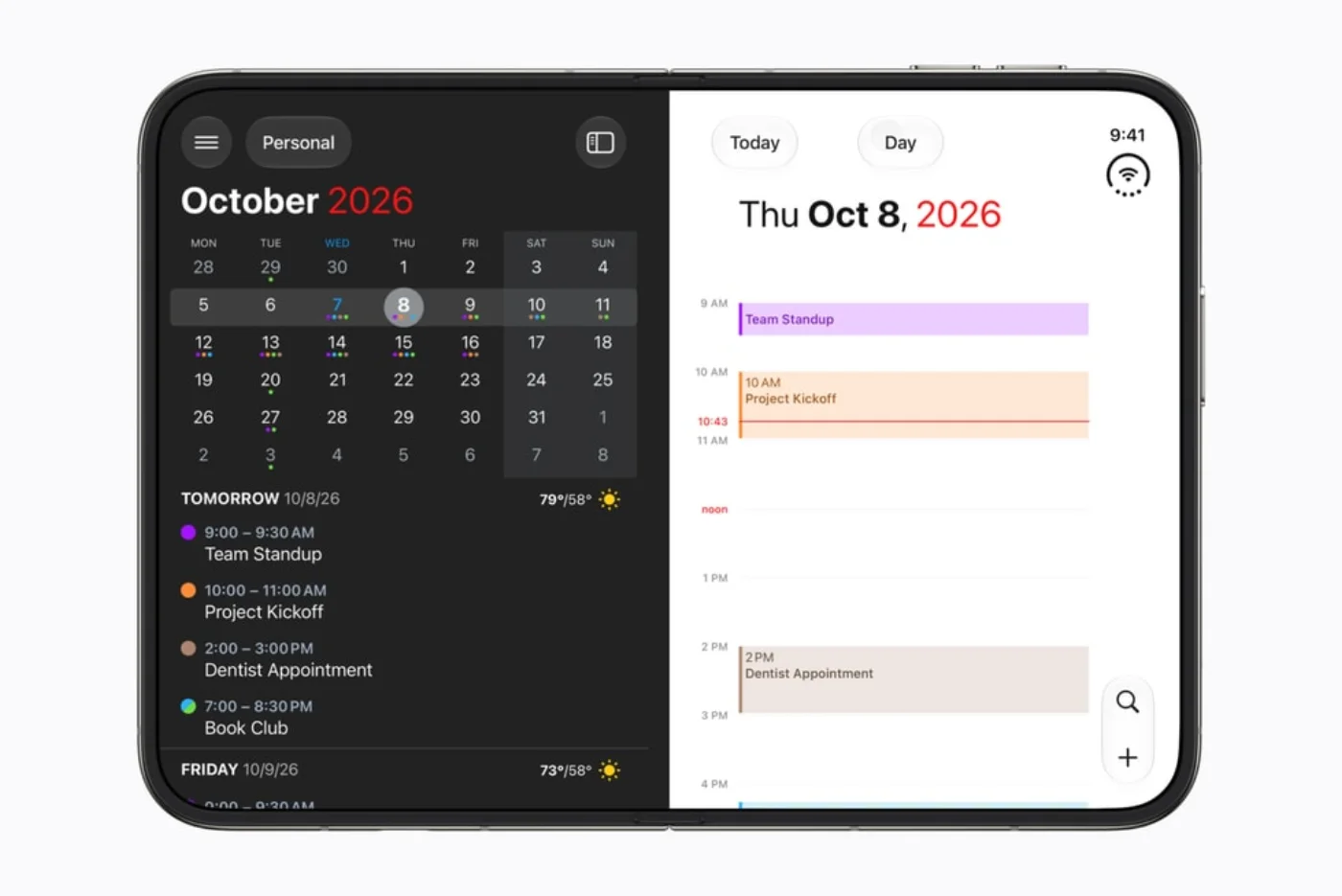
See the plan while changing the details
Fantastical
Planning involves context and detail. Flexibits describes a wider view and two Fantastical windows, while Cardhop exposes contact information next to its list. This is useful if switching between views is your current friction—not a reason to replace a calendar you already like.
Flexibits · ChrissieKeep the meeting in view
Zoom
For a presentation, faces and material answer different questions. Consider this kind of layout when a cramped view forces you to choose one. It is not a claim about better call quality, battery life or network reliability.
AppleGive the fold a job
Deck-Man
A deliberate action can be more memorable than another button. Deck-Man is an example to explore if playful interaction is part of the appeal. It is optional fun, not a productivity requirement or an audio-quality recommendation.
AppleGlance instead of keep checking
Flighty
Travel status is a glanceable task. A stable display can make sense while packing or waiting, but it is not a guarantee of accurate alerts or useful coverage on every route. Confirm service availability and the required plan before depending on it.
AppleNot every big layout is a new interaction
A wider list is useful, but it is not the same as coordinated inner and outer displays or an action triggered by folding. Apple’s design guidance treats adaptable layouts and pose-specific choices separately. We use that distinction to organize examples, not to infer features in apps that have not announced them.
Apple DeveloperLimits of this collection
- This collection synthesizes official material, developer announcements and media observations. iApp4Me has not tested these apps on iPhone Duo; no artificial test score or performance ranking is assigned.
- App updates, phased rollouts and regional availability can change the result. A media report without an app version remains a dated observation, not a permanent compatibility verdict.
- Apple-featured, developer-released and independently observed are different evidence labels. An official showcase can include future features; a polished promotional image does not establish what every installed copy does.
- All published images here are credited Apple press illustrations. They are not our device captures. Account, subscription and in-app purchase requirements remain separate from layout support.
Sources, dates and context
Paraphrased and attributed, not copied into a pretend first-hand review. Developer statements and independent observations remain separate.
- Official showcase2026-10-22 · checked 2026-10-24
Apple — Developers bring new app experiences to iPhone Duo
Includes both current demonstrations and future rollouts. Being named here is not proof that every announced feature is available today.
- Official announcement2026-09-09 · checked 2026-10-24
Apple — Apple unveils iPhone Duo
Product and system context; not an independent evaluation of individual apps.
- Developer guidancePublication date not established · checked 2026-10-24
Apple Developer — Design for iPhone Duo
Explains adaptive layouts and poses. API availability does not establish whether a specific app implements them.
- Developer release2026-10-21 · checked 2026-10-24
Cultured Code — Things arrivals and release status
Things 3.25 explicitly lists Duo support. OS 27 compatibility alone would not establish this.
- Developer announcement2026-10-23 · checked 2026-10-24
Flexibits · Chrissie — Fantastical and Cardhop go iPhone Duo
The developer says both updates are available, and describes their layouts. This is not our experience.
- Developer release2026-10-13 · checked 2026-10-24
Flexibits — Fantastical for iOS release notes
Version 4.2.3 lists Duo support; subsequent notes also mention it. A feature-specific blog description and a release number serve different purposes.
- Developer release2026-10-20 · checked 2026-10-24
Flexibits — Cardhop for iOS release notes
Version 2.5.1 lists Duo support.
- Developer releasePublication date not established · checked 2026-10-24
Detail · App Store — Detail: AI Video Editor release notes
Version 6.0.4 describes Duo camera choices, an outer-screen preview/teleprompter and Book Mode. A developer-authored listing, not a review.
- Media experience2026-10-21 · checked 2026-10-24
TechRadar · Lance Ulanoff — iPhone Duo review
Launch-period observations. App versions are not supplied for every finding, so issues are not treated as permanent defects.
- Media roundup2026-10-22 · checked 2026-10-24
Tom’s Guide — 15 early iPhone Duo app picks
A reviewer’s early choices, not our tests or a universal ranking. Several outlets repeating the same demonstration are not independent confirmations.
- Media experience2026-10-23 · checked 2026-10-24
Macworld — Six highs and lows from the first day
Distinguishes usable adaptive layouts from deeper pose-specific features; also reports launch-period problems.
- Media reporting2026-10-22 · checked 2026-10-24
MacRumors · Joe Rossignol — Apple highlights apps being updated for Duo
Reporting based largely on Apple’s announcement, not another hands-on test.
- Developer listingPublication date not established · checked 2026-10-24
PDF Extractor · Apple metadata — PDF Extractor current listing
Version 1.02 documents iPhone, iPad and Mac conversion. It does not establish a Duo-specific layout or fold interaction.
No comments yet. Be the first to share your experience.